Products

Network monitoring and administration tools by LizardSystems

Terminal Services Manager

v26.03.18 · Mar 2026

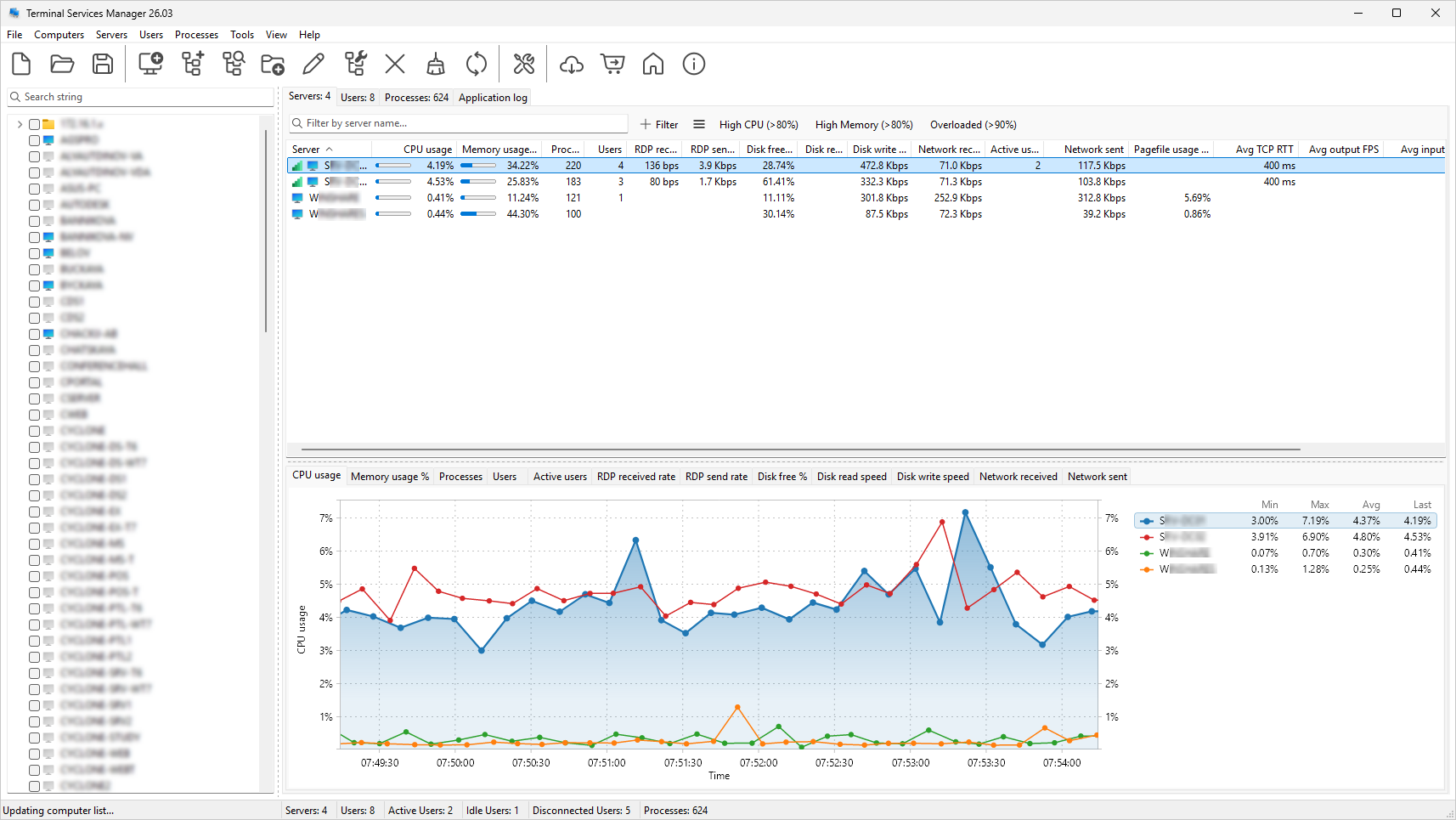
Monitor RDS sessions, track RDP connection quality, and manage remote users across multiple servers

Terminal Services Manager connects to one or more RDS servers and shows all sessions, users, and processes in one view. You can monitor CPU, memory, and 11 additional server metrics with interactive charts, and track RDP connection quality per session: TCP RTT, TCP bandwidth, output FPS, and frame quality. The program includes 130+ administrative commands for day-to-day RDS management.

Server performance monitoring Session and user monitoring Process monitoring
Windows 2012R2, 10, 2016, 2019, 2022, 11, 2025

Remote Process Explorer

v25.05 · May 2025

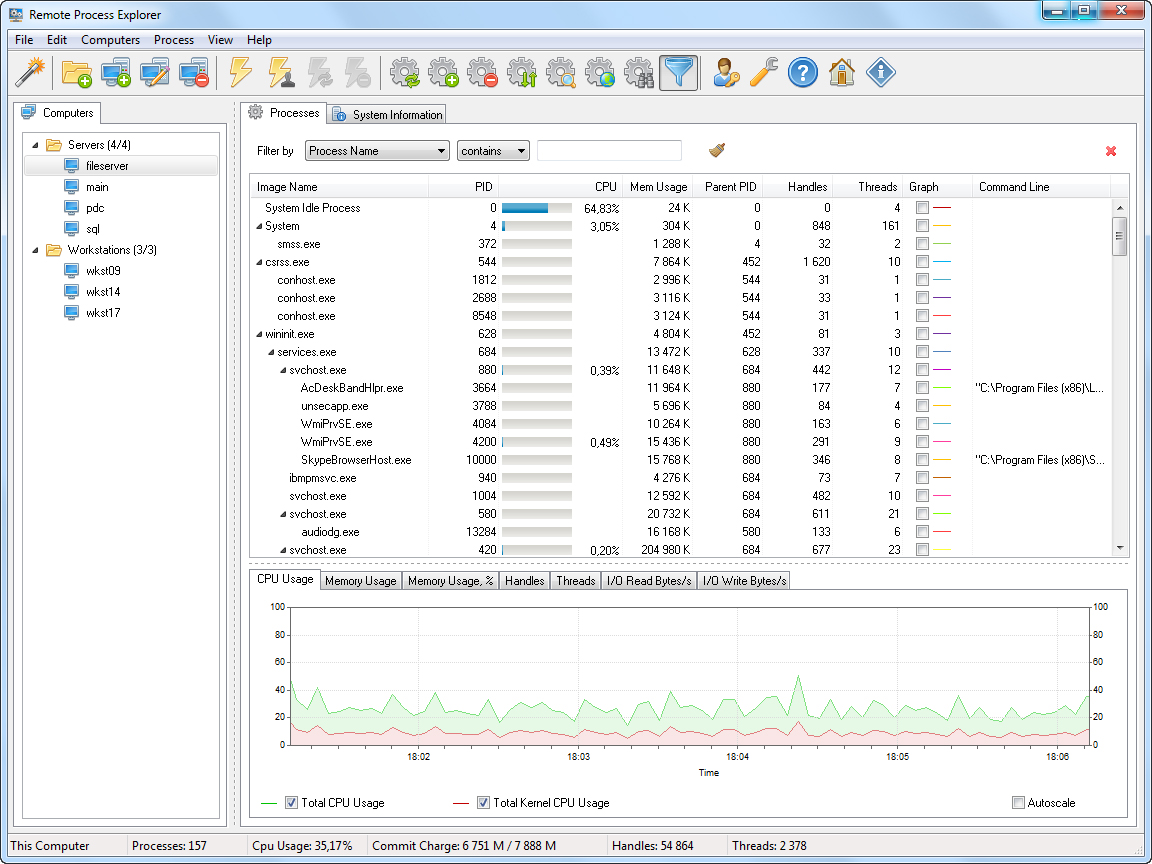
Remote Process Explorer is an easy-to-use solution for managing processes on a remote computer!

Remote Process Explorer is a powerful tool for managing, monitoring and analyzing processes on a local or remote computer. You can use Remote Process Explorer not only to get the list of processes running on a remote or local computer, but also to run a new a process, kill it or change its priority.

In real time, Remote Process Explorer monitors the performance of a remote computer, by showing the number of processes running as well as the amount of CPU, memory and other system resources it uses. Moreover, it will also show hidden processes which will allow you to detect spyware and malware.

Windows 8, 8.1, 2012, 2012R2, 10, 2016, 2019

Remote Desktop Audit

v25.05 · May 2025

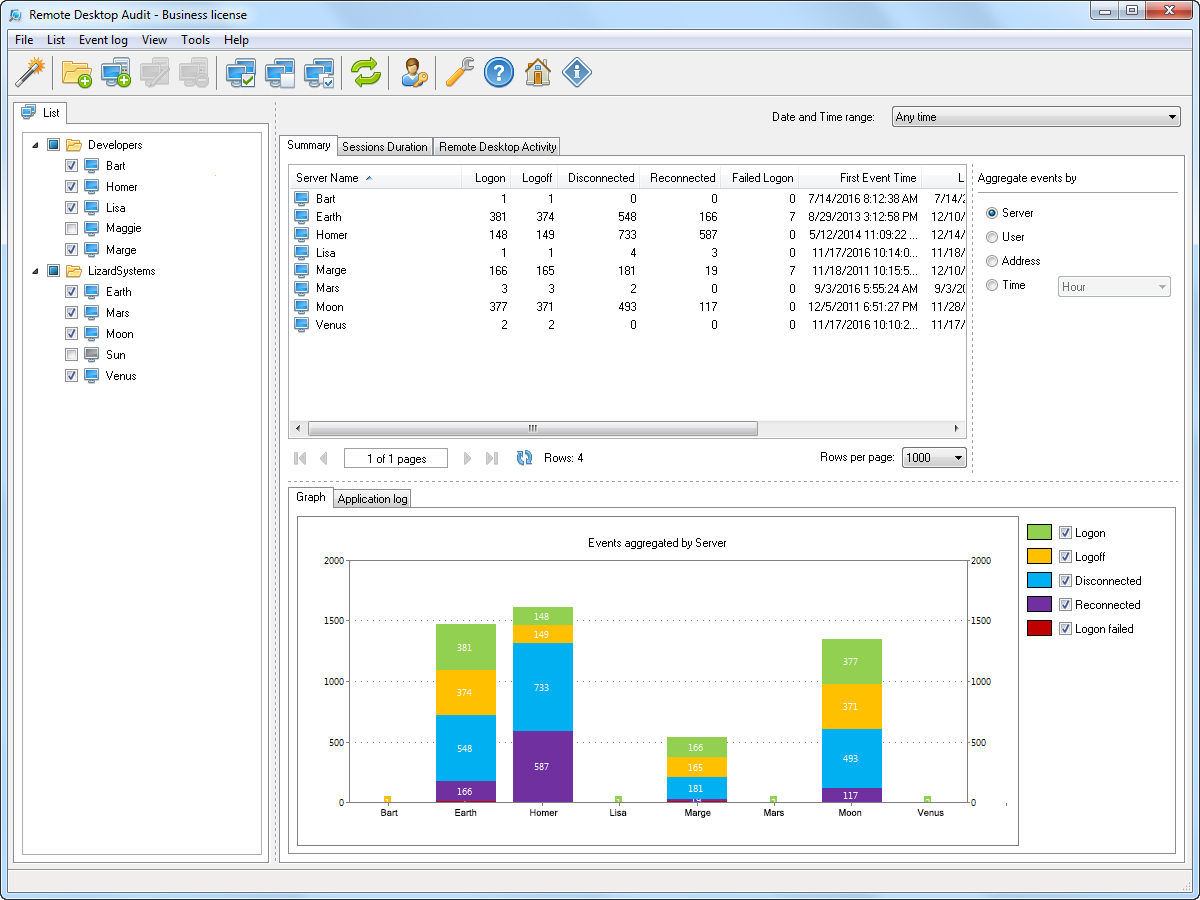
Find out who has been accessing your servers via remote desktop!

With Remote Desktop Audit, you can use the unified dashboard to analyze remote desktop access to your servers and then aggregate or filter the results by time, server, username, or IP address. In addition to convenient tracking of logon and logoff events, Remote Desktop Audit provides efficient tools for data analysis, data export, and reporting.

Windows 8, 8.1, 2012, 2012R2, 10, 2016, 2019

Wi-Fi Scanner

v25.05 · May 2025

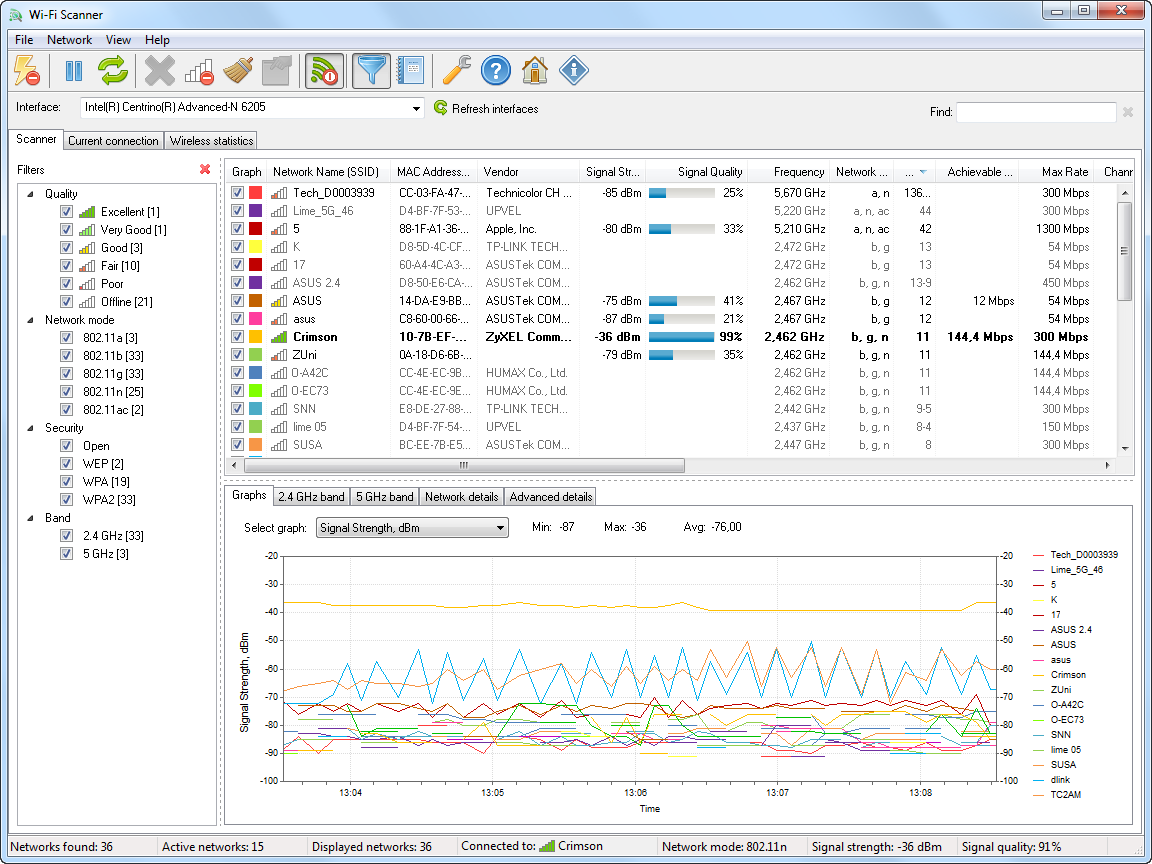
With Wi-Fi Scanner, you can find all nearby wireless networks, with detailed information about their parameters and signal strength.

Wi-Fi Scanner shows you detailed information about 802.11a/b/g/n/ac/ax wireless networks in their vicinity, as well as its parameters and signal strength. To improve network signal quality, Wi-Fi Scanner shows busy channels and thus helps users find a free channel for their access point.

Wi-Fi Scanner shows wireless connection statistics in the form of tables and graphs, and allows you to manage wireless network profiles. Wi-Fi Scanner also provides tools to analyze and diagnose problems on an individual's wireless network.

Windows 8, 8.1, 2012, 2012R2, 10, 2016, 2019

LanSend

v24.11.1 · Nov 2024

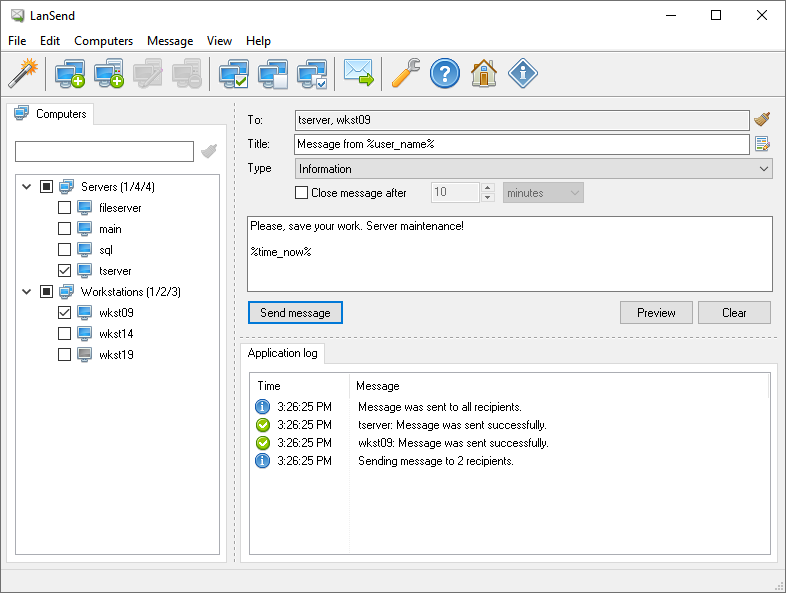
LanSend makes sending messages to network users quick and simple!

LanSend was developed for sending messages to remote computers, thereby replacing the "net send" command and msg.exe. LanSend is easy to use and requires no Internet access, dedicated server, or additional software on the recipient's machine.

Instant Messaging Across LAN No Client Installation Required Message Presets
Windows 2012R2, 10, 2016, 2019, 2022, 11

Network Scanner

v21.07 · Jul 2021

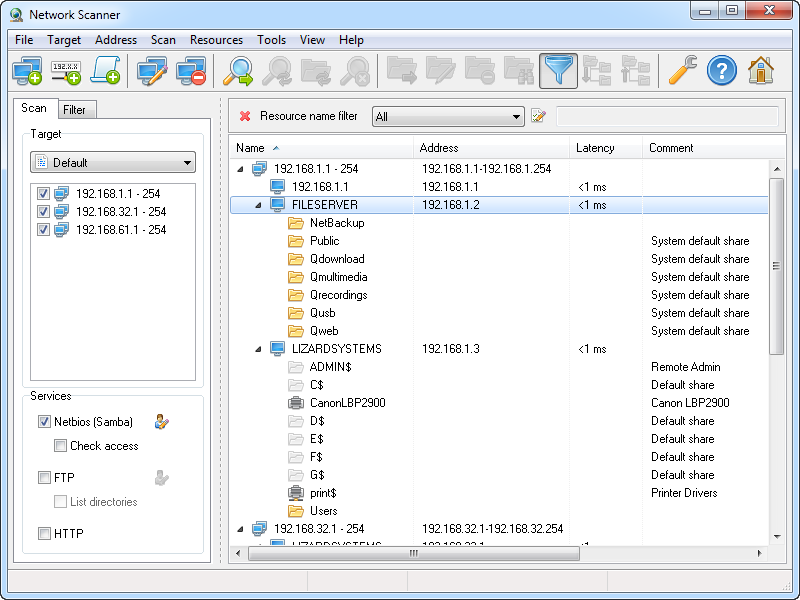
Start Network Scanner and you will be able to see all computers in the network, its resources and also access its rights!

Using a list of computers or a range of IP addresses, this tool scans the network and shows all available computer resources. The program will show NetBIOS (Samba) shared resources as well as FTP and web resources. Moreover, it will also check access rights to these resources.

Windows 7, 2008R2, 8, 8.1, 2012, 2012R2, 10, 2016

LanCalculator

v22.01 · Jan 2022

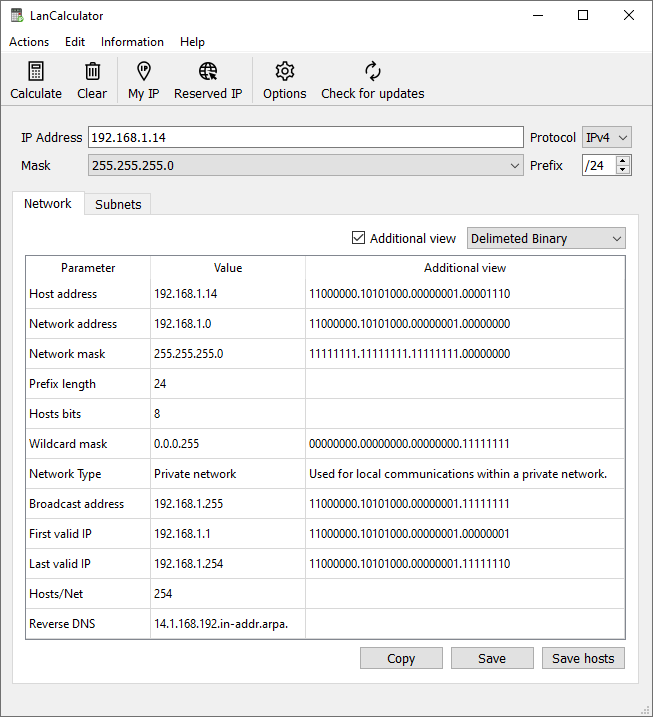
LanCalculator is the easiest and most convenient tool to analyze and calculate IPv4/IPv6 networks.

Simply enter an IP address and prefix or a subnet mask to view all the network parameters and calculate the address range that is actually used, along with available subnets and hosts. You can also split the network into a custom number of subnets and save them to a file for further work.

Windows 2012R2, 10, 2016, 2019, 11

Find MAC Address

v25.05 · May 2025

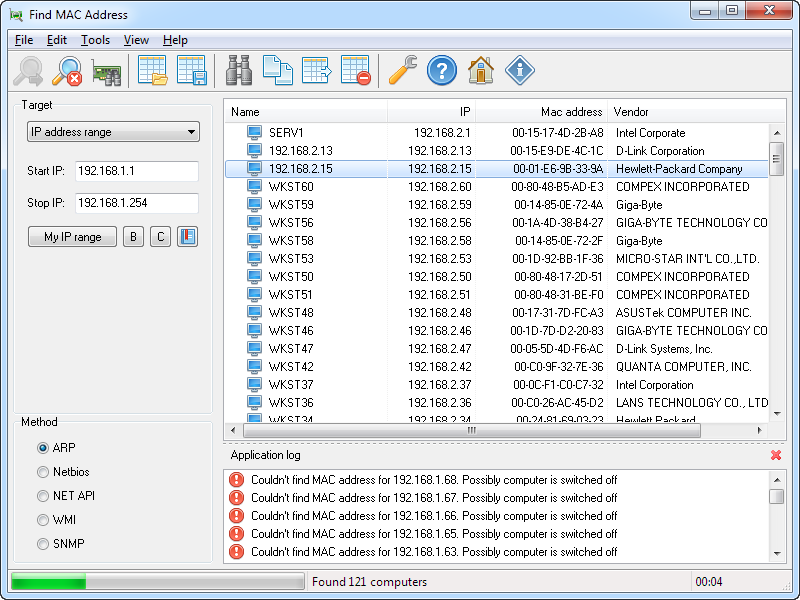
With Find MAC Address, you will be able to easily find the MAC address of any computer on the network!

This tool is an easy way to find the MAC address of a local or remote computer on the network. Select the target and method and find the MAC address of a remote computer on the network. The software can not only find the MAC address of a computer, but also detect the manufacturer of its network card.

Windows 7, 2008R2, 8, 8.1, 2012, 2012R2, 10, 2016

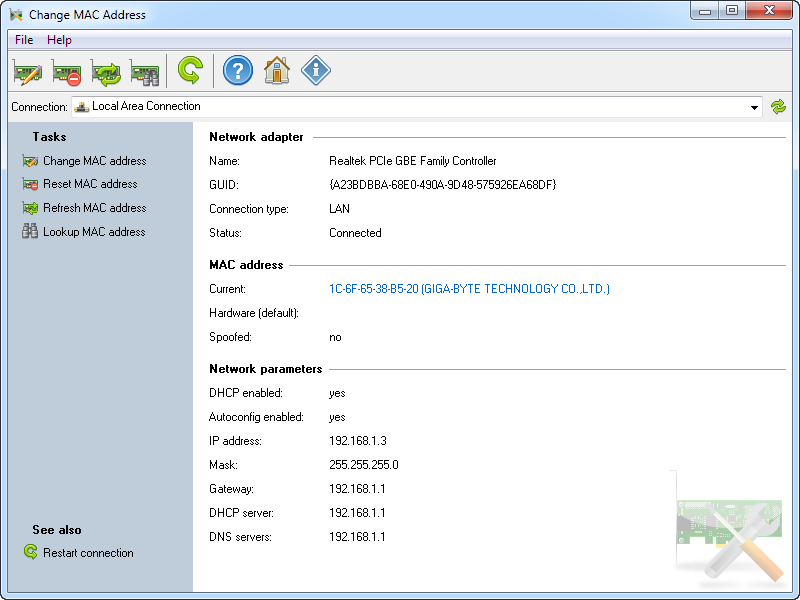
Change MAC Address

v25.05 · May 2025

Change MAC address in seconds!

With this tool, you will be able to quickly change the MAC address of their network card no matter what its manufacturer and driver is. With just a few clicks, anyone will be able to change the MAC address in seconds.

Windows 7, 2008R2, 8, 8.1, 2012, 2012R2, 10, 2016