
Redesigned interface, RDP connection quality monitoring, advanced filtering, and 130+ admin commands
Terminal Services Manager 26.03 is a major update. New interface, new monitoring capabilities, and a lot of new tools for day-to-day RDS administration.
Redesigned interface
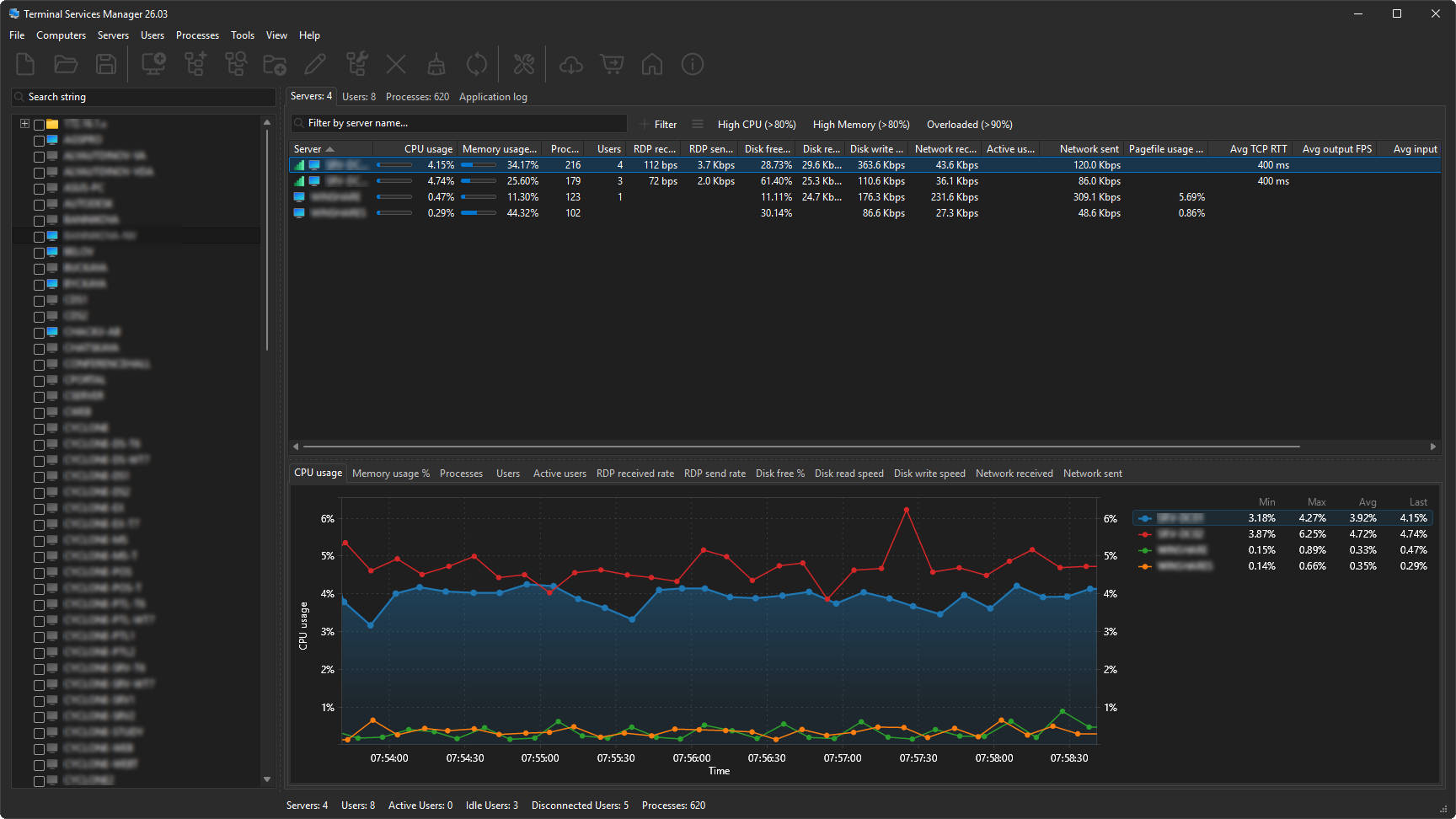
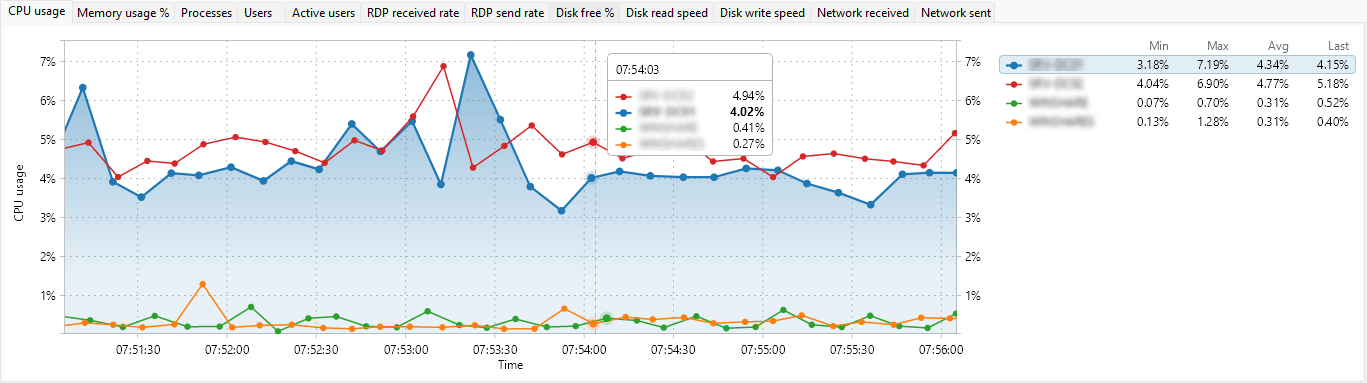
The interface now supports Dark Mode (automatic, always dark, or always light), high-DPI displays with per-monitor awareness, and Windows 11.
Charts have been rewritten with a Skia-based graphics engine. You can zoom, measure, and export to clipboard or file. The legend shows min, max, average, and current values in real time.
RDP connection quality monitoring
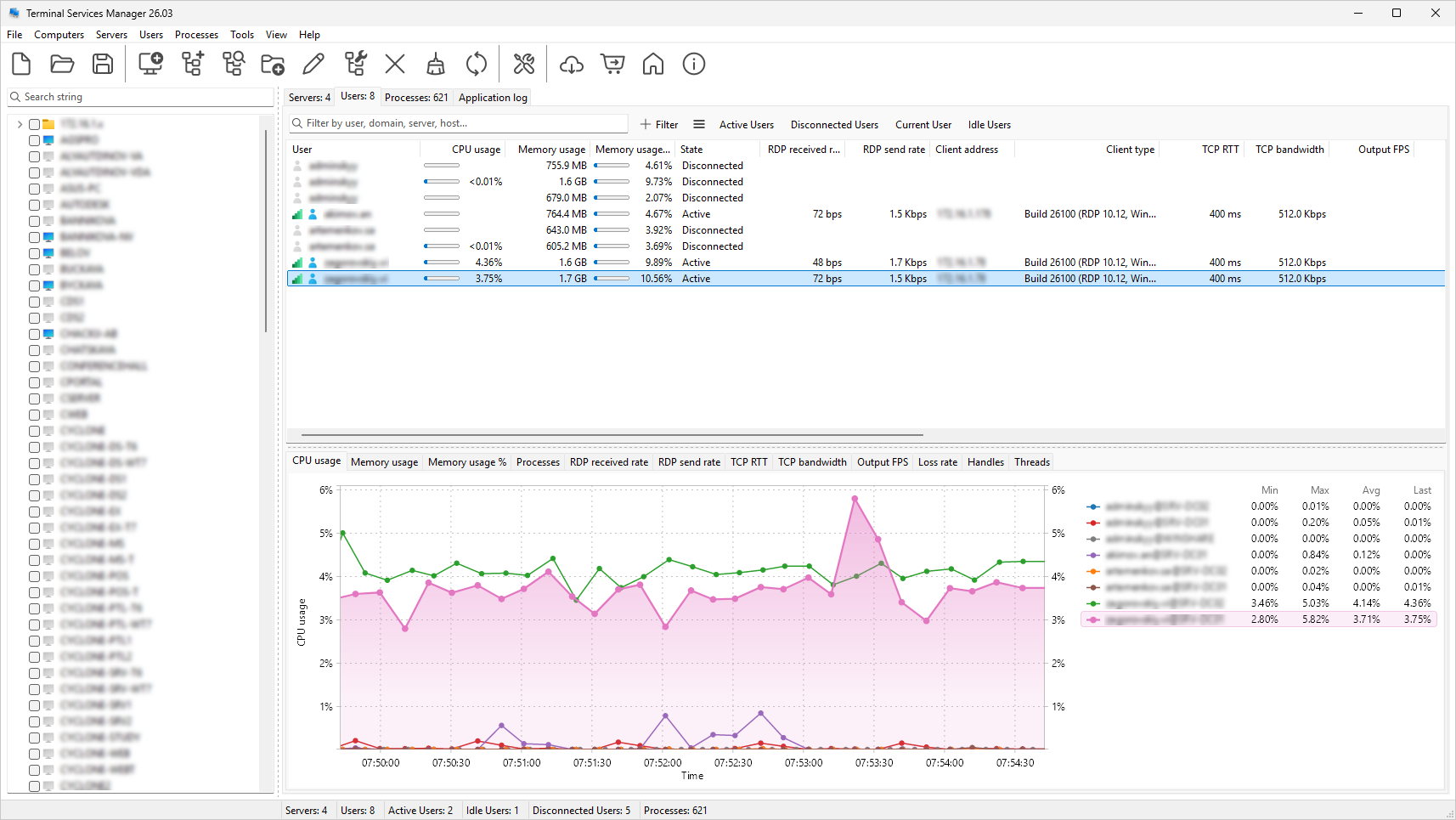
Per-user columns show the connection quality for every active session from the signals that hold up in practice: frame quality, packet loss, retransmission, and frames skipped. A signal-strength icon summarizes each session's quality, and a server-level icon shows the worst connection quality across its sessions.
Session diagnostics
When a user reports a slow session, seven diagnostic columns show what's going on: packet loss rate, retransmission rate, FEC correction rate, frames skipped (client/network/server), and encoding time. Filter for Loss rate > 1 or Retransmission rate > 5 to find problem sessions across your servers.
11 server performance metrics
Beyond CPU and memory: available memory, pagefile usage, disk free space, disk read/write speed, disk busy percentage, disk queue length, network bytes received and sent, and system uptime. All with real-time charts.
Advanced filtering on every tab
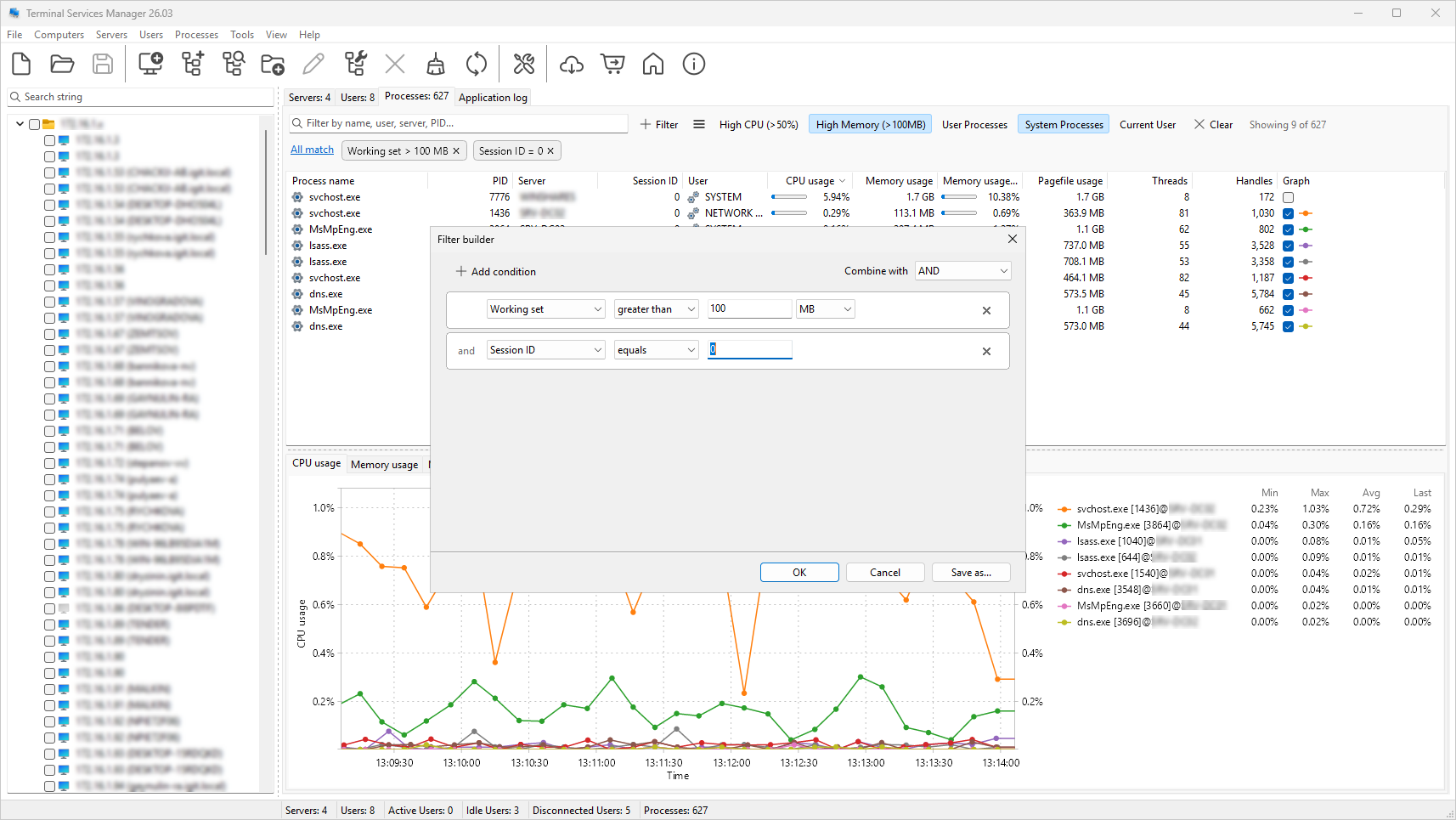
Multi-condition filters with AND/OR logic, text matching, numeric comparisons, and a "between" operator. Active conditions show as removable chips. Quick search highlights matches in the tree. 19 presets included for Servers, Users, and Processes tabs.
130+ administrative commands
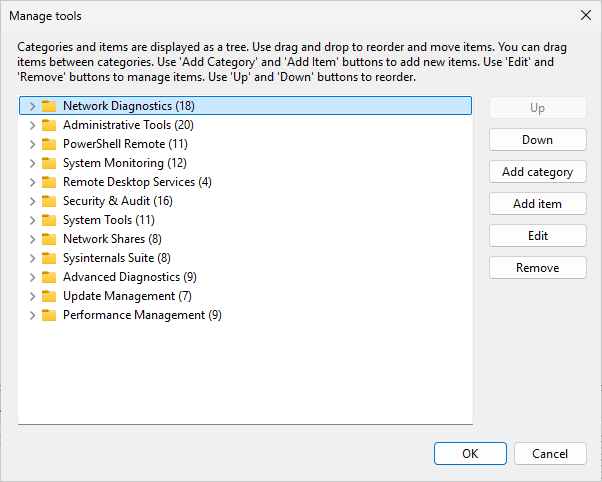
Over 130 commands in 12 categories: Network Diagnostics, PowerShell Remote, System Monitoring, Security & Audit, Sysinternals Suite, and more. You can add your own commands and categories, and import/export sets in JSON, XML, or Plain Text.
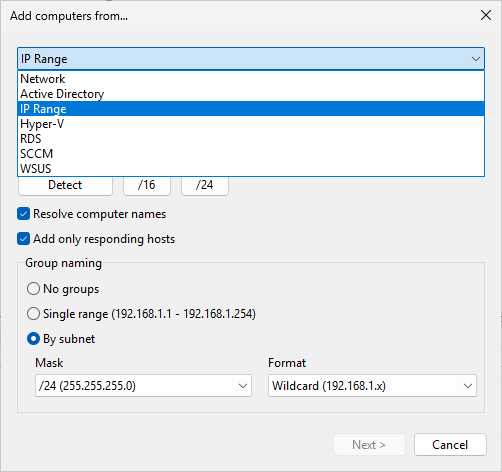
4 new computer discovery sources
Find computers from Hyper-V, RDS Connection Broker, SCCM/MECM, and WSUS - in addition to Network, Active Directory, and IP Range.
Add multiple computers
Instead of typing each name, enter a pattern and let the program generate the list. A live preview shows all names before you add them.
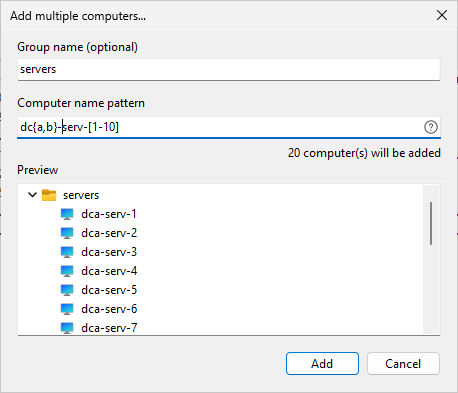
Supported patterns:
-
Comma list:
{a,b,c}iterates over comma-delimited values.server{a,b,c}producesservera,serverb,serverc. -
Numeric range:
[1-10]generates numbers from 1 to 10. Leading zeros set minimum width:[001-15]produces001,002, ...,015. -
Range with step:
[1-10:2]produces1,3,5,7,9. -
Alpha range:
[a-z]or[A-Z]for single characters.[aa-zz]for multi-character sequences.
Patterns can be combined.
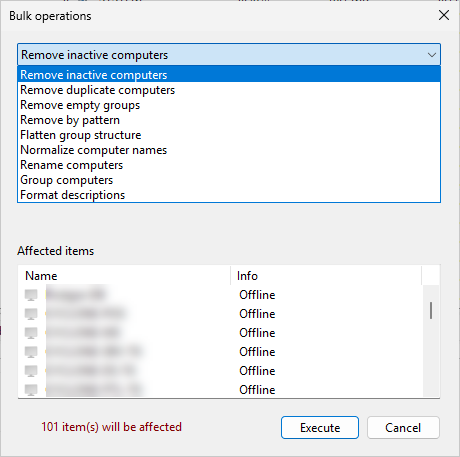
Bulk operations for computer lists
Remove inactive or duplicate computers, normalize names, add prefixes, group by subnet or domain, and format descriptions from templates. A live preview shows what will change before you apply.
Administration tools
Terminal Services Manager includes tools for day-to-day RDS administration:
-
Log off or disconnect idle users across selected servers by time threshold
-
Log off disconnected users to clean up stale sessions
-
Send messages to individual users or all users on a server
-
Shadow (remote control) a user session
-
Terminate processes running on remote servers
-
Reset stuck sessions
-
Manage user profiles on remote computers - view, delete, free up disk space
-
User activity audit - track logon, logoff, disconnect, and reconnect events
-
Failed logon monitoring - who, when, and from which address
-
Configure Remote Desktop - enable or disable on remote computers
-
RDS Licensing - license server info, grace period status, license pack details
-
Restart or shut down servers remotely
-
Export servers, users, or processes lists to CSV
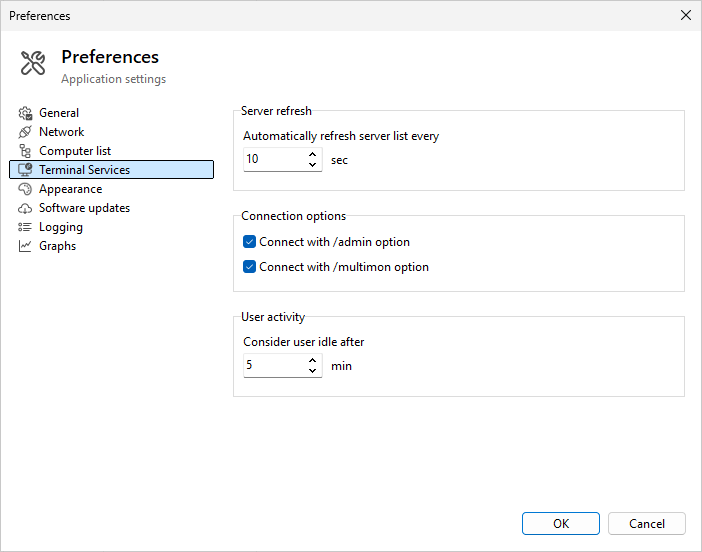
Configurable idle threshold
The idle threshold is now configurable from 1 to 1440 minutes (default: 5 minutes). The previous hardcoded 60-second value made most sessions appear idle.
9 new languages
Now available in 16 languages: English, French, Spanish, Catalan, Slovenian, Brazilian Portuguese, Chinese, Dutch, German, Italian, Japanese, Korean, Polish, Russian, Ukrainian and Turkish.
System requirements: Windows 10 or later. Windows 7 and 8 are no longer supported.
Download: https://www.lizardsystems.com/terminal-services-manager/