
LanSend is known for its simplicity and efficiency in network messaging, but beyond the basics, it offers powerful features that can streamline your communication and enhance productivity. Here are five advanced features of LanSend that you might not be leveraging yet.
1. Using Variables for Dynamic Messaging
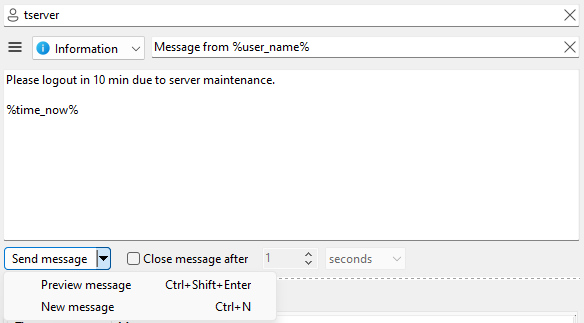
LanSend allows you to use variables like %user_name% and %time_now% to make your messages more personalized and contextually relevant. They resolve to your own machine's values at the moment of sending.
For example:
"Hello %user_name%, the system update will start at 6 PM. Please save your work."
This feature is particularly useful for sending mass notifications with a personal touch, ensuring your messages feel targeted and professional.
2. Creating and Managing Message Presets
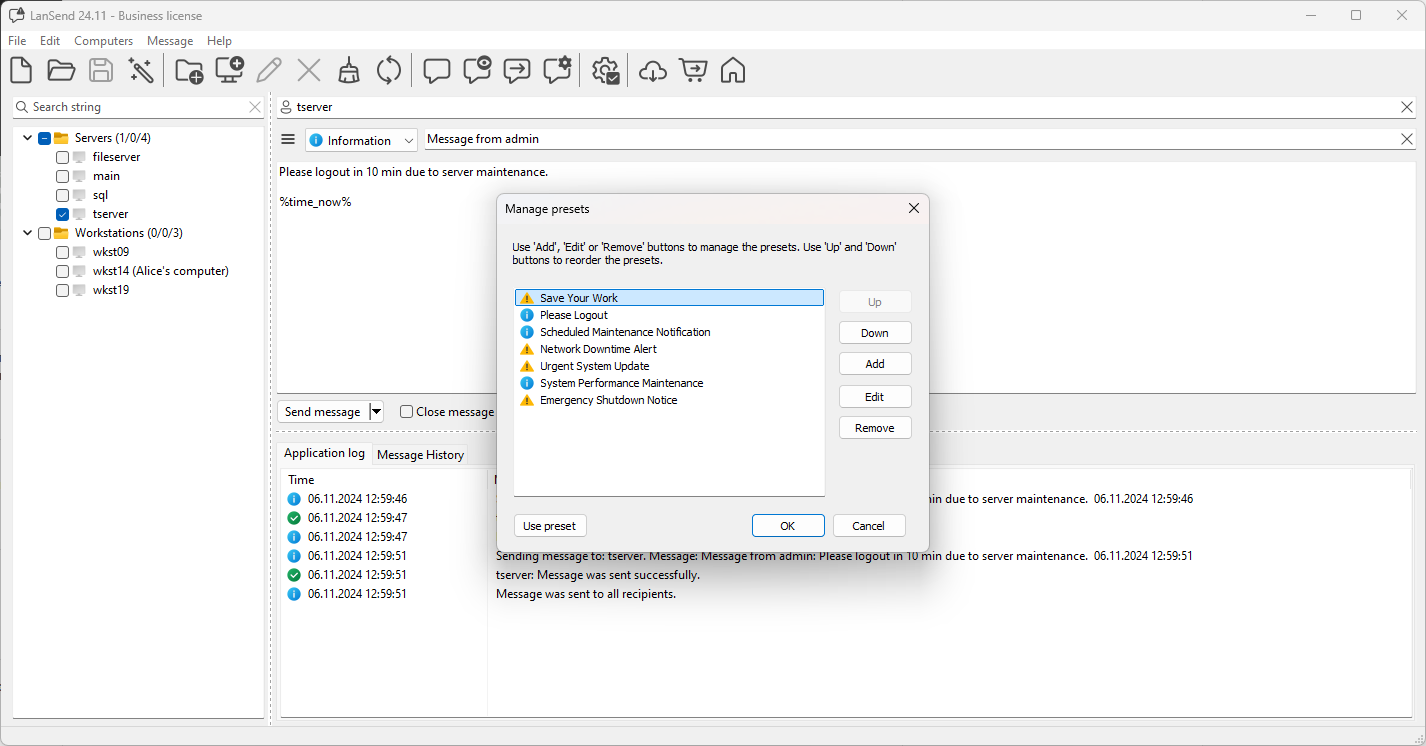
If you frequently send similar messages, the Manage presets feature can save you significant time.
- Open Message > Manage presets from the main menu.
- Create, edit, or delete saved messages for common scenarios, like system maintenance alerts or meeting reminders.
Once created, a preset can be applied in just a few clicks from the Presets menu, making routine communications faster and more consistent.
3. Organizing Your Computer List with Groups and List Files
LanSend keeps one computer list that you can organize into groups for precise targeting, and you can save different lists as separate files.
- Create groups based on departments, locations, or priority systems, and check a whole group to message it at once.
- Keep separate lists as files and switch between them with File > New, File > Open, and File > Save.
This is especially useful for large networks, ensuring that only the relevant recipients receive your notifications.
4. Utilizing the Message History Tab
The Message History feature is not just for reviewing past communications. It also lets you:
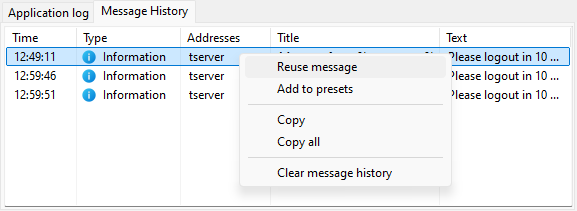
- Reuse a past message with Reuse message, which loads it back into the composer so you can send it again.
- Adjust the wording before you send it again for a new scenario.
- Right-click a message and choose Add to presets to save it for future use.
5. Customizing Notifications with Message Types
LanSend supports four message types - None, Info, Warning, and Error. These help you convey the importance of each message effectively.
- Use Error for emergencies to ensure recipients take immediate action.
- Reserve Info for routine updates to avoid overwhelming users with unnecessary urgency.
Choosing the right message type helps maintain clarity and ensures that your messages are read with the right level of attention. Info, Warning, and Error each carry the matching Windows icon and sound; None is a plain message.
Unlock the Full Potential of LanSend
These advanced features can make your messaging more efficient, personalized, and impactful. If you're not already using them, now is the perfect time to explore LanSend's full capabilities. For more tips and guidance, visit our How-To section.
By mastering these tools, you can elevate your communication strategy and maximize the value LanSend brings to your network operations.
