Terminal Services Manager 26.03 - What's New
Redesigned interface, RDP connection quality monitoring, advanced filtering, and 130+ admin commands
Terminal Services Manager 26.03 is a major update. New interface, new monitoring capabilities, and a lot of new tools for day-to-day RDS administration.
Redesigned interface
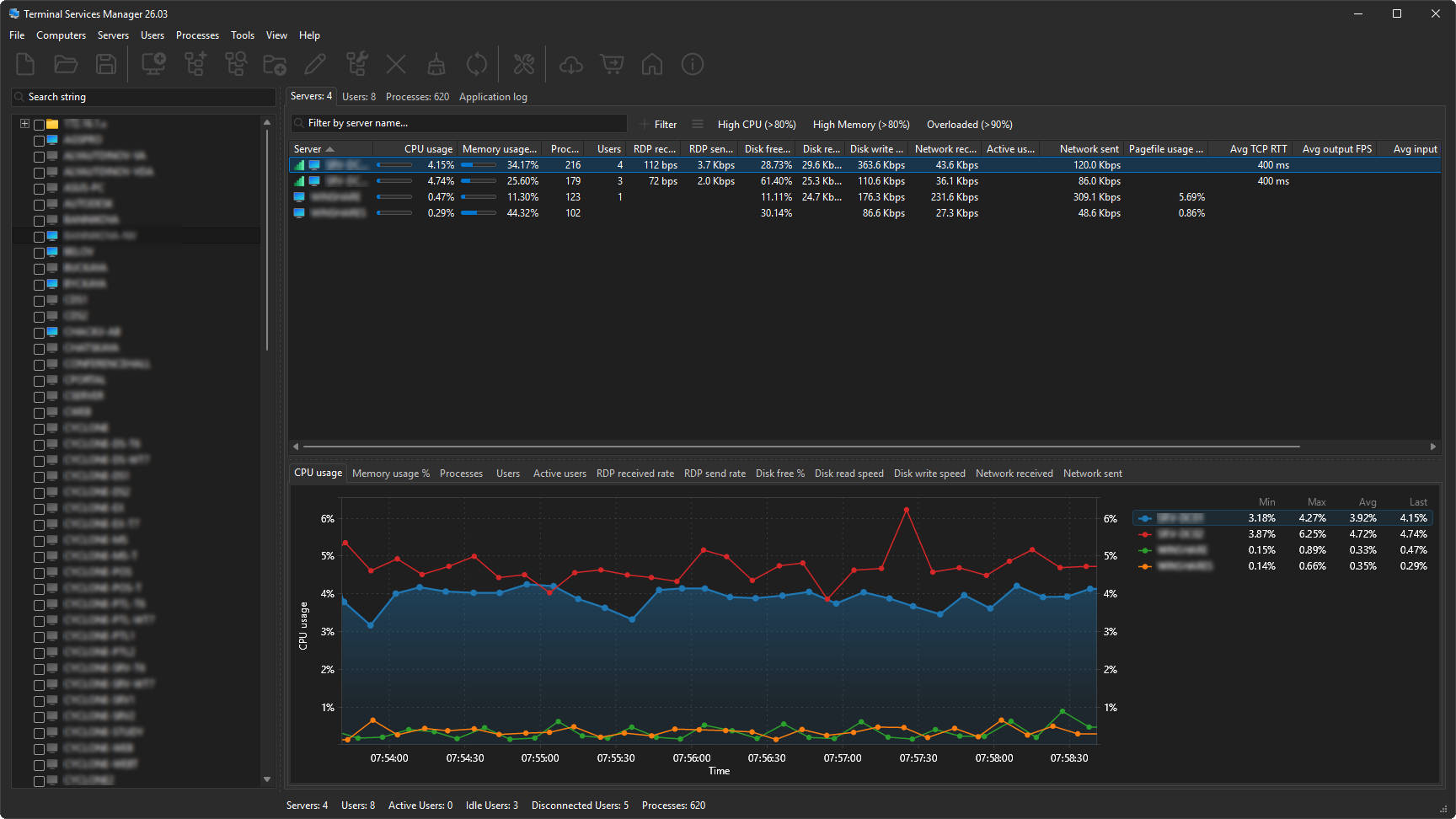
The interface now supports Dark Mode (automatic, always dark, or always light), high-DPI displays with per-monitor awareness, and Windows 11.
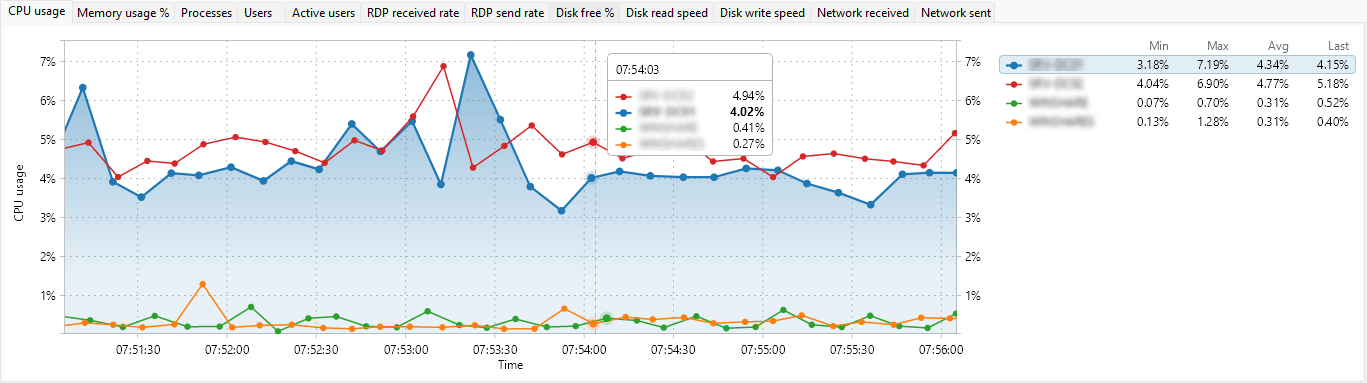
Charts have been rewritten with a Skia-based graphics engine. You can zoom, measure, and export to clipboard or file. The legend shows min, max, average, and current values in real time.
RDP connection quality monitoring
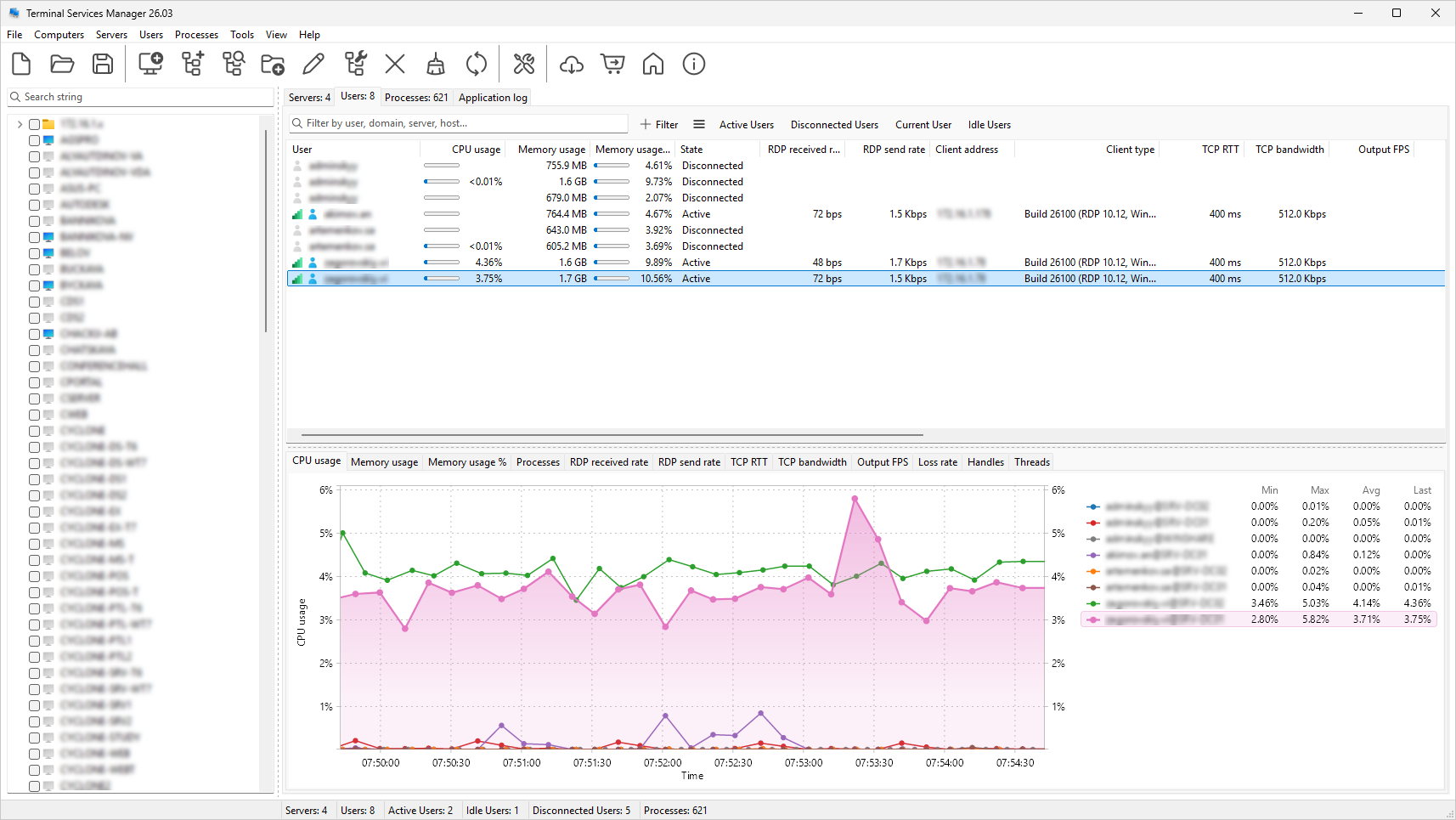
Per-user columns show TCP RTT, TCP bandwidth, output FPS, and frame quality for every active session. A signal-strength icon shows connection quality for each session. Server-level columns show Avg TCP RTT, Avg output FPS, Avg input FPS, and Avg frame quality. A signal-strength icon on each server shows the worst connection quality.
Session diagnostics
When a user reports a slow session, seven diagnostic columns show what's going on: packet loss rate, retransmission rate, FEC correction rate, frames skipped (client/network/server), and encoding time. Filter for Loss rate > 1 or Retransmission rate > 5 to find problem sessions across your servers.
11 server performance metrics
Beyond CPU and memory: available memory, pagefile usage, disk free space, disk read/write speed, disk busy percentage, disk queue length, network bytes received and sent, and system uptime. All with real-time charts.
Advanced filtering on every tab
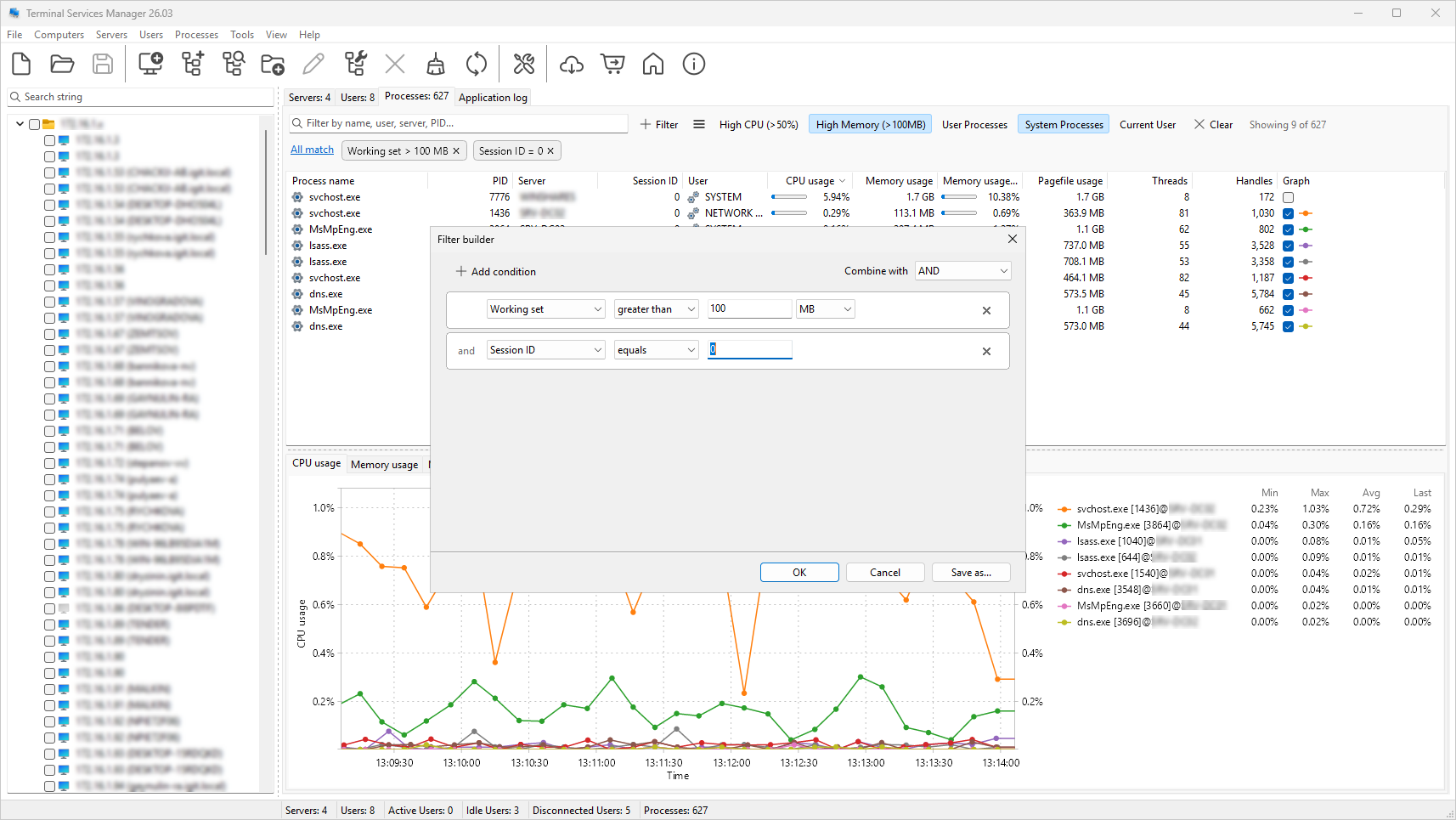
Multi-condition filters with AND/OR logic, text matching, numeric comparisons, and a "between" operator. Active conditions show as removable chips. Quick search highlights matches in the tree. 19 presets included for Servers, Users, and Processes tabs.
130+ administrative commands
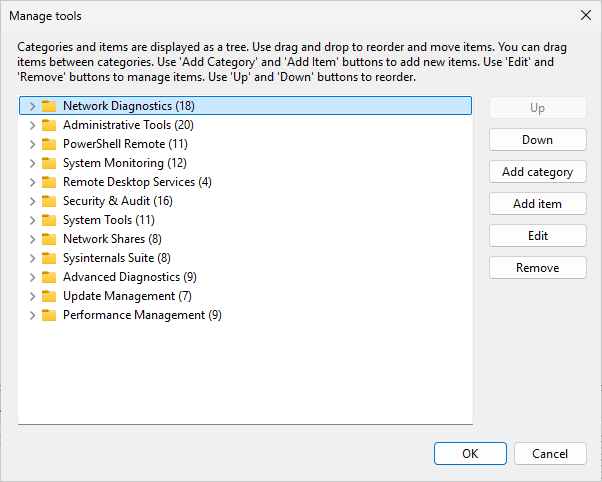
Over 130 commands in 12 categories: Network Diagnostics, PowerShell Remote, System Monitoring, Security & Audit, Sysinternals Suite, and more. You can add your own commands and categories, and import/export sets in JSON, XML, or Plain Text.
4 new computer discovery sources
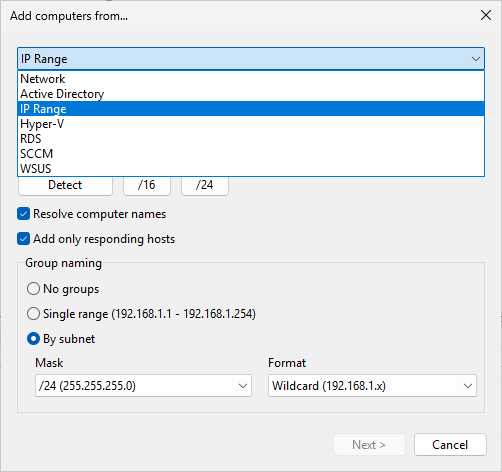
Find computers from Hyper-V, RDS Connection Broker, SCCM/MECM, and WSUS - in addition to Network, Active Directory, and IP Range.
Add multiple computers
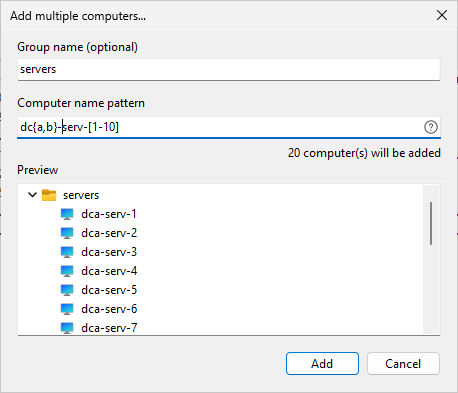
Instead of typing each name, enter a pattern and let the program generate the list. A live preview shows all names before you add them.
Supported patterns:
Comma list:
{a,b,c}iterates over comma-delimited values.server{a,b,c}producesservera,serverb,serverc.Numeric range:
[1-10]generates numbers from 1 to 10. Leading zeros set minimum width:[001-15]produces001,002, ...,015.Range with step:
[1-10:2]produces1,3,5,7,9.Alpha range:
[a-z]or[A-Z]for single characters.[aa-zz]for multi-character sequences.
Patterns can be combined.
Bulk operations for computer lists
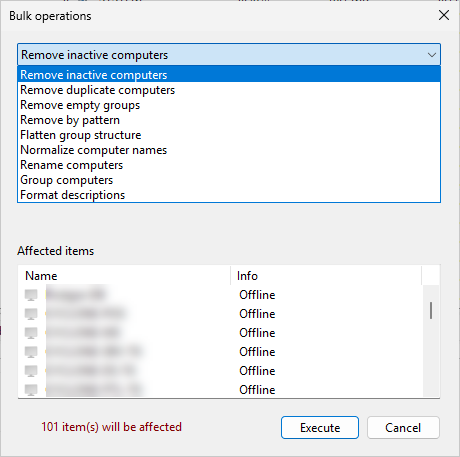
Remove inactive or duplicate computers, normalize names, add prefixes, group by subnet or domain, and format descriptions from templates. A live preview shows what will change before you apply.
Administration tools
Terminal Services Manager includes tools for day-to-day RDS administration:
Log off or disconnect idle users across selected servers by time threshold
Log off disconnected users to clean up stale sessions
Send messages to individual users or all users on a server
Shadow (remote control) a user session
Terminate processes running on remote servers
Reset stuck sessions
Manage user profiles on remote computers - view, delete, free up disk space
User activity audit - track logon, logoff, disconnect, and reconnect events
Failed logon monitoring - who, when, and from which address
Configure Remote Desktop - enable or disable on remote computers
RDS Licensing - license server info, grace period status, license pack details
Restart or shut down servers remotely
Export servers, users, or processes lists to CSV
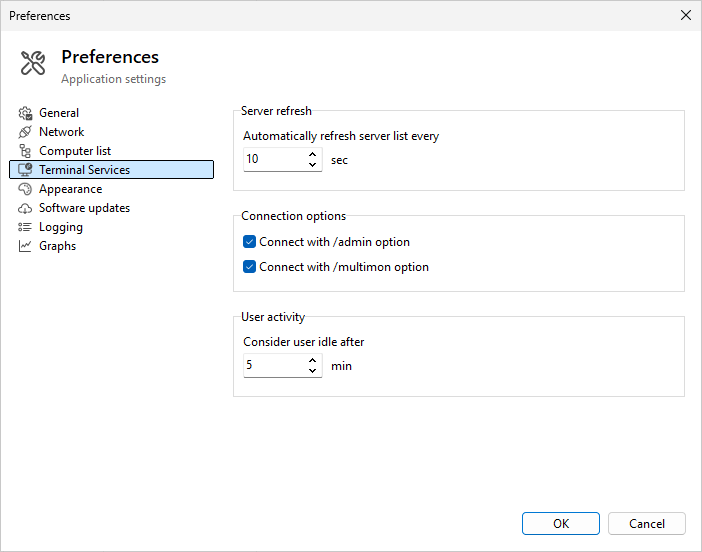
Configurable idle threshold
The idle threshold is now configurable from 1 to 1440 minutes (default: 5 minutes). The previous hardcoded 60-second value made most sessions appear idle.
9 new languages
Now available in 16 languages: English, French, Spanish, Catalan, Slovenian, Brazilian Portuguese, Chinese, Dutch, German, Italian, Japanese, Korean, Polish, Russian, Ukrainian and Turkish.
System requirements: Windows 10 or later. Windows 7 and 8 are no longer supported.
Download: https://www.lizardsystems.com/terminal-services-manager/
Mar 10, 2026
Similar articles
- LizardSystems Terminal Services Manager: A Powerful Tool for Remote Desktop Management
- How to grant shadow access rights for users without grant full admins rights in RDS-servers?
- How to Add Users and Grant RDP Permissions on Windows Server: A Comprehensive Guide
- How to Protect User Sessions from Remote Viewing on Terminal Servers