
When a user closes their Remote Desktop window without signing out, the session does not end. It stays on the server in the Disconnected state, still holding the memory and CPU it had while the user was active. Let enough of them accumulate and a busy session host runs out of resources for the people who are actually working.
The manual way: quser and logoff
Find the disconnected sessions on one host:
quser /server:RDSH01
Note the session ID of any session whose state is Disc, then end it:
logoff <SessionID> /server:RDSH01
This is workable for one or two sessions on one server. Across a farm it becomes tedious, and there is no built-in way to say "log off every disconnected session on these ten servers."
The faster way: Terminal Services Manager
Terminal Services Manager finds disconnected sessions across every server at once and clears them in a single action.
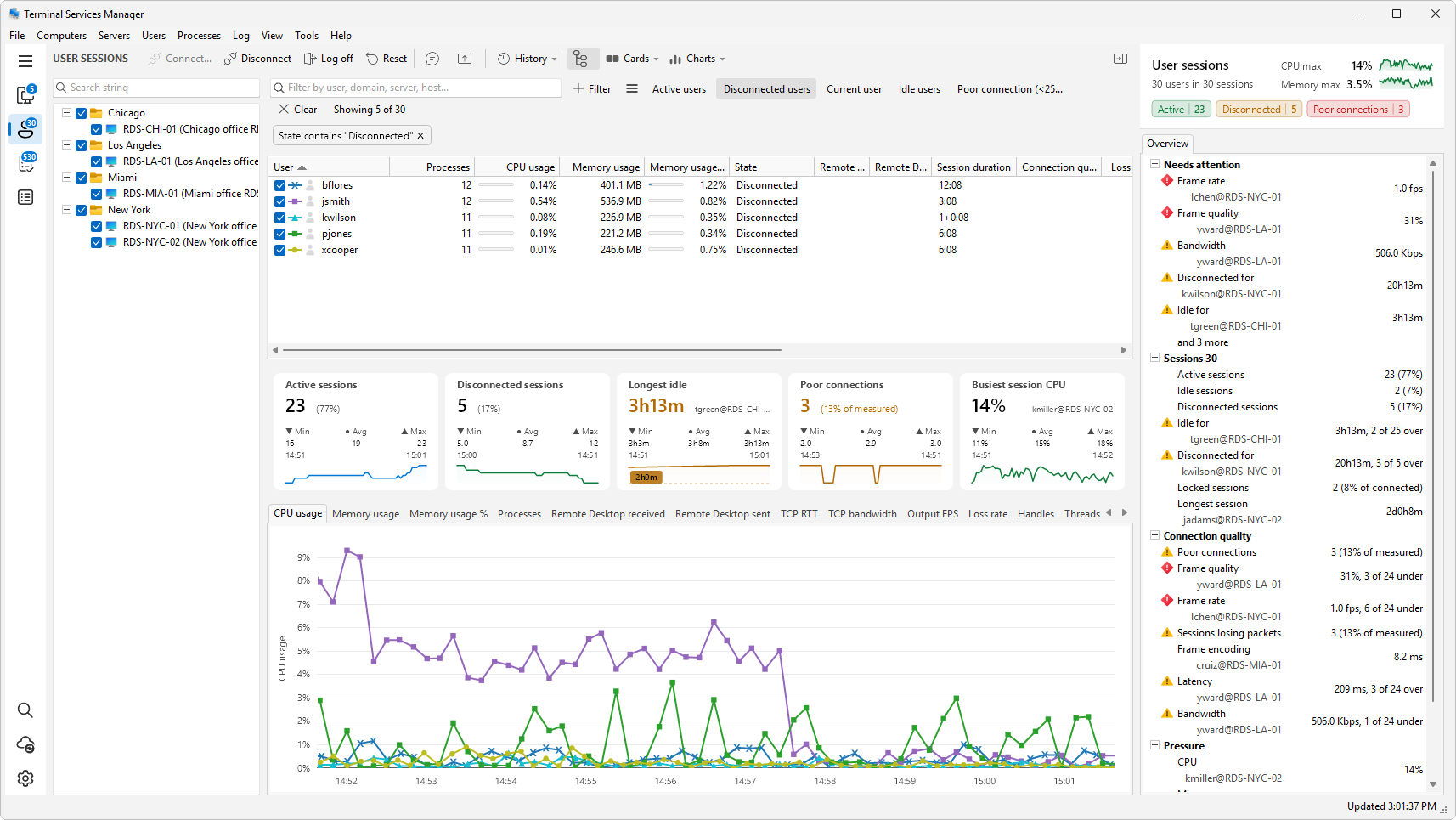
Find them. Open User sessions in the sidebar and click the Disconnected users preset button to show only disconnected sessions across all your servers. Sort by idle time to see which have been abandoned longest.
Clear them, two ways:
- Per session: select the disconnected rows (hold Ctrl or Shift to pick several), right-click, and choose Log off. The session ends and its resources are freed.
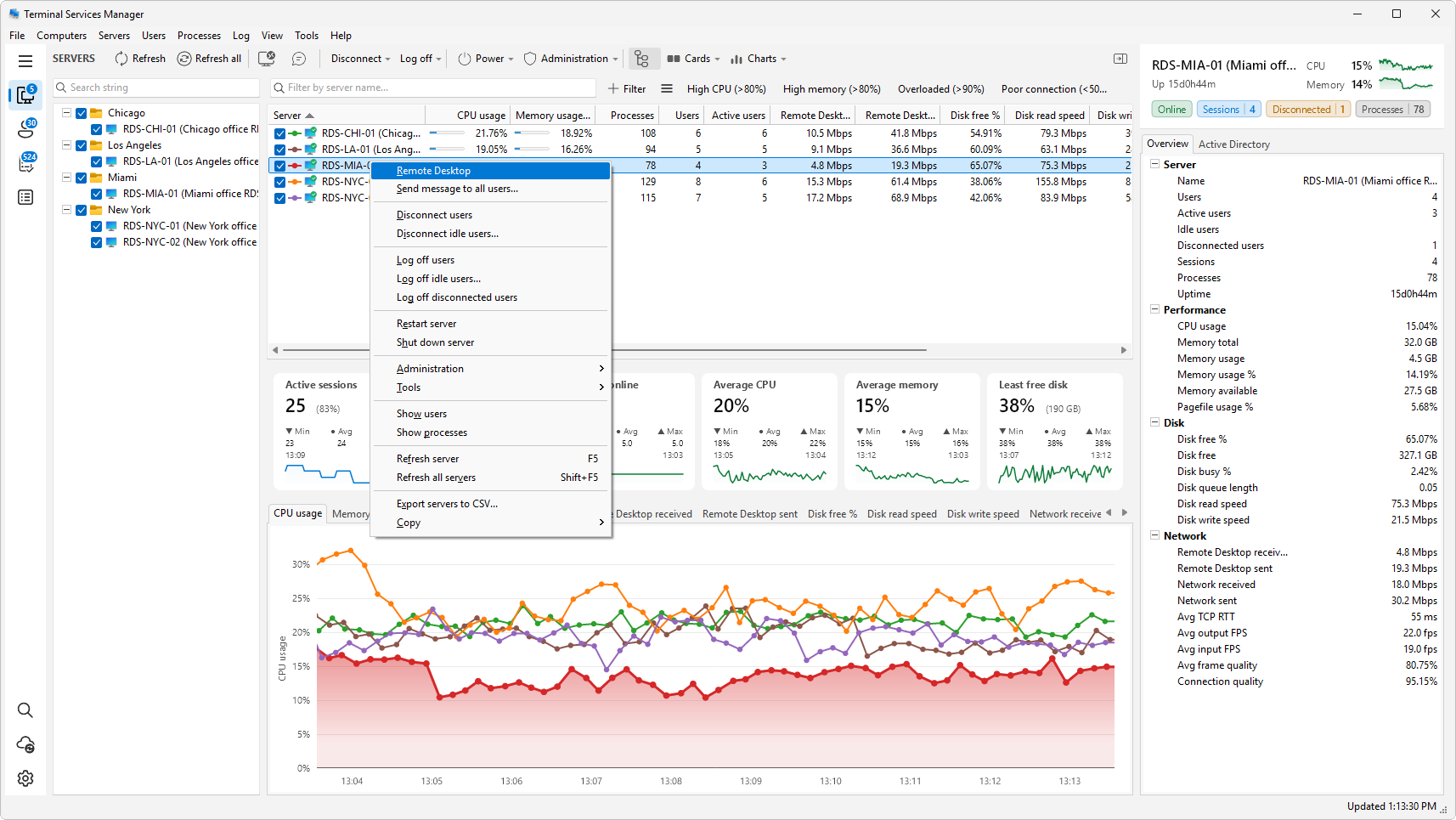
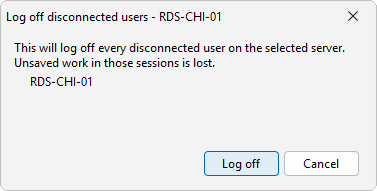
- Per server, in one step: in Servers, right-click one or more servers and choose Log off disconnected users. This logs off every session currently disconnected on those servers, and only those. It asks for confirmation first.
Disconnect is not the same as log off
A disconnected session is still a live session. Log off is what ends it and returns the resources; Disconnect only drops the connection again. If your goal is to free memory, log off is the action you want.
Stop them from piling up
To clear idle and disconnected sessions regularly, and to set the idle threshold the program uses, see how to log off idle users on a Remote Desktop server.
Related
- How to see who is logged on to a Remote Desktop server
- How to log off idle users on a Remote Desktop server