
Previewing messages in LanSend helps ensure your message is clear and accurate before sending. It shows the message exactly as it will appear to recipients, so you can catch any typos or formatting issues and keep communication professional.
To use this feature:
- Compose your message in the main text area.
- Choose Message > Preview message.
- A preview window appears, showing the message with its type icon, title, and body, exactly as the recipient will see it.
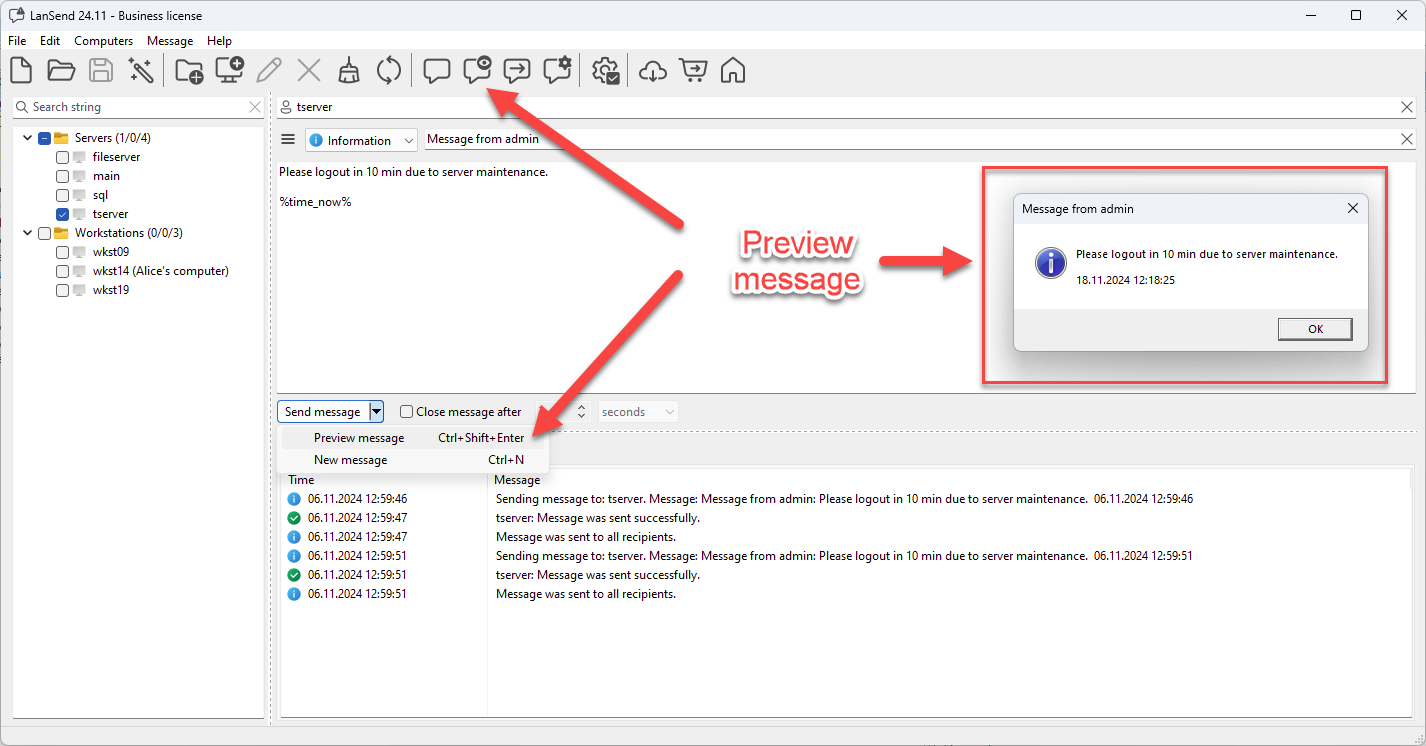
In the screenshot, the preview shows a message alerting users to log out for server maintenance, just as it will appear on the recipient's screen.
Using the preview before sending is especially helpful for sensitive or important communications, giving you confidence that the message will be received as intended.