
By default RDP allows a maximum resolution of 4096 by 2048 per monitor. You can cap it lower so high-resolution clients do not create oversized sessions that eat memory and bandwidth on the host.
Group Policy
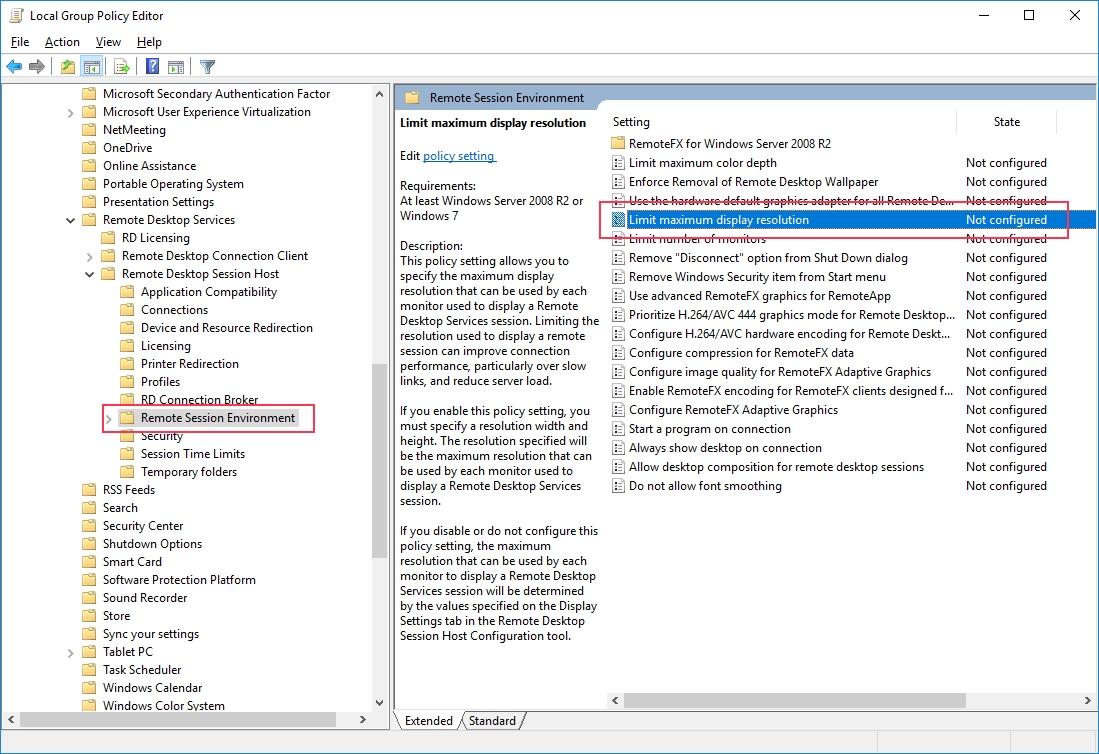
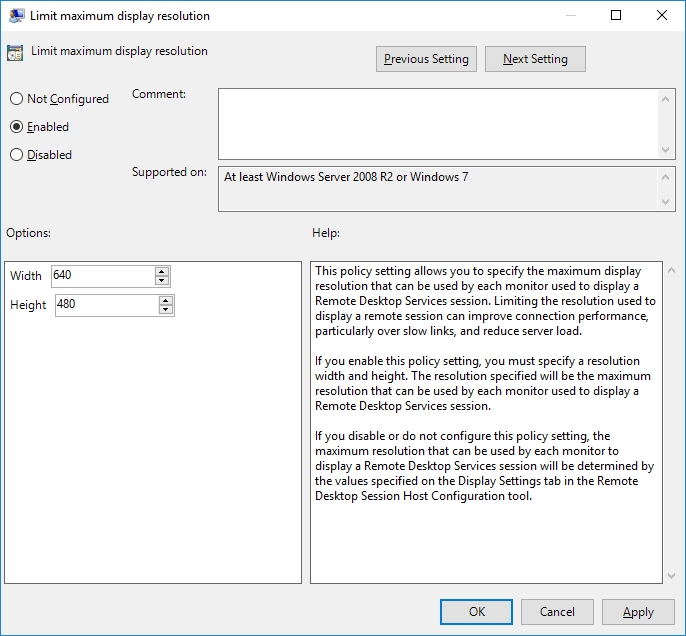
Enable Limit maximum display resolution and set the largest width and height a session may use:
Computer Configuration > Administrative Templates > Windows Components > Remote Desktop Services > Remote Desktop Session Host > Remote Session Environment
Sessions that request more are reduced to your limit.
With multimon, the width and height of each remote monitor can also be set in the client's .rdp file. For the full guide, including the monitor-count limit, see how to limit Remote Desktop (RDP) monitors and resolution on Windows Server.