
"Who was on this server yesterday afternoon, and for how long?" comes up for security reviews, compliance, and tracking down what happened during an incident. Live session tools show who is connected now, but not the history. For that you reconstruct past sessions from the Windows event log.
The manual way: the event log
Remote Desktop session events live in Microsoft-Windows-TerminalServices-LocalSessionManager/Operational and the Security log. The key IDs are:
- 21 / 22 - session logon and shell start
- 24 / 25 - session disconnect and reconnect
- 23 - logoff
- 4624 / 4634 - Security-log logon and logoff (Logon Type 10 is RDP)
Reconstructing whole sessions means pairing logon events with their logoff events by session ID and time, across two logs. You can do it with Get-WinEvent, but stitching the pairs together and computing durations by hand is the tedious part.
The faster way: Terminal Services Manager
Terminal Services Manager does that stitching for you.
- For a whole server, right-click it on the Servers tab and choose Administration > Session history.
- For one account across that server, right-click the user on the User sessions tab and choose Session history.
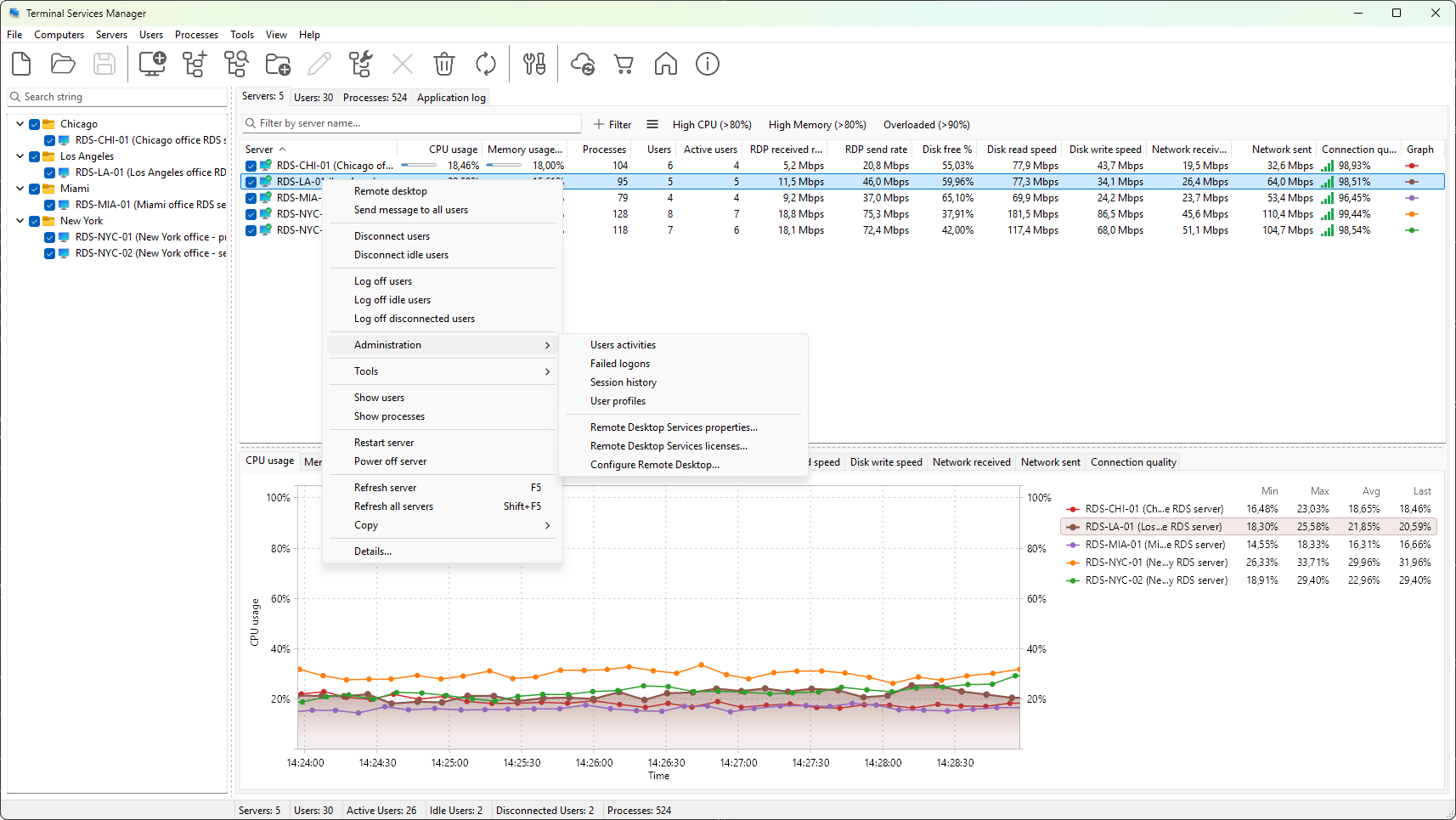
The program reads the session-manager log and pairs the logon and logoff events back into whole sessions. Set the range with the Period dropdown or the date pickers and click Fetch.
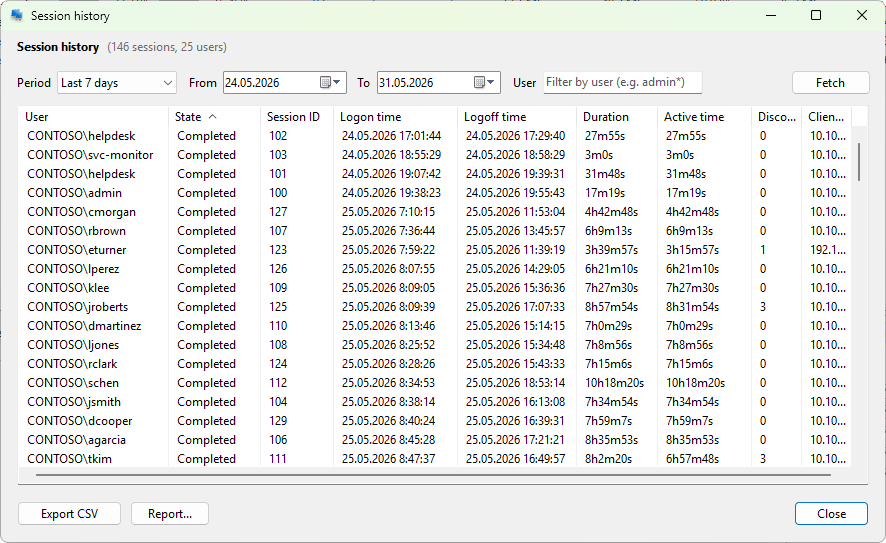
Read the timeline
Each row is one session, with the user, the logon time and logoff time, the duration, the active time (excluding disconnected periods), how many times the user disconnected, and the last client address. Filter by the User field to follow one person; wildcards * and ? are supported.
Produce a report
- Export CSV writes the current view as a table you can keep or hand off.
- Report generates an HTML report with summary analytics: sessions per user, hourly distribution, and peak concurrent sessions, which is the form auditors usually want.
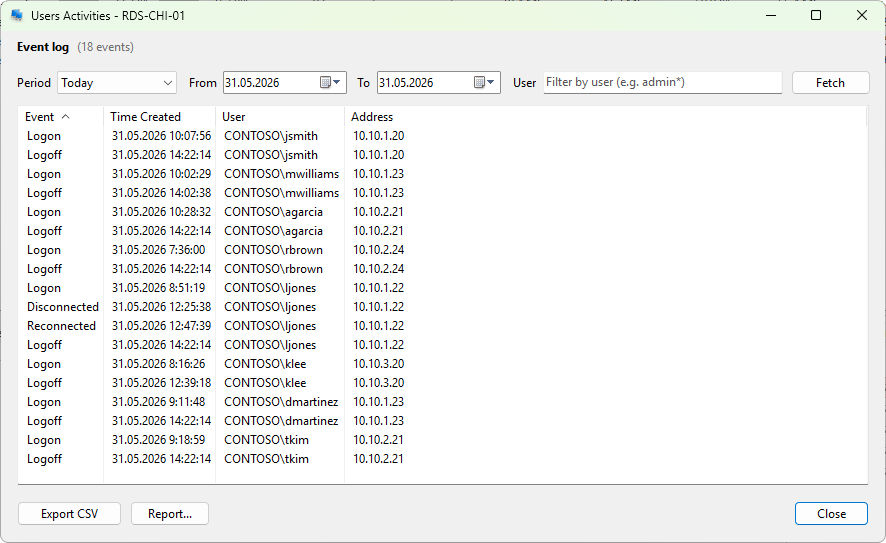
Session history is only as complete as the event log. If the log was cleared or has rolled over, the sessions from that period are gone; the program does not reconstruct them from any other source. For continuous, tamper-resistant auditing across a fleet, consider Remote Desktop Audit.
Related
- How to detect an RDP brute-force attack from failed logons
- How to see who is logged on to a Remote Desktop server