
Terminal Services Manager has menus, a row of commands in every section, and more than a hundred Tools commands. You know what you want to do, but not always where it lives.
The command palette
Press Ctrl+Shift+P over the main window. A small window opens with a search box on top and the matching commands below it. Type a few letters of the command, press the arrow keys to move, and press Enter to run it. Esc, or a click anywhere else, closes the palette.
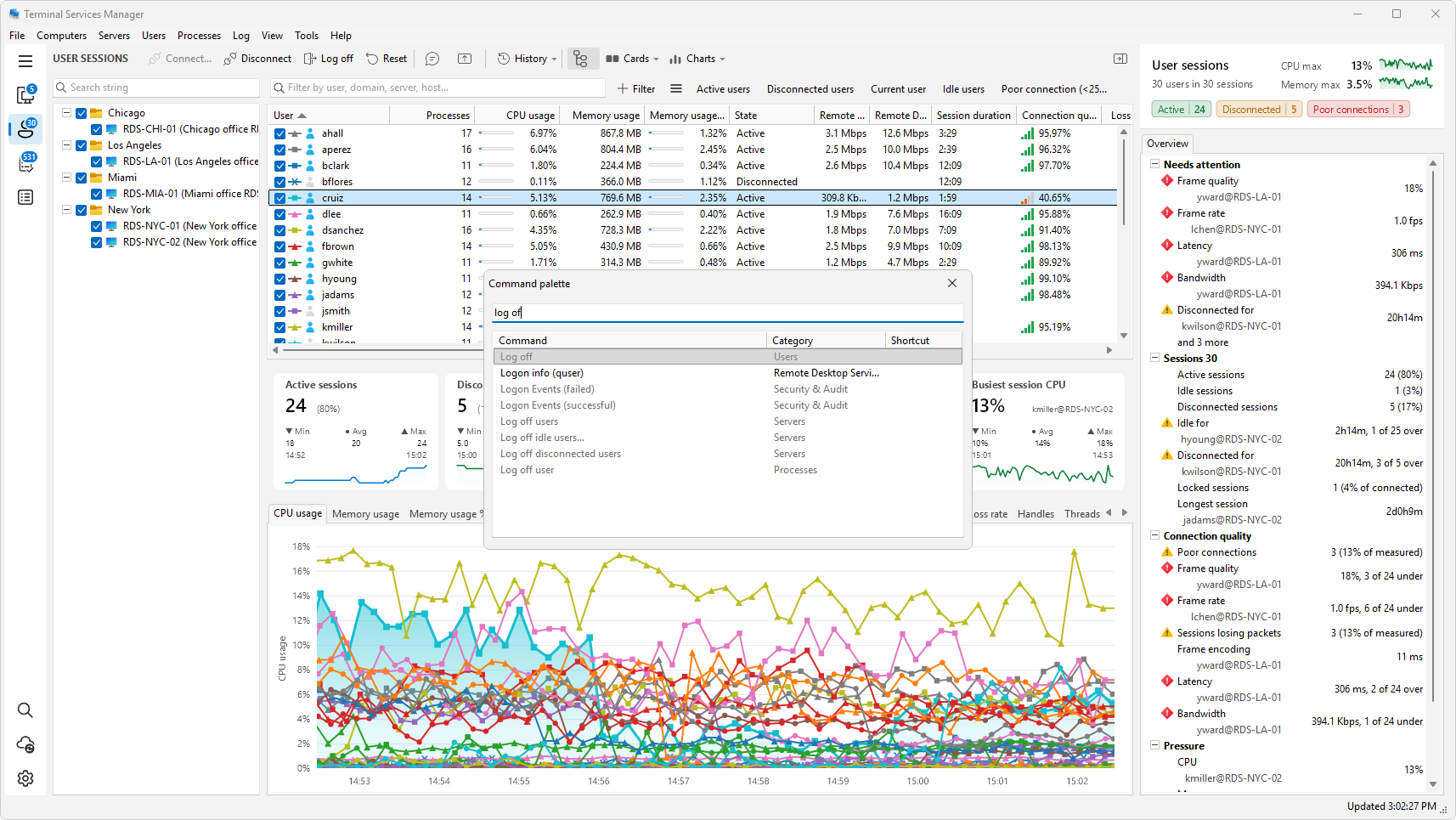
- It searches the menus and the Tools commands, in English or in your language. Typing
log offfinds the log off commands, whatever the menu they sit in. - Each row has a category and a shortcut. For example, Disconnect is in Users. You see the shortcut of a command so that you can use it directly next time.
- The row you stand on comes first. The palette lists the commands of the picked row's right-click menu first, then the Tools commands, then the rest.
- Recent and frequent commands rise within their group. Within each group, the commands you ran lately come first and the ones you run often come next. While you type, how well a command matches counts more.
Set up the palette
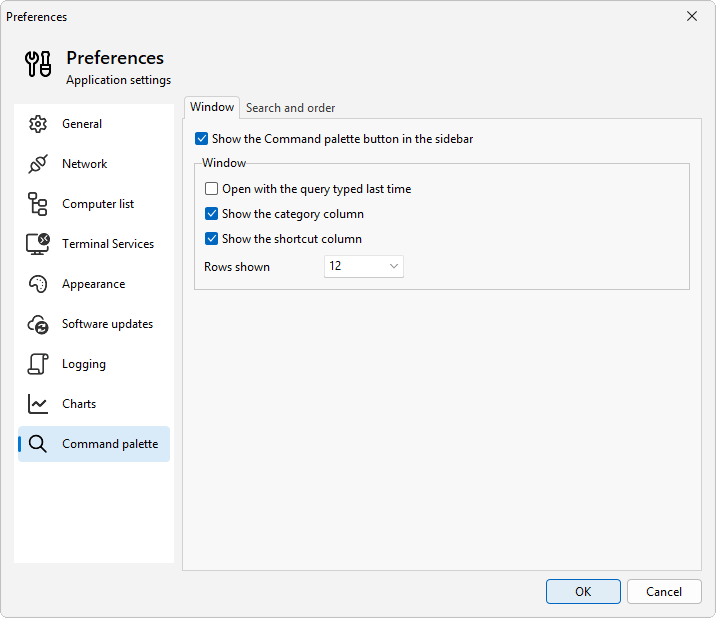
Open Preferences > Command palette. It has two tabs.
Window
- Show the Command palette button in the sidebar puts a button at the bottom of the sidebar, in addition to the shortcut.
- Open with the query typed last time brings back your last search, which helps when you run the same command a few times in a row.
- Show the category column and Show the shortcut column switch the extra columns on and off.
- Rows shown sets how many results fit in the window.
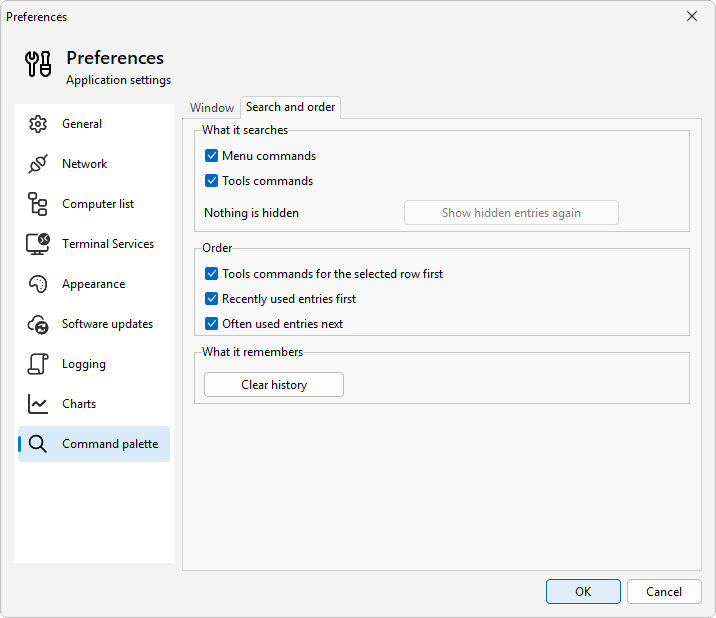
Search and order
- What it searches lets you leave out Menu commands or Tools commands.
- Order sets the ranking. Tools commands for the selected row first puts the Tools commands for the kind of row you picked ahead of the other Tools commands. Recently used entries first and Often used entries next raise the commands you use.
- Clear history forgets what you ran.
Tips
- Add your own commands under Tools > Manage tools and the palette finds them too.
- If a command you use is also a menu item with a shortcut, the palette shows that shortcut, so it doubles as a cheat sheet.
Related
- How to run your own command on a selected session or process
- How to see who is behind a slow RDP session