
You often run the same command against a user or a process: list a session's processes, open a profile folder, end a whole process tree. Done by hand, each time means copying the server name, the session ID, or the PID into a command line.
The manual way: copy and paste
You note the server and the session ID from the session list, then type:
qprocess /id:3 /server:RDSH01
taskkill /T /PID 4321 /S RDSH01
Every number is a chance for a typo, and one wrong session ID hits the wrong user.
The faster way: Tools commands that know the row
Terminal Services Manager can run a Tools command on the row you pick, with the row's details filled in for you.
Run a ready-made command. Right-click a session in User sessions or a process in Processes and open the Tools submenu. Sessions offer commands such as Session info, Logon info (quser), Open profile folder, and Session processes. Processes offer commands such as Process details, Open process folder, and End process tree. The Tools menu in the menu bar follows the list that has the focus.
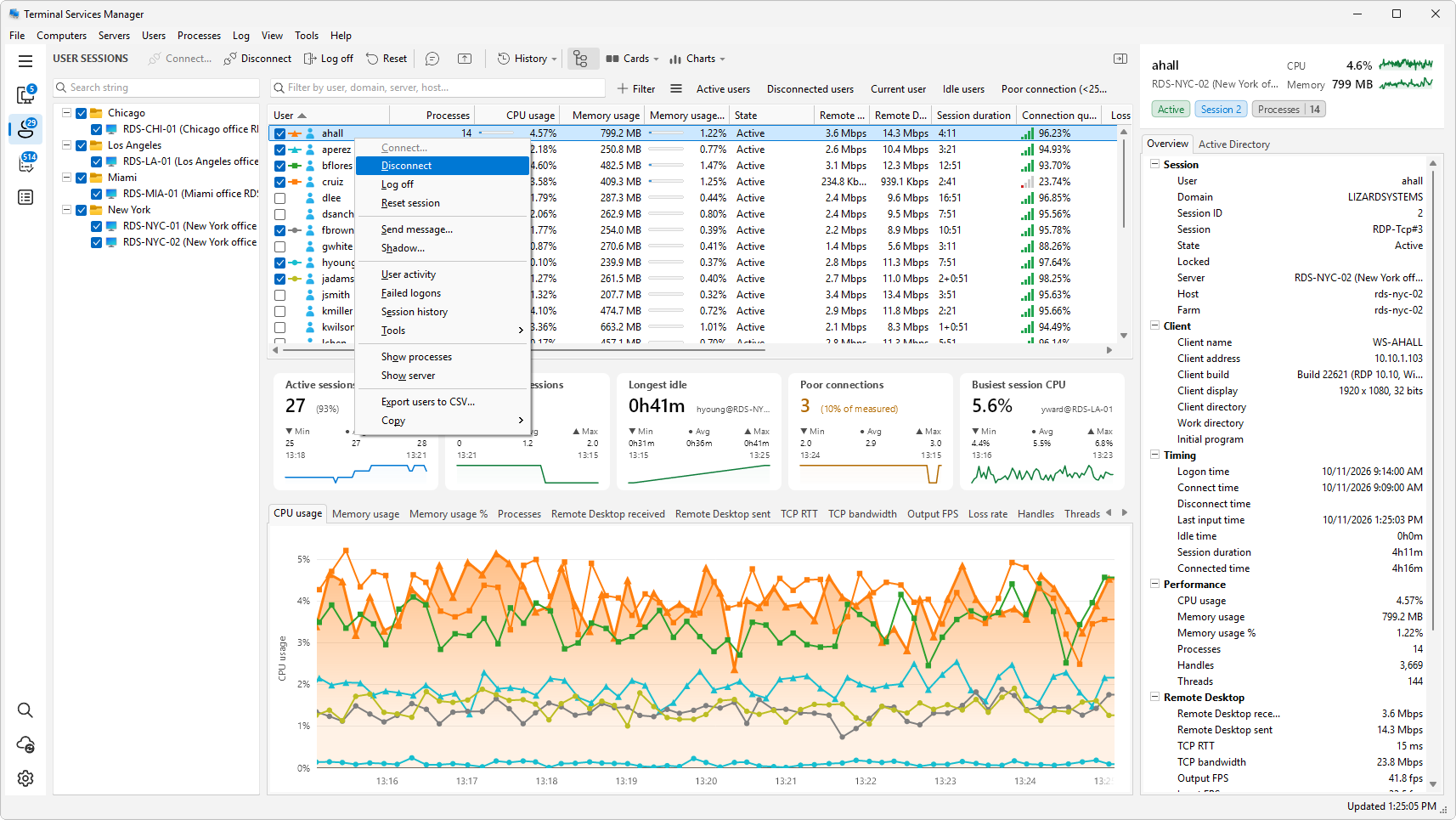
Add your own command.
- Open Tools > Manage tools, select a category, and click Add item.
- Fill in Tool name, Program name, and Parameters. In the parameters, write the variables where the row's values belong.
- In Acts on, choose Session or Process, so the command shows up in the right list. Computer commands keep working for servers.
- In When several rows are selected, choose Ask each time, Run for every selected row, or Run for the focused row only.
- Pick an icon and click OK.
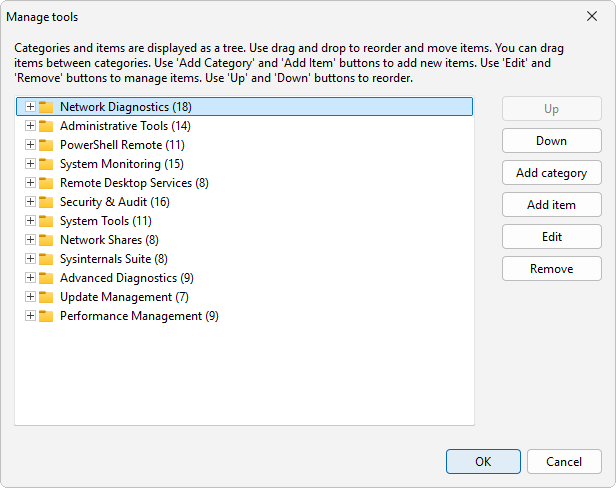
Variables you can use
| Variable | Value |
|---|---|
%computer_name% |
The server the row belongs to |
%session_id% |
The session ID |
%session_user% |
The user of the session |
%session_domain% |
The domain of that user |
%client_name% |
The name of the client computer |
%client_ip% |
The address of the client |
%pid% |
The process ID |
%process_name% |
The name of the process |
A row gives the variables of its own level and of the levels above it. Session variables work for session and process rows, and process variables work only for process rows.
Examples
End a process and everything it started:
taskkill /T /PID %pid% /S %computer_name%
Show one user's logon on the server:
quser %session_user% /server:%computer_name%
Open the user's profile folder over the admin share:
\\%computer_name%\c$\Users\%session_user%
When you run a command on several rows, the program asks whether to run it for all of them or only for the focused one, unless you set that choice on the command. Each run writes one line per target to the log in the Audit category.