
LanSend's message presets let you save, edit, and quickly reach messages you send often. Here is how to manage them effectively:
Open Manage presets: Choose Manage presets in LanSend to view and organize your saved messages. They are arranged as a tree of categories and presets.
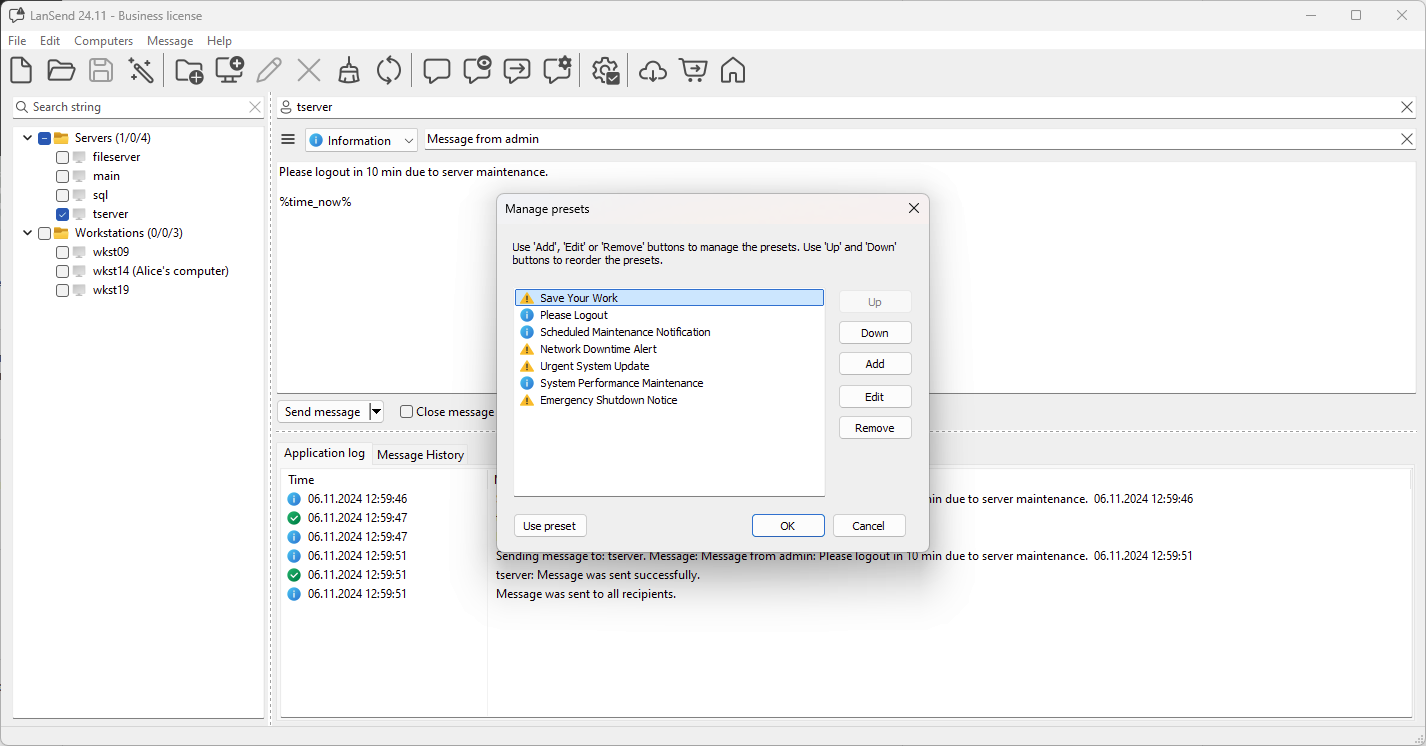
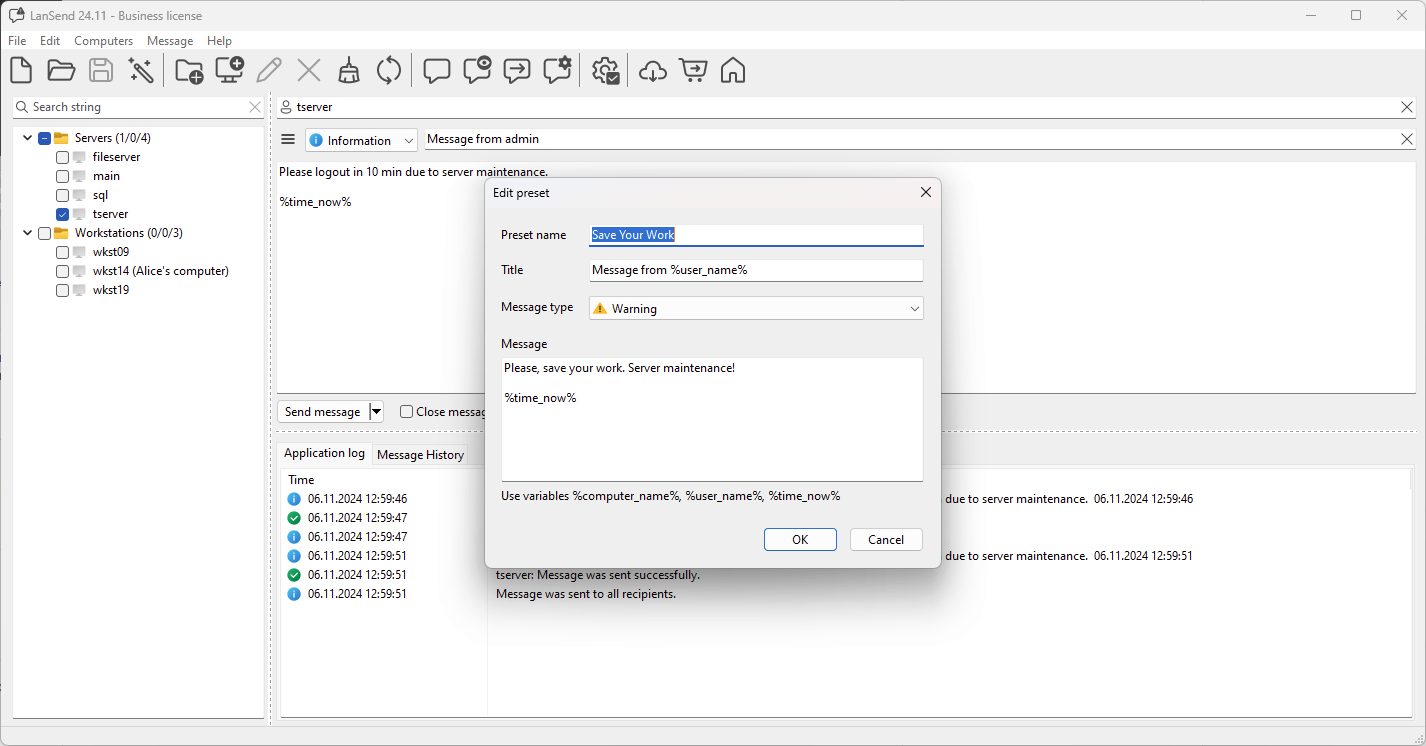
Create a preset: Click Add to open the preset editor and fill in Preset name, Title, Message type, and the Message content. You can add variables such as %user_name% or %time_now% for dynamic information. Click OK to save.
Edit a preset: Select an existing preset and click Edit to adjust its name, title, type, message, or variables. This is handy for updating a recurring notice without creating a new one.
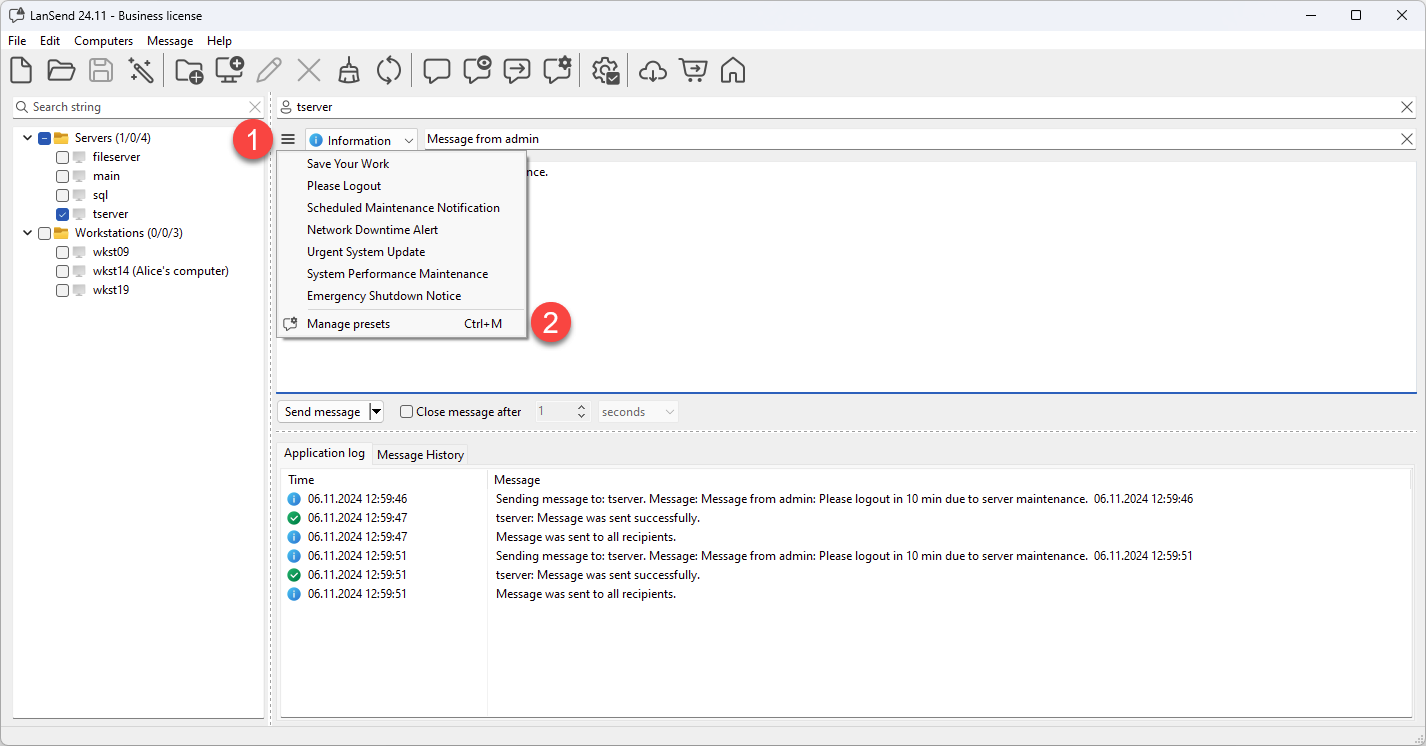
Use a preset: When composing a message, open the Presets menu or click the presets button (the menu icon next to the message body) and pick a preset to fill the title, body, and type instantly. You can also load one from the Manage presets tree.
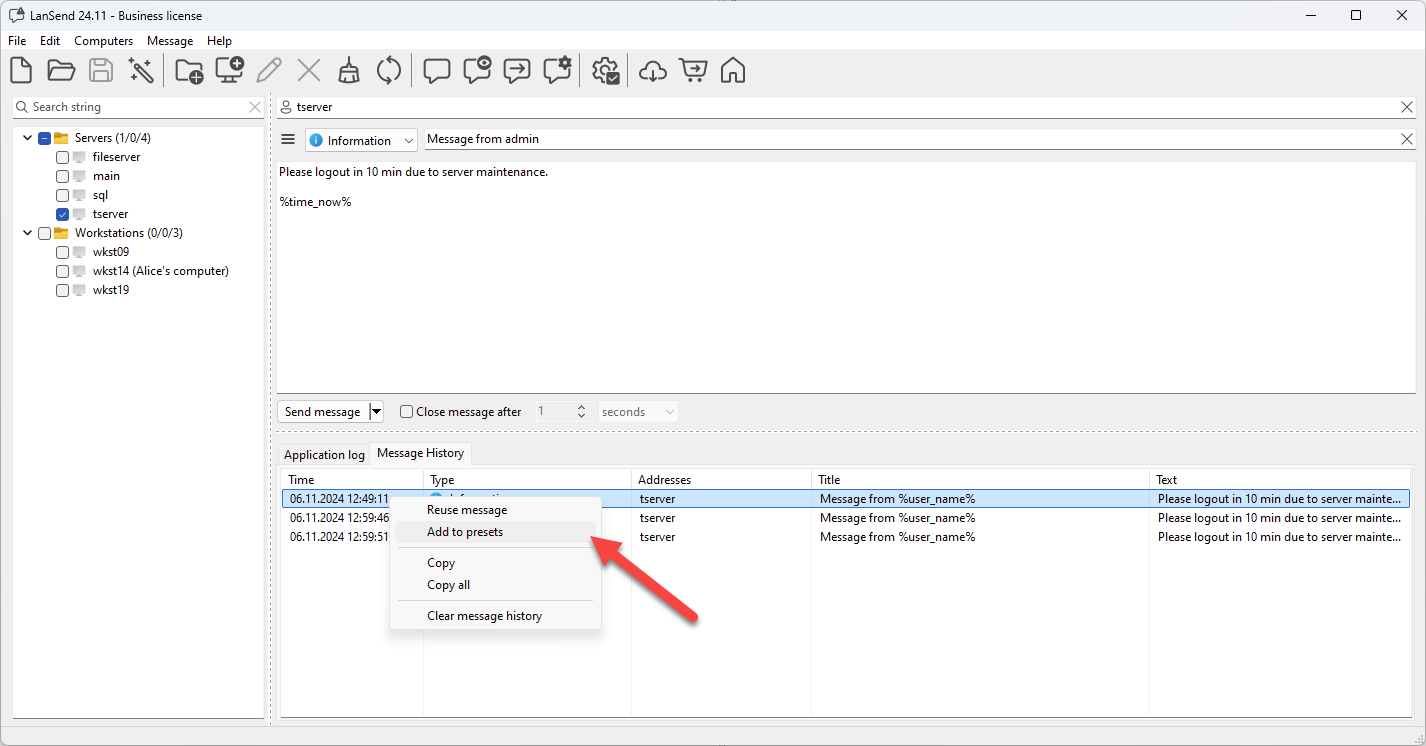
You can also create a new preset directly from the Message History tab by right-clicking a sent message and choosing Add to presets.
Message presets help streamline repetitive communication and improve your messaging efficiency.