
The Message History tab in LanSend keeps a record of every message you have sent, making it easy to track communication and review past notifications. Each row shows the Time, Type, Recipients, Title, and Message, so you can scan what went out at a glance. Besides viewing, LanSend gives you more ways to work with your history:
-
Reuse a message: Select any past message and choose Reuse message to load it back into the composer, so you can send it again without rewriting the content.
-
Add to presets: Right-click a past message and choose Add to presets. This saves the message for future use, making repetitive communication faster and easier.
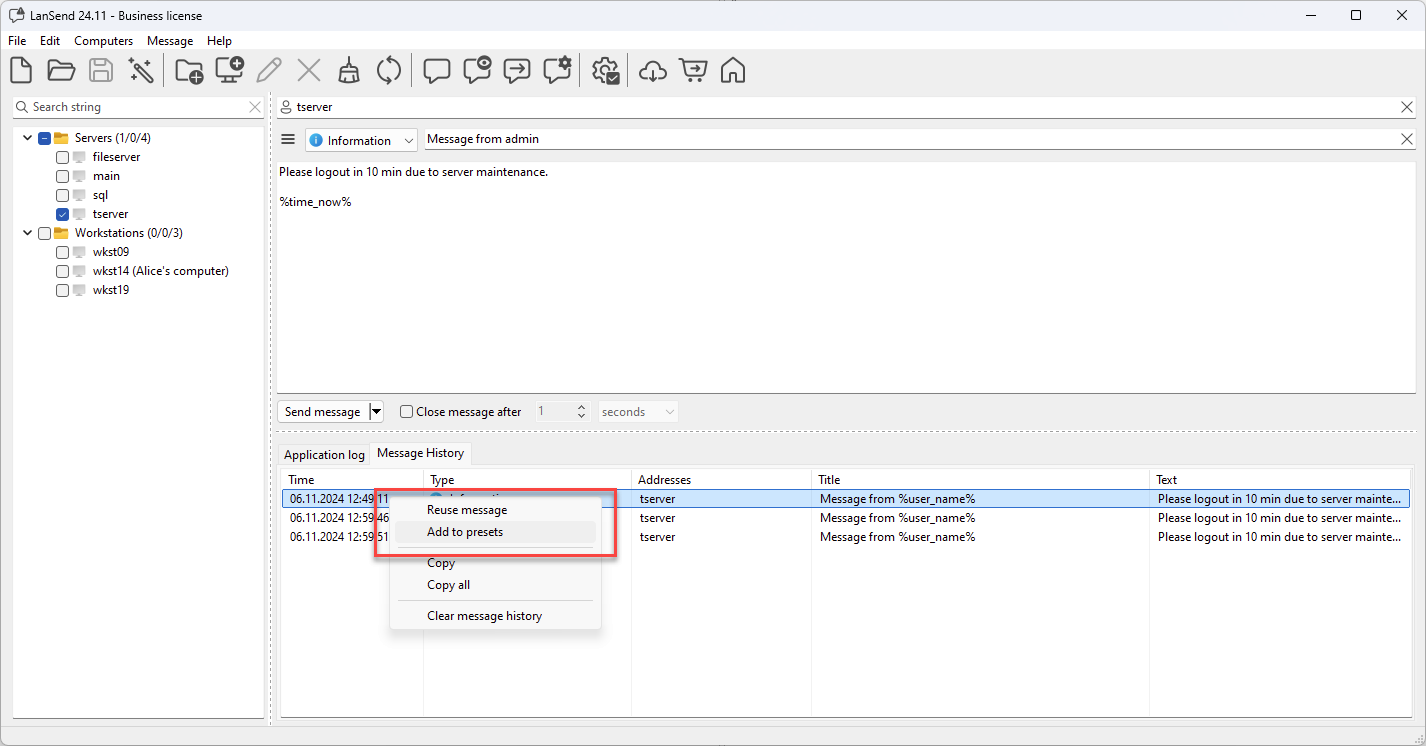
To clear the list, use Clear message history; LanSend asks you to confirm first so you do not lose the record by accident.
These features make Message History an invaluable tool for effective communication management, letting you streamline message re-use and improve your workflow.