
Registering your license
Registering Terminal Services Manager removes the evaluation reminders and sets it up for ongoing use. You enter your license once on each machine.
Enter your license key
- Choose Help > Enter registration code....
- In Licensed to, type the name your license was issued to.
- In License key, paste the key. It begins with
LK1-TSM-. - Click OK.
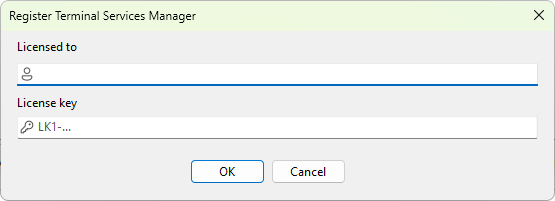
The name and key are checked together, so both must match what was issued. When they do, the dialog closes and the program is registered. You can confirm it under Help > About, which then shows the name the program is licensed to, and the evaluation reminders stop.
If you do not have a key yet
Your license key is in the email you received when you purchased, and in your account on the LizardSystems customer portal. If you cannot find it, the support team can resend it.
For the same steps in the handbook, see registering your license.
Was this page helpful?
Thanks for your feedback.