
Application log
The Application log tab, in the lower-right panel, records what LanSend does as you work: messages sent, status checks, and any problems it runs into. It is the first place to look when something does not behave as expected.
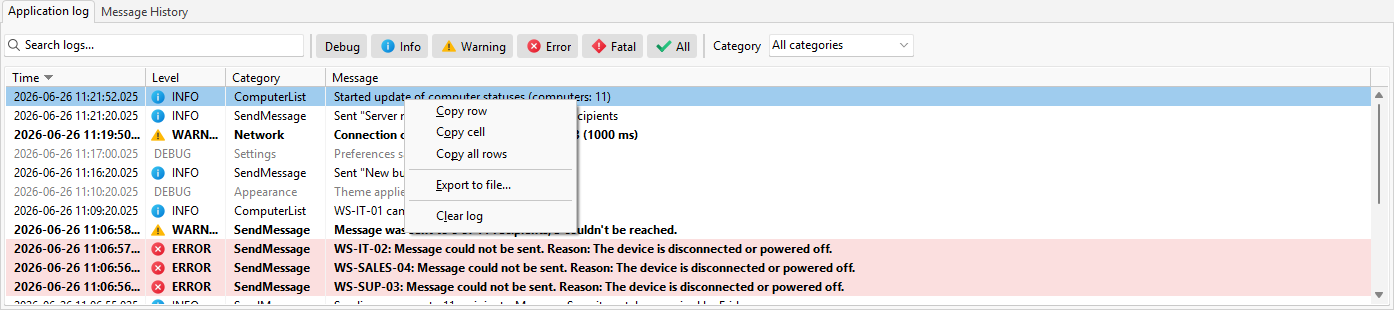
What the list shows
Each row has four columns: Time, Level, Category, and Message. Levels run from Debug through Info, Warning, Error, and Fatal.
Narrow the log
A search box filters by text, the level buttons limit the list to the levels you care about, and the Category dropdown filters to one area of the program. A status line shows how many of the total entries match.
Copy, export, or clear
- Copy row and Copy all rows put rows on the clipboard, and Copy cell copies a single cell.
- Export to file... saves the currently shown rows as CSV, JSON, or text.
- Clear log clears the entries shown here after you confirm. If file logging is on, the log file is not affected.
To control how much the log records, and to write it to a file as well, see the Logging preferences.
See also
Was this page helpful?
Thanks for your feedback.