
Add computers from...
Add computers from... is a wizard that pulls machines into your list from a source instead of you typing names. It is the renamed Add computers wizard from earlier versions.
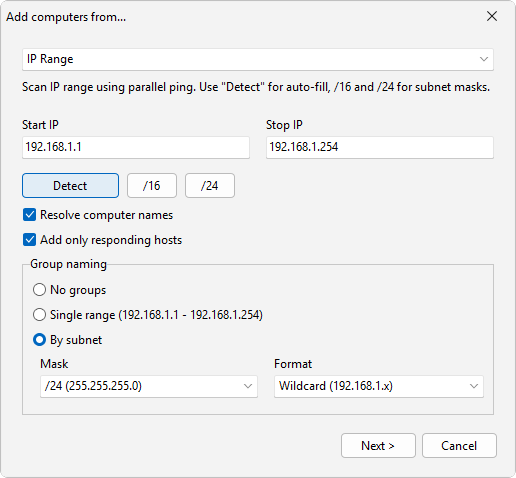
How to do it
- Choose Computers > Add computers from....
- Pick a source. IP Range is selected by default.
- Let the wizard find the machines for that source, then finish to add them to your list.
Sources
- Network reads computers visible on the local network.
- Active Directory reads computer accounts from an Active Directory domain.
- IP Range scans a range of IP addresses. This is the default selection.
- Hyper-V reads virtual machines from a Hyper-V host.
- RDS reads hosts from Remote Desktop Services.
- SCCM reads machines from System Center Configuration Manager.
- WSUS reads machines from Windows Server Update Services.
If you only have a handful of names to enter, add multiple computers by listing them as a name pattern instead, for example the brace list {mars,venus,pluto}. Either way, you can sort the results into groups afterward.
See also
Was this page helpful?
Thanks for your feedback.