
Message history
The Message History tab, in the lower-right panel, keeps a record of the messages you have sent. Use it to confirm a message went out, to send the same thing again, or to turn a one-off message into a saved preset.
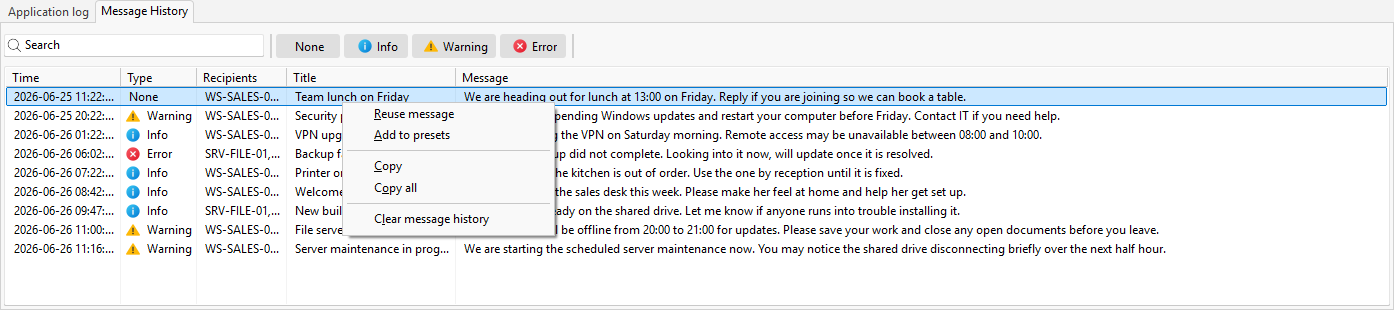
What the list shows
Each row has five columns: Time, Type, Recipients, Title, and Message. The history is stored on your machine, so it stays available between sessions.
Find a past message
A search box filters the list by text, and the message-type buttons (None, Info, Warning, Error) narrow it to one type. A status line shows how many of the total rows match the current filter.
What you can do with a row
Right-click a row for its actions:
- Reuse message loads the message back into the composer so you can send it again or adjust it first.
- Add to presets saves it as a preset for later.
- Copy puts the selected rows on the clipboard; Copy all copies the whole list.
- Clear message history empties the list and asks you to confirm first.
See also
Was this page helpful?
Thanks for your feedback.