
Appearance
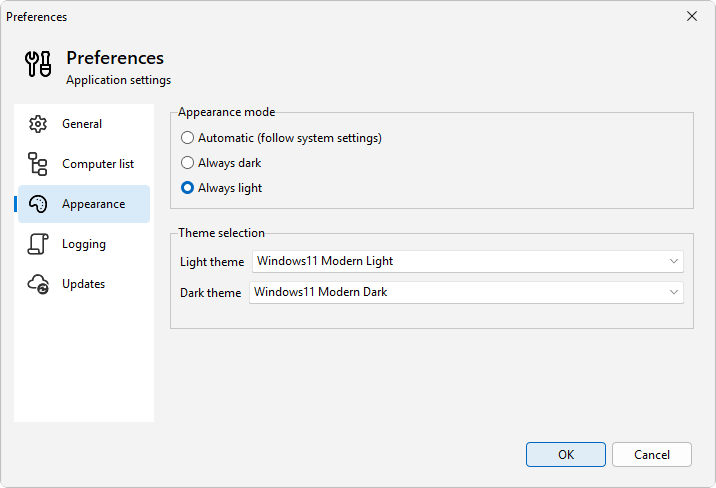
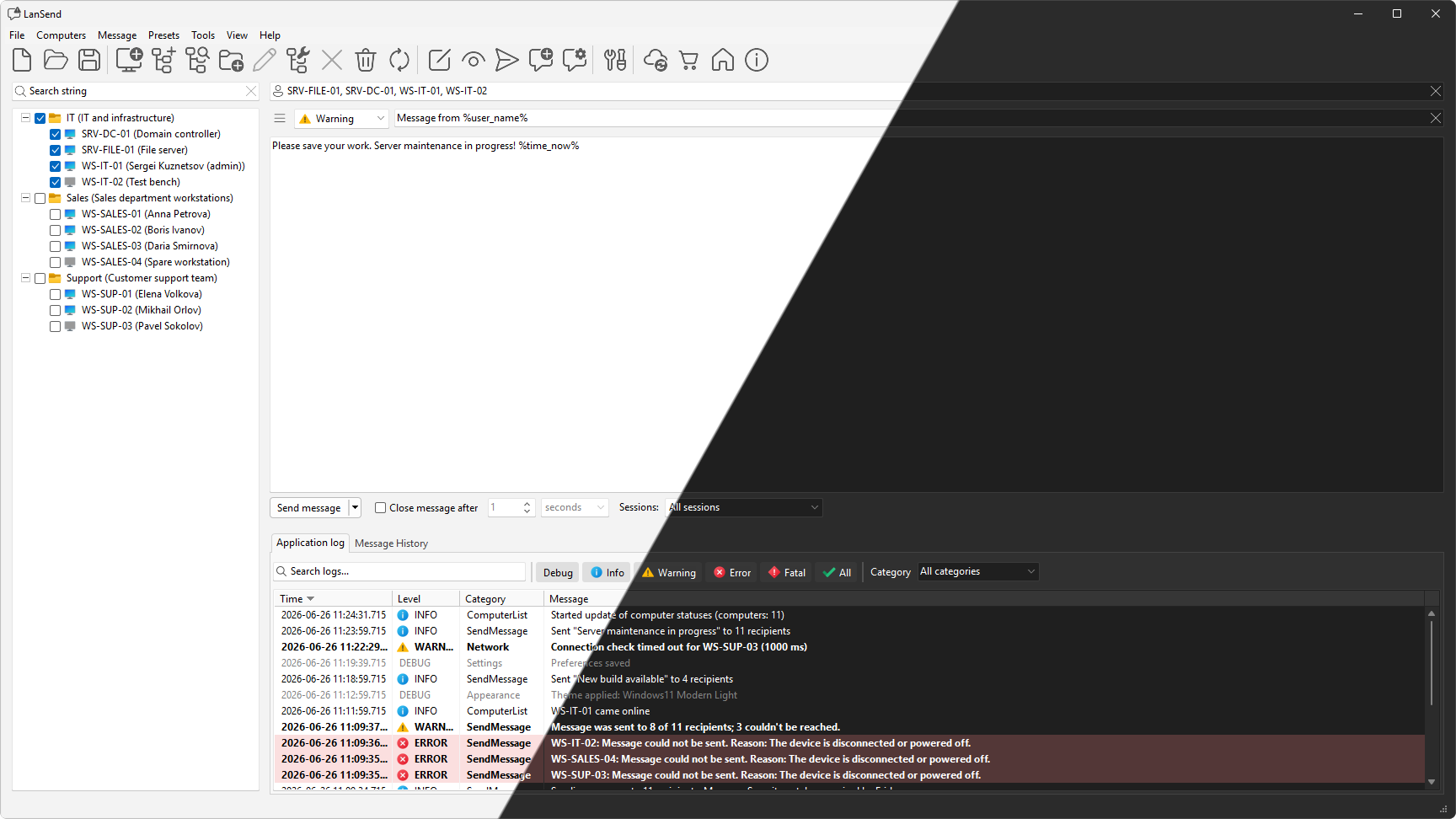
The Appearance page in File > Preferences... controls how LanSend looks. You can follow your Windows light or dark setting, or lock the program to one of them, and choose which theme is used for each.
How to set it
- Open File > Preferences... and select the Appearance page.
- Under Appearance mode, pick how LanSend decides between light and dark.
- Choose a Light theme and a Dark theme from the two pickers.
- The window updates as you change the settings.
The same choices are on the View > Appearance menu, so you can switch the look without opening Preferences.
Options
- Appearance mode sets when each theme is used:
- Automatic (follow system settings) matches whatever Windows is set to and switches with it.
- Always dark keeps the dark theme regardless of the Windows setting.
-
Always light keeps the light theme regardless of the Windows setting.
-
Light theme is the theme used in light mode.
- Dark theme is the theme used in dark mode.
Toolbar and menu icons are vector graphics, so they stay sharp on high-resolution screens and match the active theme.
See also
Was this page helpful?
Thanks for your feedback.