
Logging
The Logging page in File > Preferences... controls how much LanSend records and whether it also writes a log file to disk. File logging keeps a record after you close the app, which helps when you need to look back at a delivery problem or hand details to support.
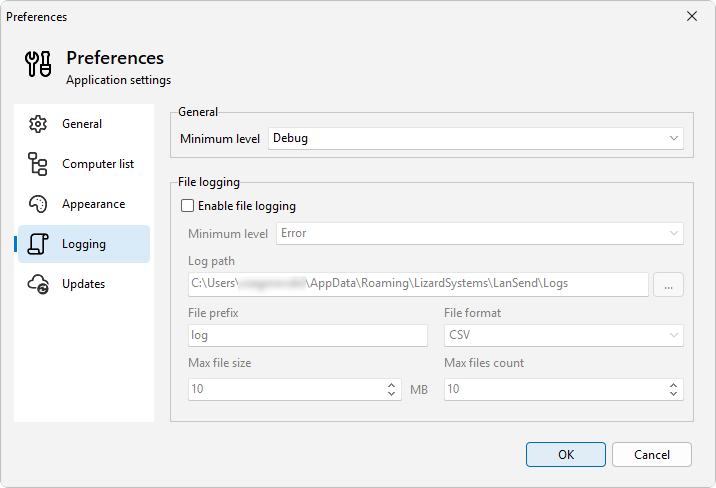
In-app log
Minimum level sets the lowest level that appears in the Application log tab. Anything below the level you pick is dropped. Raise it to cut noise, lower it to capture more detail while you track down an issue.
File logging
Tick Enable file logging to also write the log to disk. The file gets its own minimum level, separate from the in-app log, so you can keep the tab quiet but still save full detail to a file.
The remaining fields control the file itself:
- Log path is the folder where log files are written.
- File prefix is the start of each log file's name.
- File format is the layout of the file: CSV, Text, or JSON.
- Max file size is the size in MB at which the current file is closed and a new one starts.
- Max files count is how many log files are kept. Once the limit is reached, the oldest file is removed as a new one is created.
See also
Was this page helpful?
Thanks for your feedback.