
Building your computer list
The computer list is the left panel of the main window. It holds the machines you send to, arranged into groups, with a search box at the top and a status indicator on each entry. You can build it by hand, enter name patterns, or pull machines from a source such as Active Directory or an IP range.
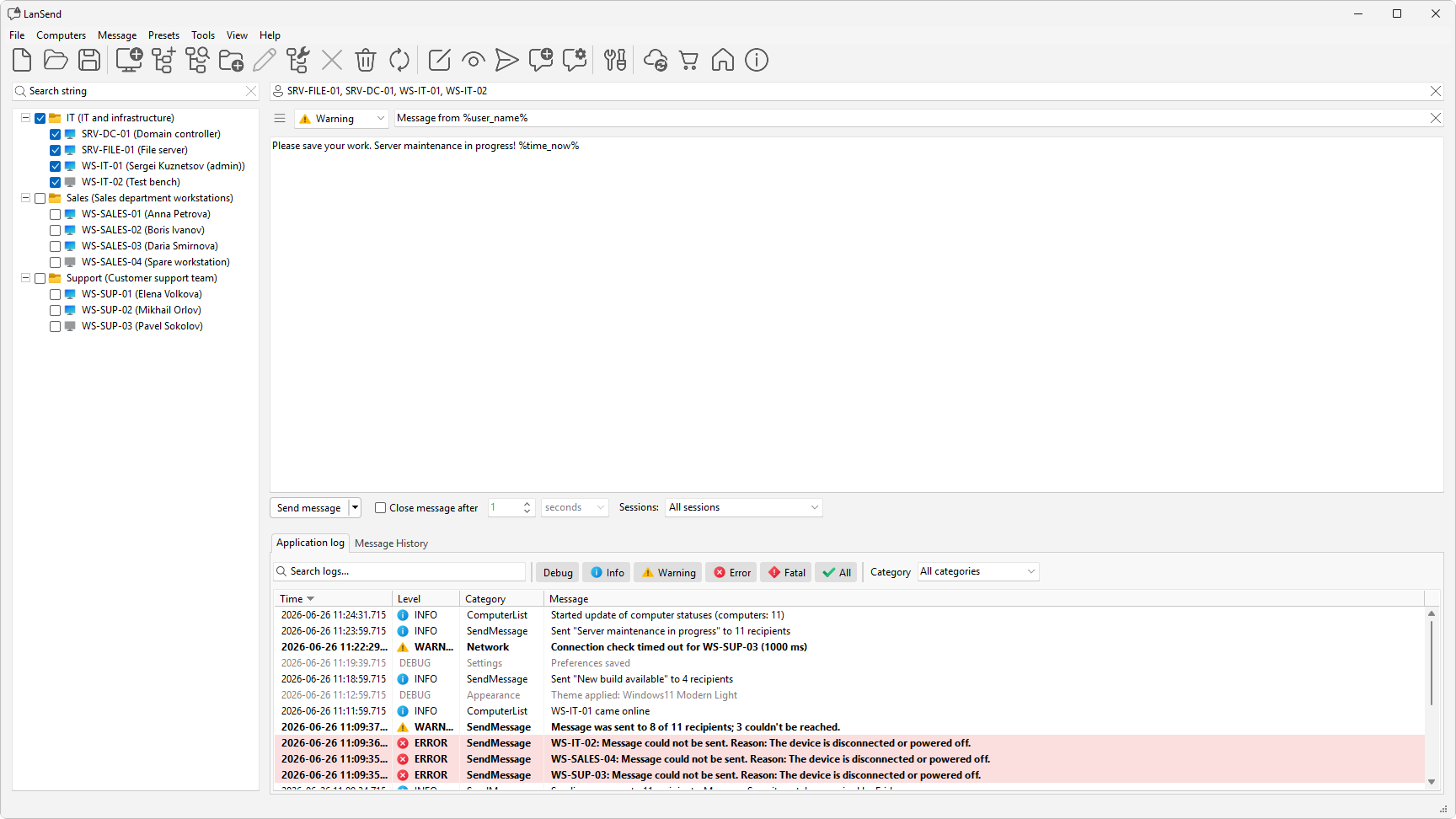
Start with the computer list itself, then fill it: add a computer by hand, add multiple computers from a name pattern, or add computers from a source such as Active Directory or an IP range. From there you can sort machines into groups, tidy a large list with bulk operations, keep an eye on computer status, search and filter to narrow it down, and import or export the list to reuse it elsewhere.
Once the list is in place, you select recipients with the checkboxes and move on to sending messages. For a task-focused walkthrough, see the how-to on building a computer list for LAN messaging. You can also download LanSend if you have not installed it yet.