
Sending messages
You compose a message in the upper-right panel of the main window. Pick the recipients in the computer list, choose a message type and title, type the body, and send. A few controls let you fine-tune who sees the message and for how long.
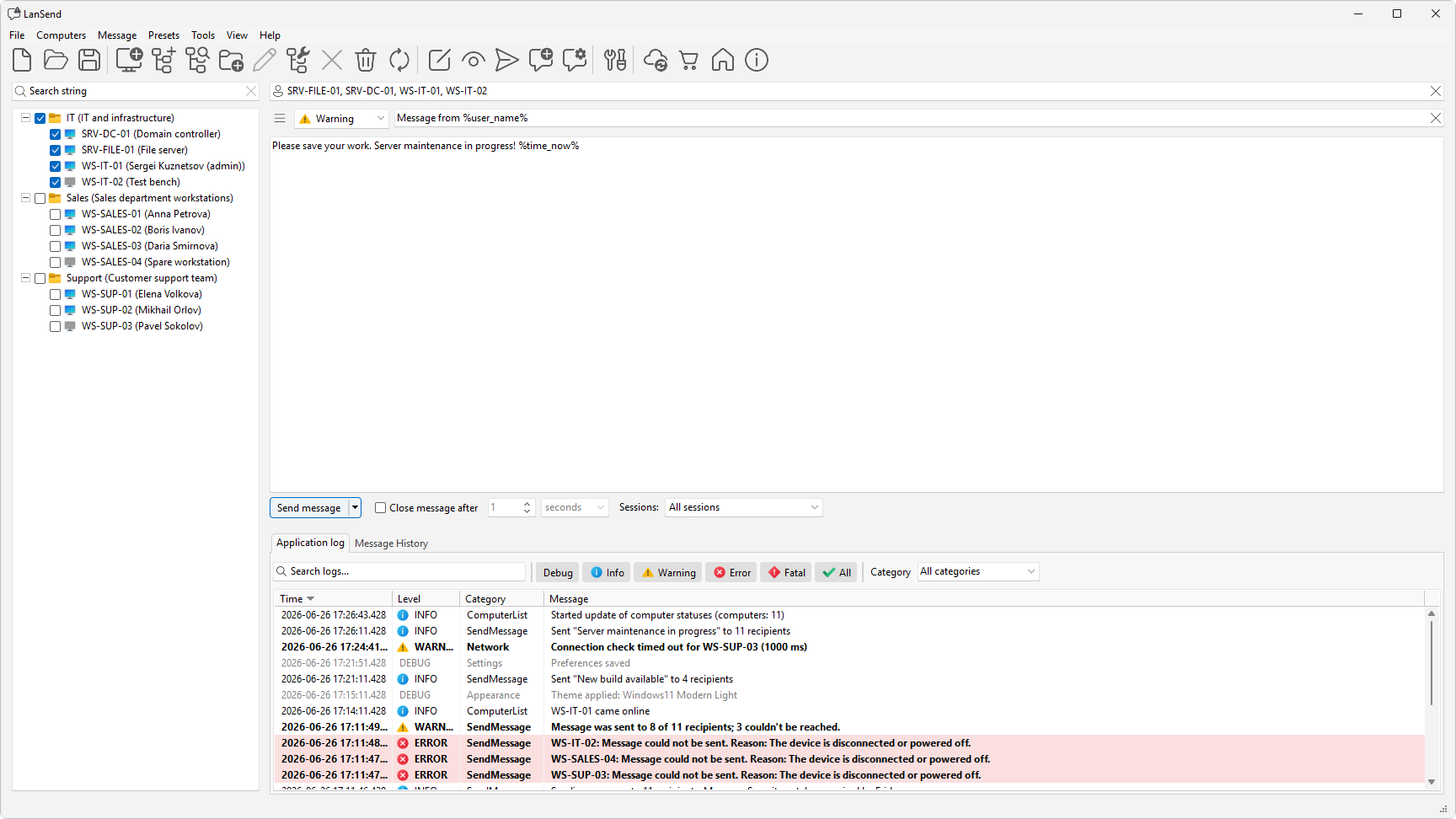
The job breaks down into a few steps: composing the message, setting its message type and title, choosing recipients, picking the session scope, adding an auto-close timeout, previewing it first, and dropping in variables that fill in automatically.
The message goes out over the built-in Windows messaging channel, so recipients see a standard pop-up with no extra software. To send to everyone at once, see send a message to all computers on the network; to reach a single machine, see send a message to a specific computer. You can save any message you compose for later as a preset.