
Using presets
A preset is a saved message with a name, title, body, and type, kept in a category. Loading one is the fastest way to send a message you use often.
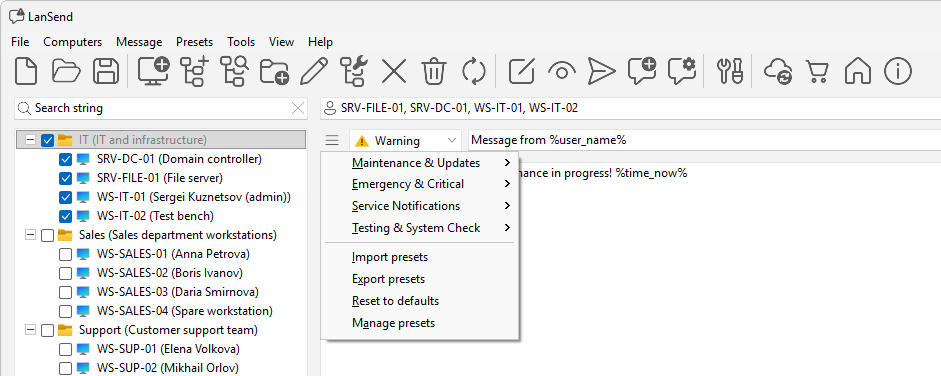
Load a preset
- Open the Presets menu, or click the presets button (the menu icon next to the message body).
- Pick a preset from its category. LanSend fills the title, the body, and the message type from the saved message.
- Adjust the wording if you need to, pick your recipients, then click Send message.
The preset only fills in the message fields. The recipients you have checked, the Sessions: scope, and the Close message after timeout stay as you set them, so the same preset works for any list of computers.
Where presets come from
LanSend ships with default categories such as Maintenance & Updates, Emergency & Critical, Service Notifications, and Testing & System Check, with ready-made messages like Save Your Work, Scheduled Maintenance, and Emergency Shutdown. Presets you made in earlier versions carry over when you upgrade, and the defaults are restored if any are missing.
See also
Was this page helpful?
Thanks for your feedback.