
Computer list
The Computer list page in Preferences controls how each entry in the left panel reads and how often the list refreshes. Open it from File > Preferences... and select Computer list from the list of pages.
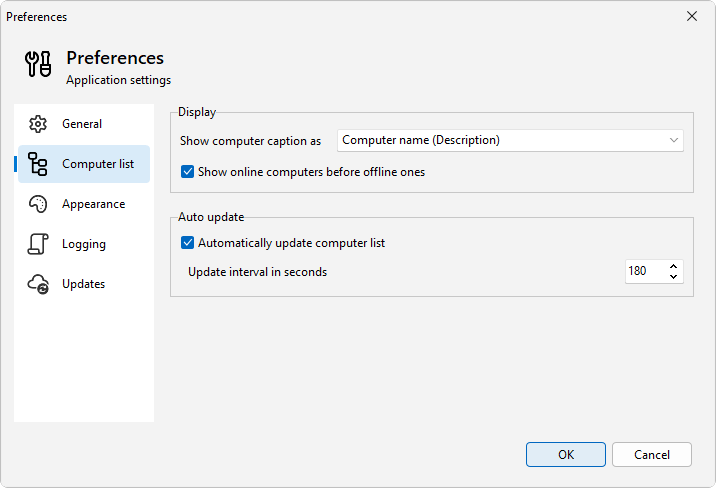
Options
- Show computer caption as sets the label for each entry. Choose Computer name (Description) (the default) to show the machine name with its description in parentheses, Description (Computer name) to lead with the description, Computer name to show only the machine name, or Description to show only the description you typed when you added it.
- Show online computers before offline ones sorts reachable machines to the top of each group.
- Automatically update computer list refreshes the status of every entry on a timer. When it is on, set Update interval in seconds to control how often the refresh runs.
See also
Was this page helpful?
Thanks for your feedback.