
The computer list
The computer list fills the left panel of the main window. It holds the machines you message, organized into groups, with a status indicator on each entry and a search box at the top.
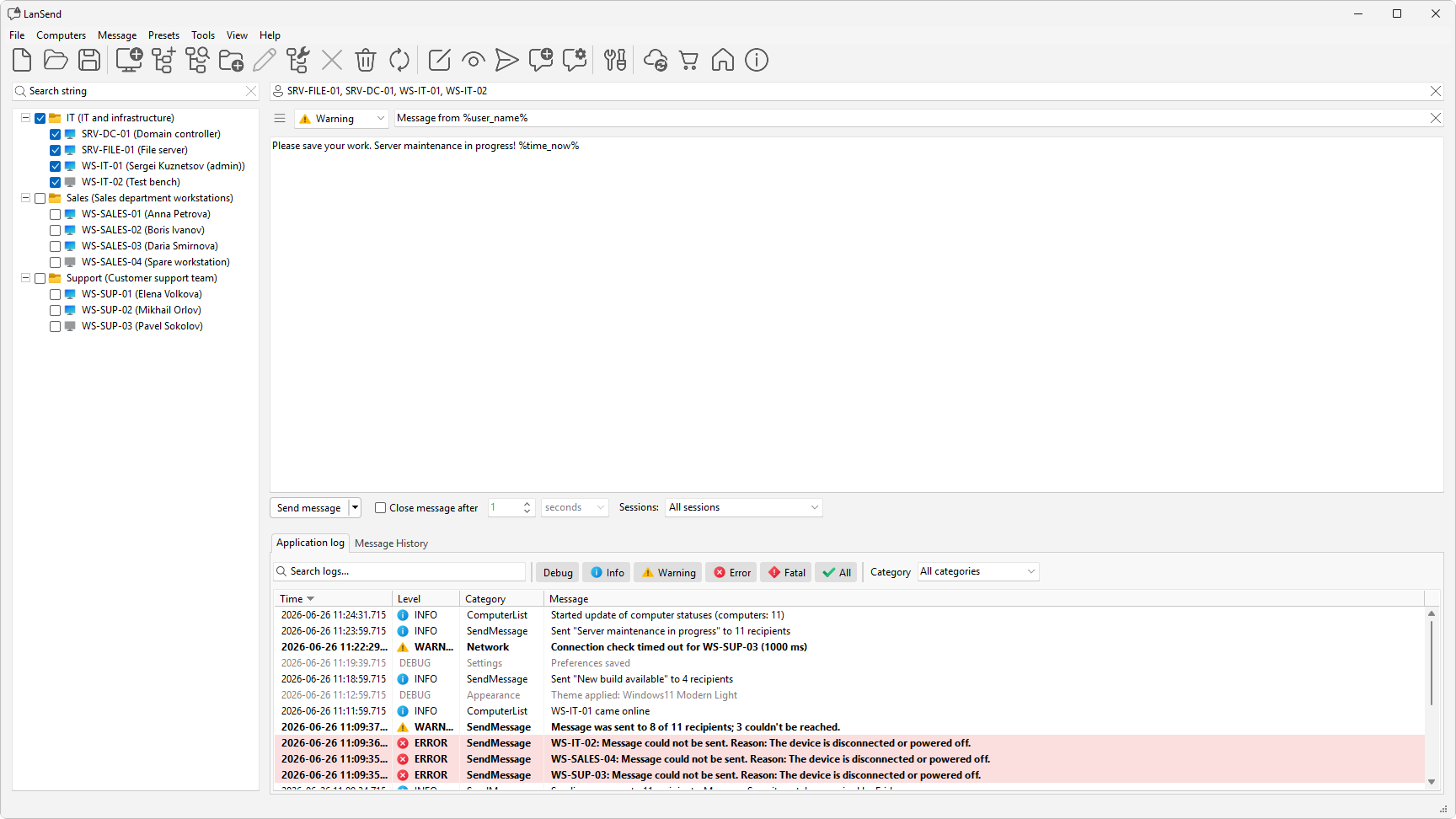
What the panel shows
The list is a tree, so you can sort machines into groups and nest groups inside other groups. Each entry is one computer.
A status indicator next to each computer shows whether it is online. LanSend checks state with a periodic Ping or a TCP connect to port, and you can turn the check off. Set this on the General page of File > Preferences.... To refresh the state right away, use Computers > Update computers.
Each entry shows its computer name, its description, or a combination of the two. The Show computer caption as setting on the Computer list page of Preferences offers four options: Computer name (Description), Description (Computer name), Computer name, and Description. By default it is set to Computer name (Description), so each entry shows the name with the description in parentheses.
Open and save a list
The list lives in a file, and the File menu manages it:
- New starts an empty list.
- Open loads a saved list.
- Save writes the current list back to its file.
- Save as... writes it to a new file.
List files are stored as JSON or XML.
Find a computer
The search box at the top of the panel filters the list as you type, matching both the name and the description. Clear the box to show every computer again. For more on narrowing a long list, see Search and filter.
Select who gets the message
Each computer has a checkbox. The computers you check are the recipients, and their names appear in the recipients box (marked with a person icon) at the top of the composer. To set the whole list at once, use the Computers menu:
- Check all selects every computer.
- Uncheck all clears the selection.
- Inverse flips the selection. It checks what was unchecked and clears what was checked.
How the checked computers become recipients is covered in Choosing recipients.