
Default preset categories
LanSend comes with 15 ready-made presets, sorted into four categories. They cover the messages admins send most often, so you can load one and adjust the wording instead of starting from a blank message.
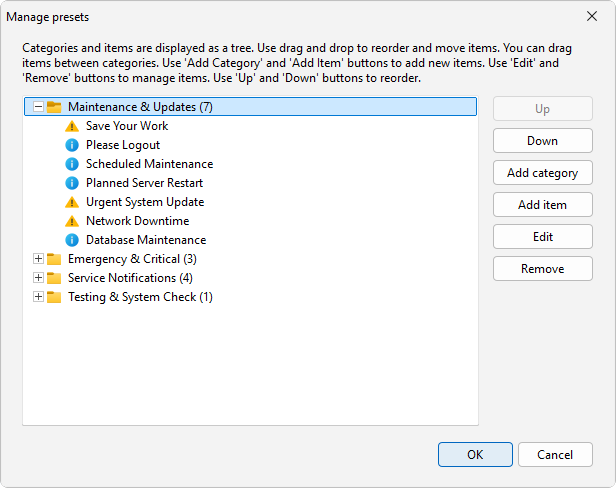
The categories
Each category groups presets by the kind of message they carry. Open the Presets menu, or the presets button (the menu icon next to the message body), to load any of them.
| Category | Presets | Examples |
|---|---|---|
| Maintenance & Updates | 7 | Save Your Work, Scheduled Maintenance, Planned Server Restart |
| Emergency & Critical | 3 | Emergency Shutdown, Power Failure Warning |
| Service Notifications | 4 | System Restored, Email Service Disruption |
| Testing & System Check | 1 | Test Message |
That is 15 presets across the four categories. Load one and it fills the title, body, and type, so the most you have to do is tweak a date or a name before you send.
Restoring the defaults
Presets you made in earlier versions carry over when you upgrade, so your own messages stay put. If you ever clear out every preset, LanSend brings the full default set back automatically the next time it starts. To restore the defaults at any time, use Reset to defaults in the Presets menu - it replaces all current presets and categories with the originals.