
Command line
LanSend can send a message from the command line, which is handy for scripts and scheduled tasks. Pass the recipients and the message as switches, and LanSend sends without opening its window.
The switches
Attach each value to its switch (an optional colon separates them). A space between the switch and the value is not read, so write -to:PC1, not -to PC1.
| Switch | What it sets |
|---|---|
-to: |
Recipients: computer or group names, separated by commas. Required. |
-title: |
The message title. |
-message: |
The message body, or a path to a text file to read it from. Required. |
-type: |
Info, Warning, or Error. Leave it off for a plain message. |
-time: |
Auto-close timeout in seconds. 0, or omitted, leaves the message open until the user closes it. |
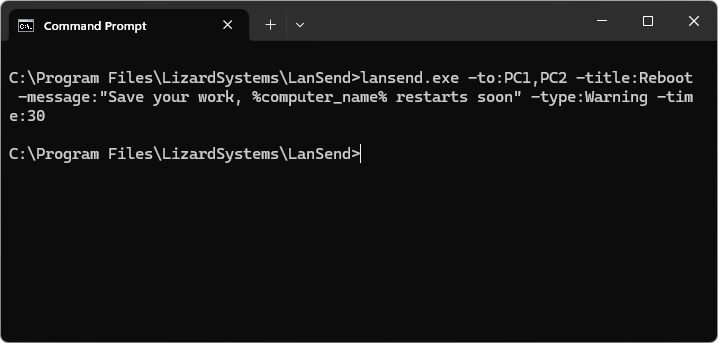
Example
lansend.exe -to:PC1,PC2 -title:Reboot -message:"Save your work, %computer_name% restarts soon" -type:Warning -time:30
To send a longer message, point -message: at a text file:
lansend.exe -to:Sales -message:C:\notices\maintenance.txt -type:Info
The title and body support the same variables as the main window, such as %computer_name% and %time%. To run a message on a schedule, create a Windows scheduled task that calls lansend.exe with these switches. For a full walkthrough, see send a network message from the command line.
See also
Was this page helpful?
Thanks for your feedback.