
Registering LanSend
Registering LanSend activates your license on this computer. You buy a key and enter it from the Help menu.
Buy a license
Open Help > Get license key to go to the order page. Pick the license that fits how you use LanSend:
- Business is licensed per machine, so order one license for each computer that runs LanSend.
- Corporate covers a whole organization, with unlimited installations and technicians across departments and sites.
You can also buy a LanSend license directly from the website.
Enter your key
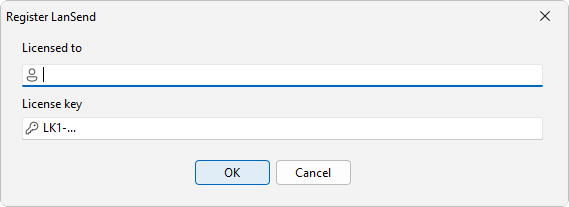
Once you have a key, open Help > Enter license key to open the Register LanSend dialog. Type the name the license is issued to in Licensed to, paste the key into License key, and click OK. LanSend saves the license on this computer.
A LanSend license key begins with the prefix LK1-LNS-, so you can tell it apart from keys for other products.
See also
Was this page helpful?
Thanks for your feedback.