
Bulk operations
Bulk operations apply one change across the whole computer list at once, so you can tidy a large list without editing entries one at a time. It is new in 26.06.
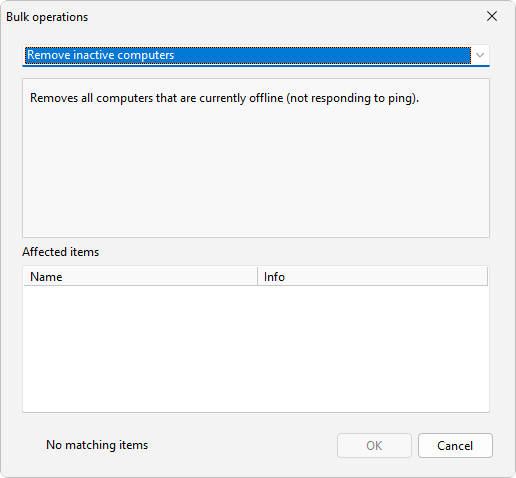
How to do it
- Choose Computers > Bulk operations....
- In the Bulk operations dialog, pick the operation you want.
- Set any criteria the operation offers, then apply it to the list.
Operations
- Remove inactive computers drops machines that are not responding to the status check.
- Remove duplicate computers keeps one entry per machine and removes the repeats.
- Remove empty groups deletes groups that hold no computers.
- Remove by pattern removes entries whose name matches a pattern you supply.
- Flatten group structure moves every computer up to a single level and clears the nesting.
- Normalize computer names rewrites names to a consistent case: UPPERCASE, lowercase, or Title Case.
- Rename computers changes names across the list in one pass.
- Group computers sorts the list into groups by name prefix, subnet, or domain.
- Format descriptions applies a consistent format to the description text on each entry.
Bulk operations work on the whole list, so they pair well with groups: regroup or flatten first, then send to a group in one action. For an overview of how the list fits together, see The computer list.
See also
Was this page helpful?
Thanks for your feedback.