
Connection credentials
Terminal Services Manager talks to every computer - querying sessions, listing processes, opening a server's dialogs - under the Windows account the program itself is running as. It does not store per-computer or per-group credentials and does not prompt for a separate user name and password: every request uses your current identity.
Managing servers that need a different account
When the account you are signed in with does not have rights on the target hosts (a different domain, or an account without administrative access), run the program under an account that does:
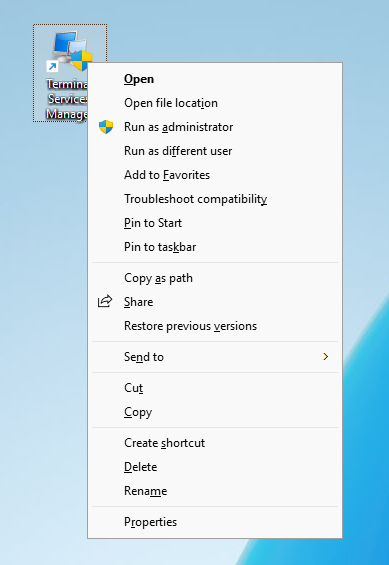
- Hold Shift, right-click
tsmanager.exe(or its shortcut), choose Run as different user, and sign in with an account that has rights on the Remote Desktop Services hosts; or - Sign in to Windows with that account, or use a management workstation that already runs under it.
On a domain, the simplest setup is to run the program from an account that is a local administrator on the RDS hosts you manage.
If a server shows access errors
Access denied or empty data from a server almost always means the account running the program lacks rights on that host. Re-run the program under an account that has them.