
Hyper-V source
The Hyper-V source connects to a Hyper-V host and lists the virtual machines registered on it. It is one of the discovery sources in the Add computers from wizard.
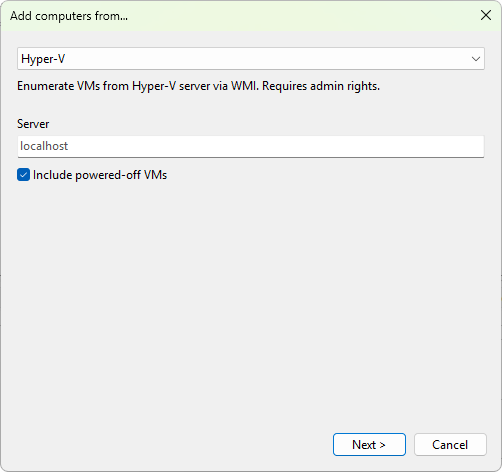
Settings
- Server - the host name, FQDN, or IP address of the Hyper-V server. Leave blank to query the local machine.
- Include powered-off VMs - tick this to also list virtual machines that are currently in the Off or Saved state. On by default.
Requirements
- The account running the program must have permission to query Hyper-V on the target host. Members of the local Hyper-V Administrators group on the host always qualify.
- The Hyper-V WMI namespace (
root\virtualization\v2) must be reachable. The Windows Remote Management service on the host must allow access from your management machine. - The host must be Windows Server 2012 or later, or a Windows client edition with the Hyper-V role enabled.
Was this page helpful?
Thanks for your feedback.