
Managing user sessions
The User sessions tab is where you see every user logged on to every server in your list, with one row per session. Alongside each user it shows session state, performance counters, client details, and connection quality, so you can tell at a glance who is active, who is idle, and who is using the most resources.
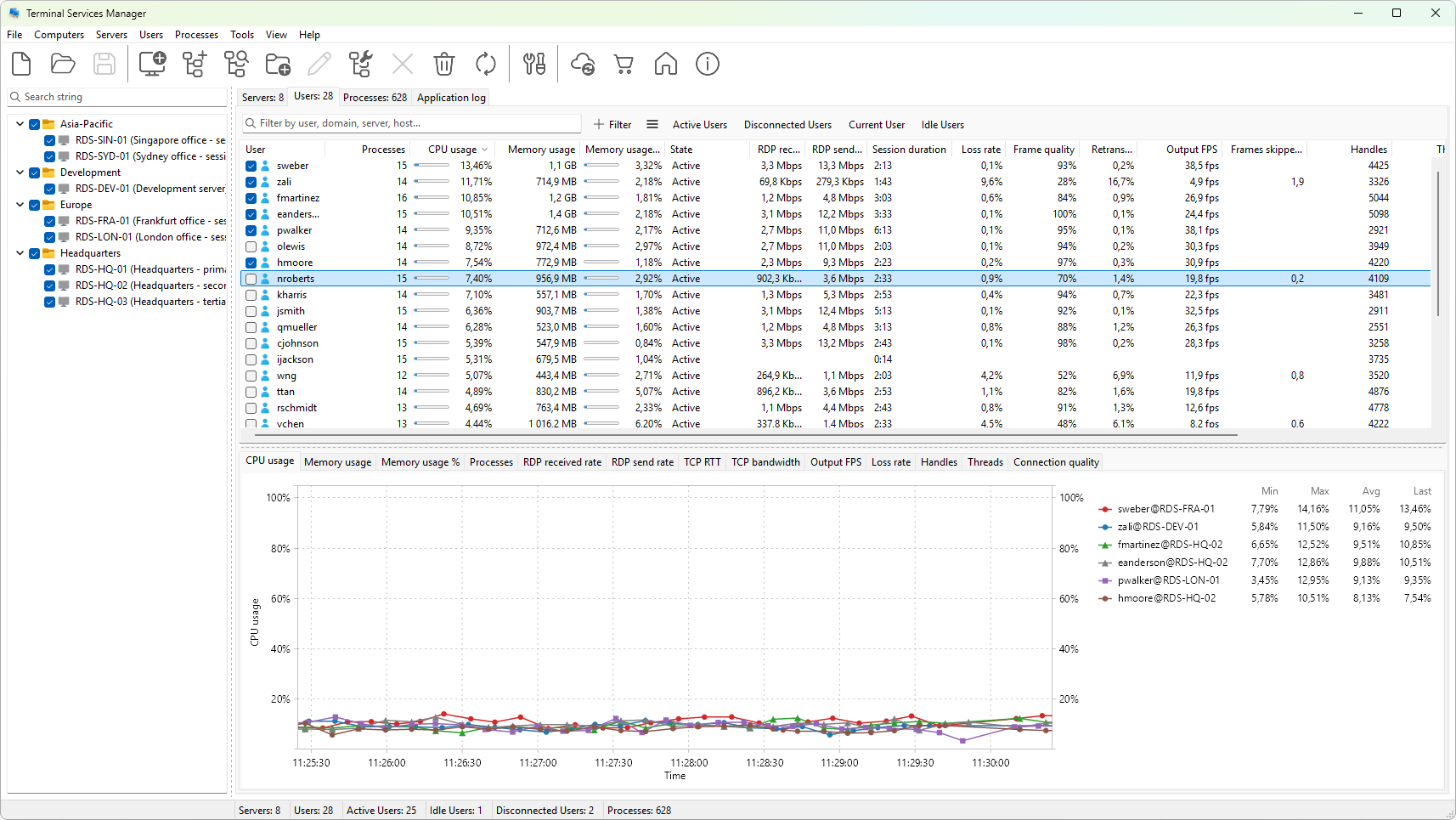
From here you can act on a session directly: disconnect a user without ending their work, log them off, reset a stuck session, shadow their screen to help with a problem, or send them a message before maintenance. You can also pick which columns to show and export the list to the clipboard or a CSV file.
Use this section when you need to manage who is connected, free up resources on a busy host, or step in to support a user. It explains the tab, every column, and every action on the context menu.