
Introduction
Terminal Services Manager is a Windows administration tool for Remote Desktop Services (RDS). It connects to one or many Windows servers at the same time and shows, in real time, who is logged on, what they are doing, and how the server is performing. From the same window you can disconnect or log off users, send them messages, shadow active sessions, terminate processes, and run common administrative tasks on the remote computers.
What you can do with it
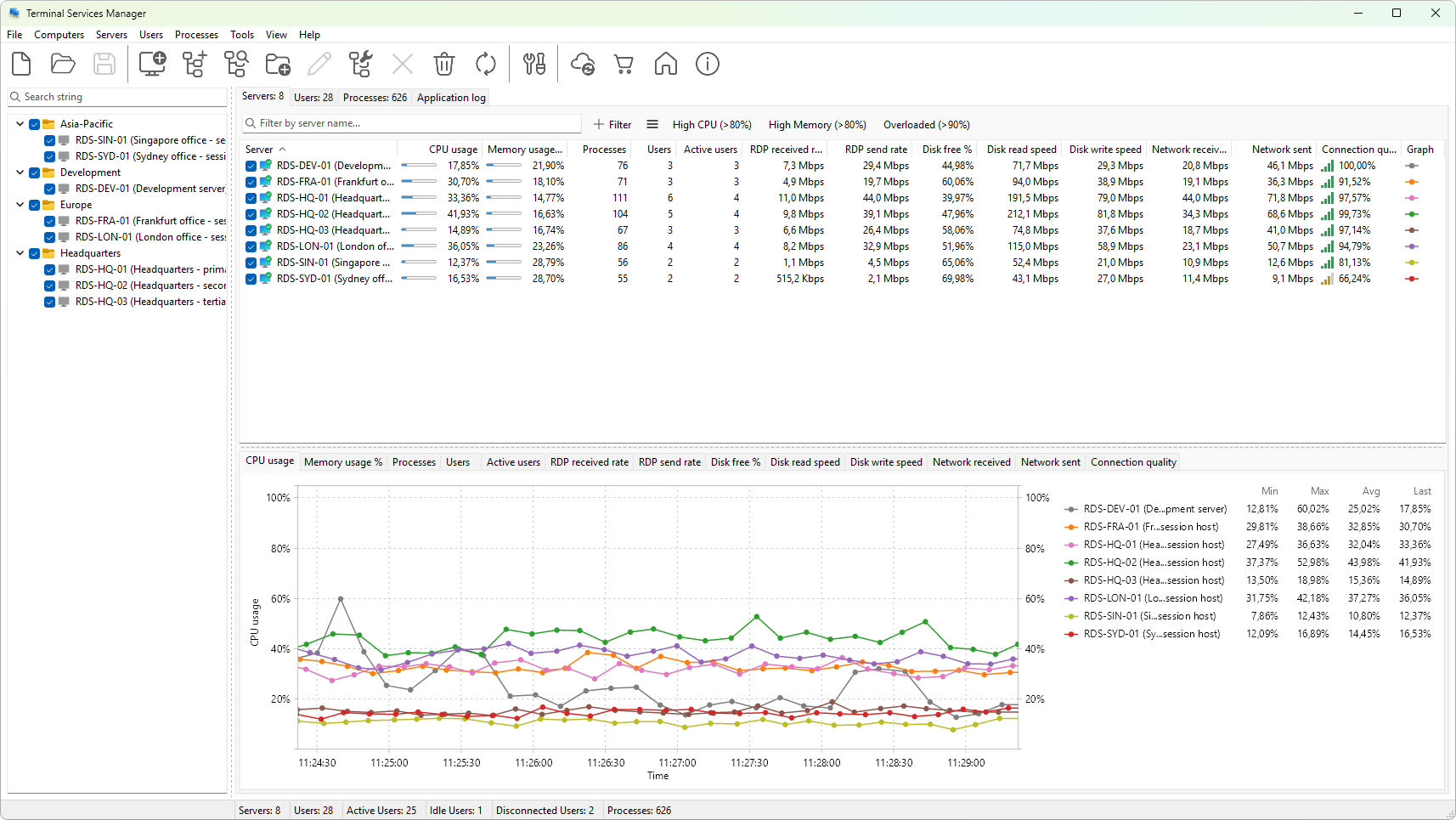
- Monitor any number of RDS servers in parallel. The Servers tab shows per-server CPU and memory load, RDP bandwidth, disk activity, network throughput, session and user counts, and several frame-quality metrics for the RDP protocol.
- See who is connected. The User sessions tab lists every interactive session across the monitored servers, with idle time, logon time, client name, and resource usage per user.
- Inspect running programs. The Processes tab lists processes from all monitored servers with CPU, memory, handle and thread counts, optionally filtered by user, server, or executable name.
- Take action. Disconnect or log off users, reset sessions, shadow a session, send broadcast or targeted messages, terminate processes, reboot or power off a server, and connect to a server with the standard Remote Desktop client - all from the context menu of the relevant tab.
- Inspect history and events. Open the RDS event log, browse session history, and review failed logon attempts for any monitored server.
- Plot anything that changes over time. Each tab has a graph panel that can chart any combination of the available metrics with adjustable time window, grid, legend, and tooltip modes.
- Manage RDS configuration. Open the Remote Desktop Services Properties dialog, view installed RDS licenses, enable or disable Remote Desktop on a server, and manage user profile folders.
- Bring servers into the program in bulk. The Add computers wizard can import targets from Active Directory, an IP range, a network broadcast scan, a Hyper-V host, an RDS Connection Broker, SCCM, or WSUS.
What it is not
Terminal Services Manager is a monitoring and administration console, not an RDP client. To open a remote desktop session it launches the standard Microsoft Remote Desktop client (mstsc.exe) and lets that client own the session.
Continue with System requirements or jump straight to Installing Terminal Services Manager.