
Process context menu
Right-click any row on the Processes tab. Every command operates on the selected processes, or on the session and server that own the focused process.
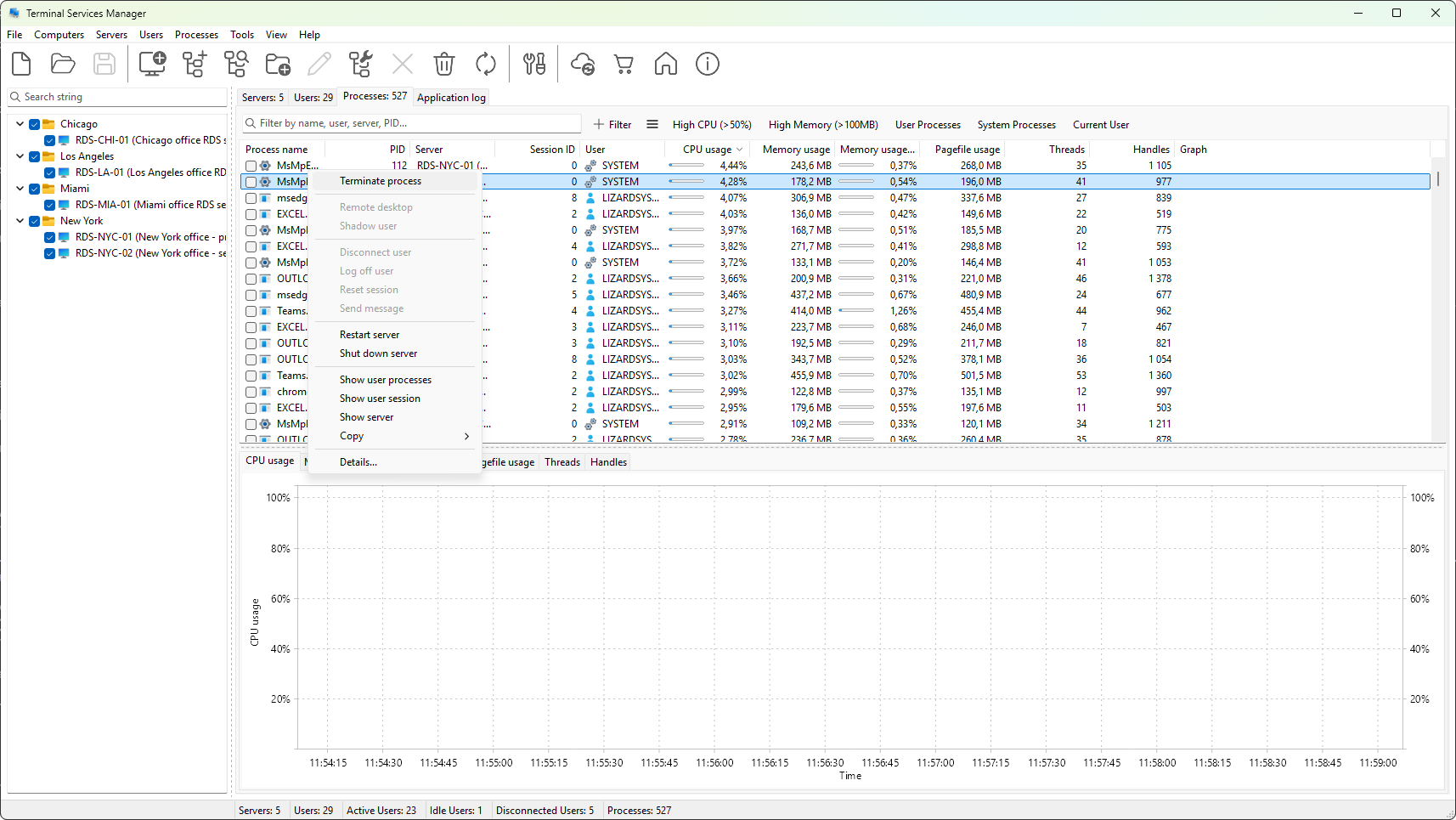
Process action
- Terminate process - stop the selected processes (see Terminating a process).
Session of the process
These commands act on the session that owns the focused process, not on the process itself.
- Remote desktop - open an RDP session to the server.
- Shadow user - shadow the session that owns the process (see Shadowing a user).
- Disconnect user - disconnect that session.
- Log off user - log off that session.
- Reset session - reset that session.
- Send message - send a message box to that session.
Server of the process
- Restart server - restart the server hosting the process.
- Shut down server - shut it down.
Drill-down
- Show user processes - switches to the Processes tab filtered to every process of the same user.
- Show user session - switches to the User sessions tab and selects the owning session.
- Show server - switches to the Servers tab and selects the host.
Copy
- Copy row - the focused row, all visible columns.
- Copy cell - the cell under the mouse pointer.
- Copy all rows - every visible row, with a header row at the top.
Was this page helpful?
Thanks for your feedback.