
Active Directory tab
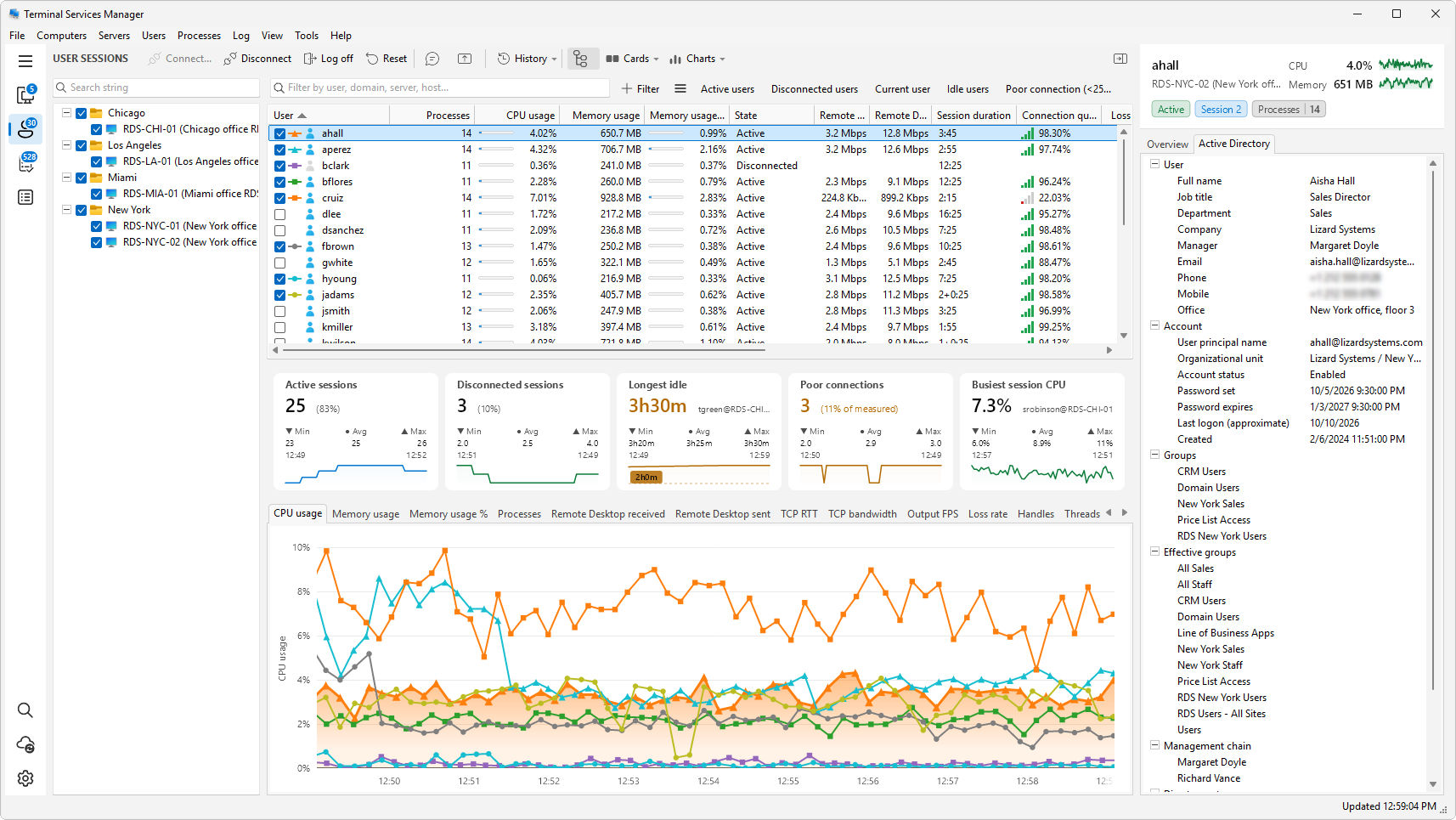
The Active Directory tab of the inspector shows what your domain knows about the user of a session or about a server. It sits next to the Overview tab when you pick a user session row or a server row. Process rows and the whole-list view have no such tab.
For a user
Pick a user session. The tab lists the account's details in these sections:
- User - Full name, Job title, Department, Company, Manager, Email, Phone, Mobile, Office, and Description.
- Account - User principal name, Organizational unit, Account status, Account expires, Password set, Password expires, Last logon (approximate), and Created. Account status reads Enabled or Disabled and adds notes such as locked out, must change password at next logon, password never expires, or smart card required.
- Groups - the groups the account belongs to directly.
- Effective groups - the groups including nested ones. A user three groups deep has the access without appearing in Groups.
- Management chain - the manager, then the manager's manager, nearest first.
- Direct reports.
Last logon (approximate) is a date only. The domain replicates it lazily, so it can be days behind.
For a server
Pick a server. The tab lists:
- Server - DNS name, Operating system, Operating system version, Services, Description, Location, Managed by, Organizational unit, Created, and Changed.
- Account - Account status, Role (Member server, Workstation, Domain controller, or Read-only domain controller), Last logon (approximate), and Computer password set.
- Security - Delegation, Kerberos encryption, Local administrator password (Windows LAPS or Legacy LAPS when one manages it), and LAPS password expires.
- Allowed to delegate to, Groups, Custom attributes (Notes and extension attributes), and Identifiers (Distinguished name, SID, GUID).
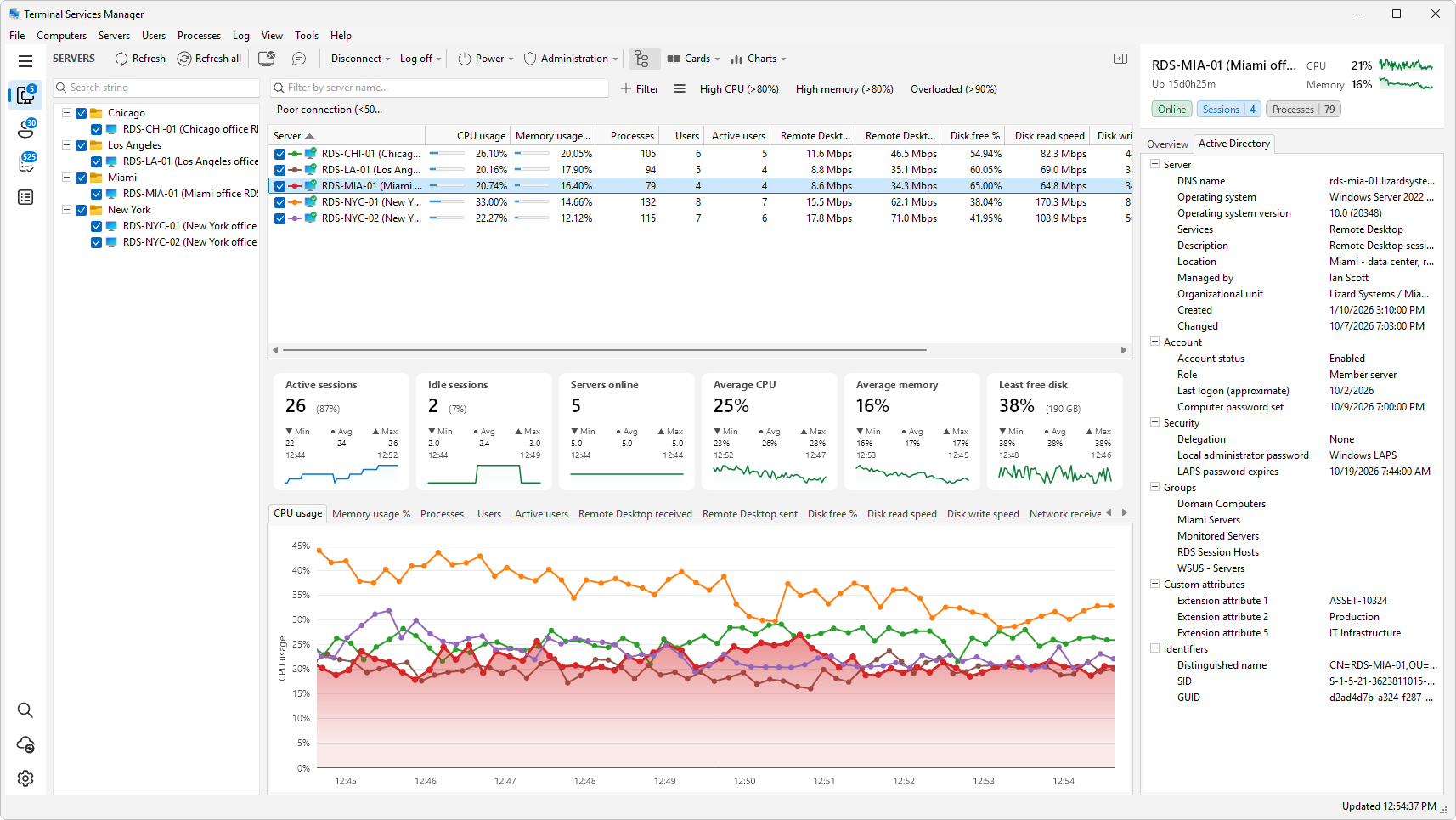
Rows with nothing to show are left out.
Servers listed by IP address
A server you added by IP address works too. The program finds its name and domain, and remembers them until you exit. If it cannot work the name out, the tab says Active Directory can't be searched by address, so add this server by name.
When the tab has nothing to show
A single line explains why:
- Retrieving the information... - the lookup is running.
- Active Directory details are turned off. - the option is off in Preferences, see below.
- This computer isn't joined to a domain.
- This is a local account, not a domain one.
- This account isn't in Active Directory. or This server isn't in Active Directory.
- No further details for this account. or No further details for this server.
- Couldn't get the details from Active Directory. - use Try again, or Refresh from the right-click menu.
Turning it off
Clear Show Active Directory details in the inspector under Preferences > Network (see Server state verification). The tab then shows the line above and does not query the directory.
Copying
Right-click a row for Copy value, Copy name and value, Copy all, and Refresh. Ctrl+C copies the value of the selected rows.