
The command palette
The command palette finds any menu command or Tools command as you type, so you can run it without hunting through the menus.
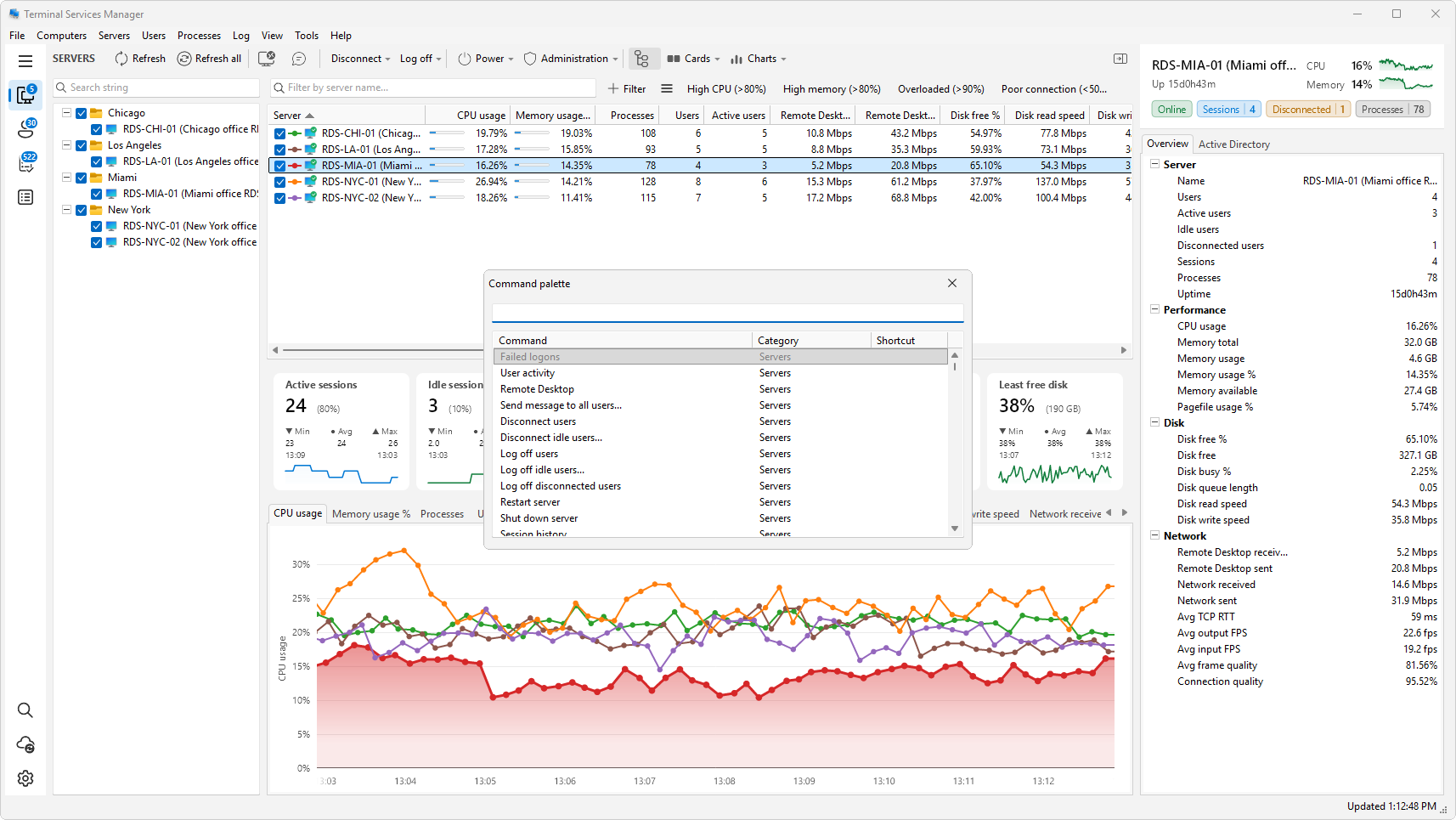
Open it
Press Ctrl+Shift+P, choose View > Command palette..., or click Command palette in the sidebar. You can hide the sidebar button in the preferences described below.
Run a command
Type part of a command name. The list narrows to the commands whose names have your letters in that order. You can type the English name or the name in the language the program uses, and a few common synonyms work as well: kill finds End task, reboot finds Restart server, and shutdown finds Shut down server.
- Up and Down move through the list, Page Up and Page Down move by eight rows.
- Enter, or a double-click, runs the highlighted command.
- Esc closes the palette without running anything.
The list has three columns: Command, Category, and Shortcut. A command that cannot run right now, for example one that needs a selected server, is gray. Hover it for a note.
With nothing typed, the palette lists everything. Commands you used recently come first, then the ones you use often. Tools commands that fit the row you have selected come before the rest.
Hide a command
Right-click a command and choose Hide from the palette to stop it from showing up. Show hidden entries again in the preferences brings all hidden commands back.
Set it up
Choose Preferences > Command palette. The page has two tabs.
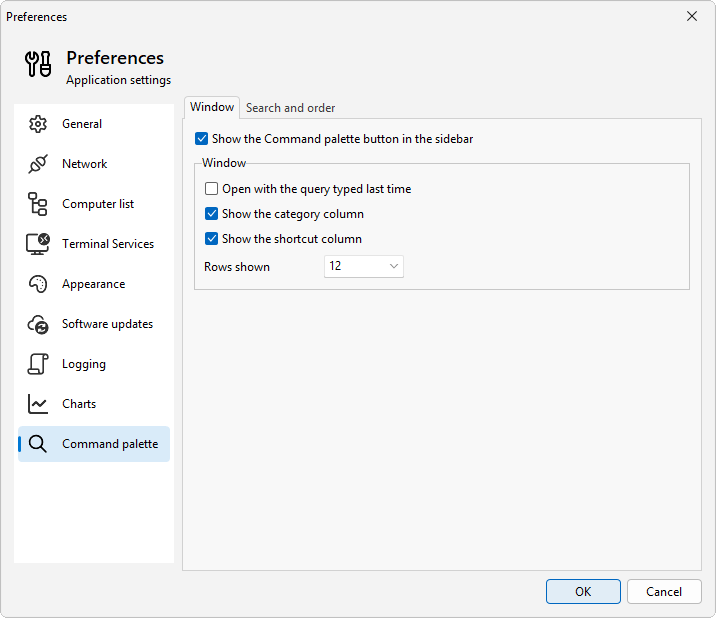
On the Window tab:
- Show the Command palette button in the sidebar adds or removes the sidebar button.
- Open with the query typed last time fills the search box with your last query.
- Show the category column and Show the shortcut column show or hide those columns.
- Rows shown sets how many rows the list shows: 8, 12, or 16.
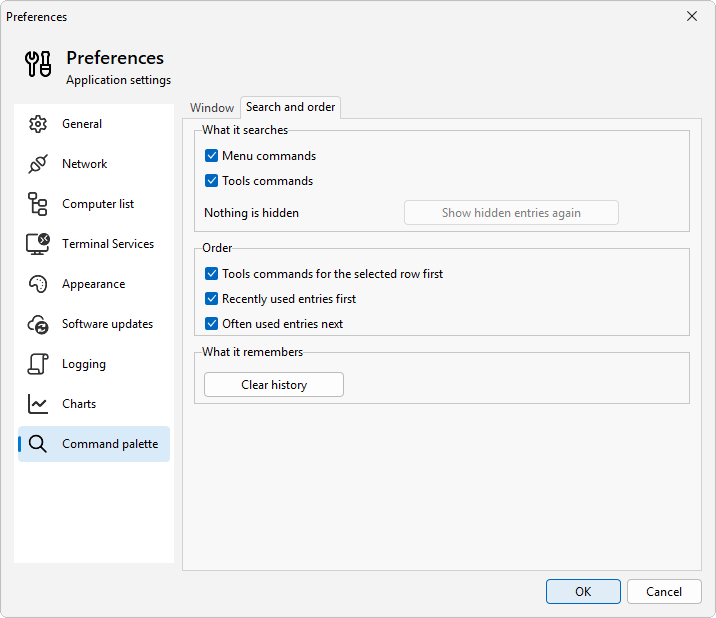
On the Search and order tab:
- What it searches has Menu commands and Tools commands. Keep at least one ticked. Show hidden entries again restores the commands you hid and says how many are hidden.
- Order has Tools commands for the selected row first, Recently used entries first, and Often used entries next.
- What it remembers has Clear history, which wipes the record of recent and often used commands when you click OK.