
SCCM source
The SCCM source pulls device records from a Microsoft Endpoint Configuration Manager (formerly System Center Configuration Manager) site. Use it when SCCM is already your authoritative inventory of clients and servers. Choose it as the source on the first step of the Add computers from wizard.
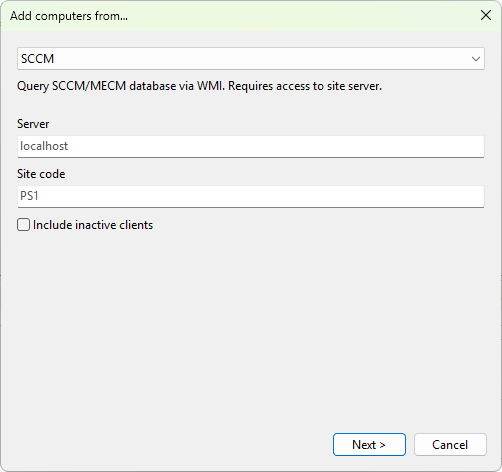
Settings
- Server - the host name or FQDN of the site server. Leave blank to query the local machine.
- Site code - the three-character site code (for example,
PS1). - Include inactive clients - tick this box to include devices that the site marks as inactive. Off by default.
Requirements
- The account running the program must have read access to the SCCM WMI provider (
root\sms\site_<code>). - The site server must be reachable from your management machine over WMI / WinRM.
Was this page helpful?
Thanks for your feedback.