
Network source
The Network source asks the local Windows network for computers it can see and lets you keep only the kinds you care about.
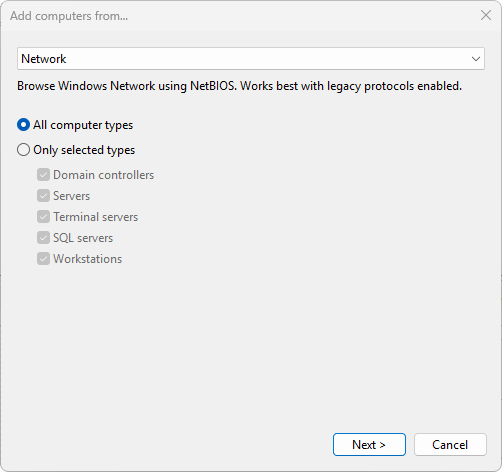
Settings
- All computer types - return every computer the browser sees, regardless of role. This is the default.
- Only selected types - return only the categories you tick. Five checkboxes appear when this radio is selected:
- Domain controllers
- Servers
- Terminal servers
- SQL servers
- Workstations
The role filter is applied at the Windows browser API level by passing the corresponding SV_TYPE_* bitmask to NetServerEnum. A box that is unticked drops every machine of that role from the result.
When to use it
The Network source uses the same browser service that Windows Explorer uses, so it sees what your machine sees. The underlying NetBIOS protocol is deprecated, so it tends to miss machines on modern networks - and the Terminal servers and SQL servers role bits in particular rely on legacy SMBv1 announcements that newer servers no longer broadcast, so those two filters can under-report. For larger or modern environments use Active Directory or IP range instead.