
Filtering and searching
The Servers, User sessions, and Processes tabs each have a filter strip above the data tree. The strip combines three tools: a quick search for typing a substring, a builder for compound conditions, and saved presets you apply with a click. The same mechanics work on all three tabs, so once you learn the filter on one tab you know it everywhere. Only the set of fields you can filter on changes from tab to tab.
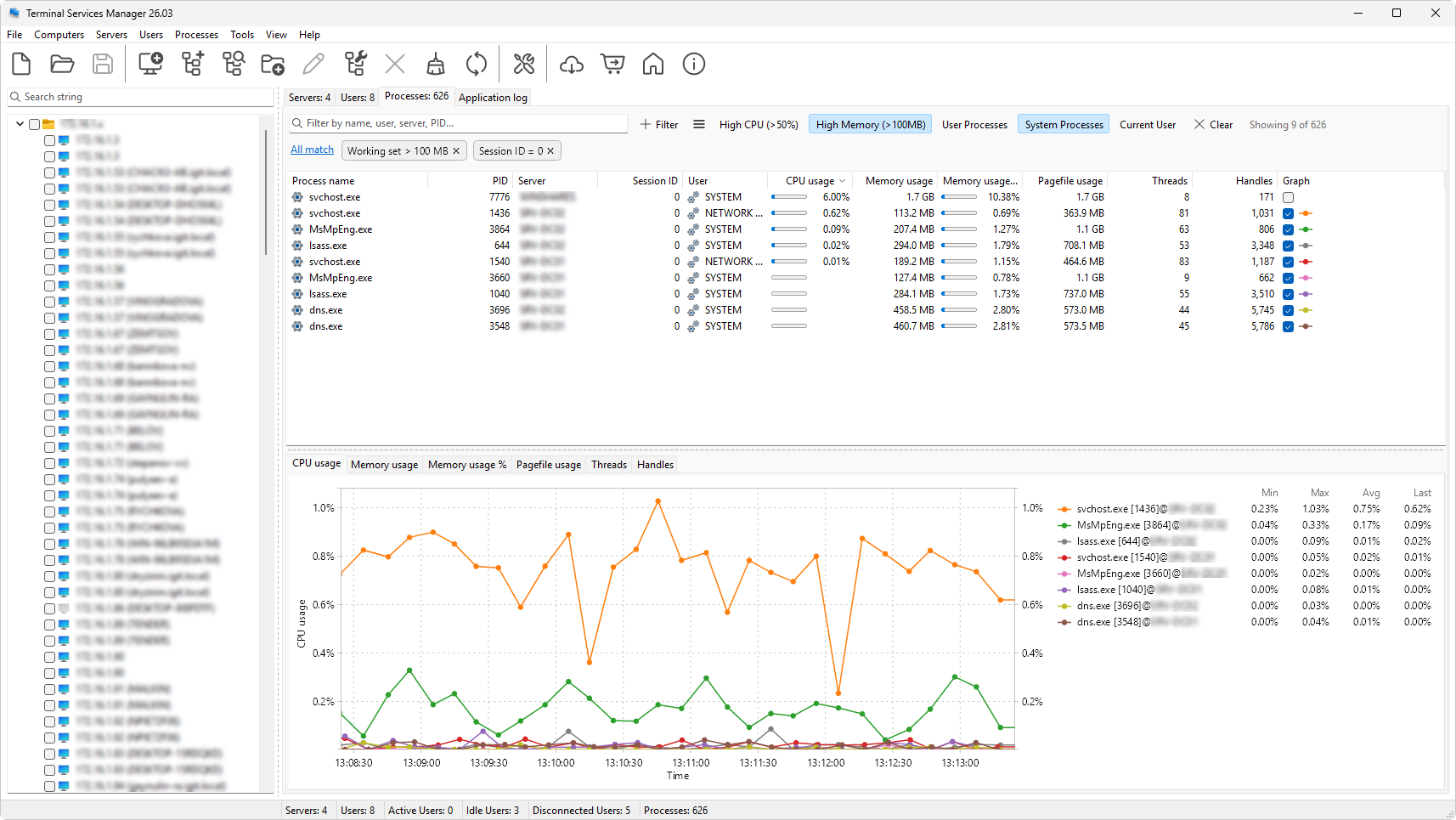
Quick search is the fastest way in: type part of a name and the list narrows as you go, with matches highlighted. When you need more than a substring match, the builder lets you compose conditions out of a field, an operator, and a value, and combine several of them. Anything you build can be saved as a preset and pinned to the strip as a button, and the program ships with a useful set of presets on each tab.
This section covers the overview of the strip, quick search, building a filter, the fields available on each tab, the operators, how to save and manage your own presets, and the built-in presets.