
Logging off a user
Log off ends the user's session and discards it. The user has to sign in again to start a fresh session. Any unsaved work is lost.
How to do it
Select one or more sessions, then:
- Right-click and choose Log off, or
- Choose Users > Log off from the main menu.
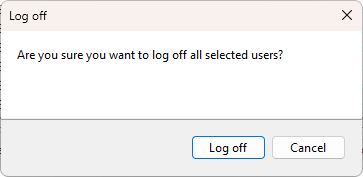
A confirmation dialog asks Are you sure you want to log off all selected users?. Click Log off to proceed.
What happens on the server
The Windows API call WTSLogoffSession runs on each target server. The session ends. Applications in the session receive their normal session-end notifications; whatever they had unsaved is gone unless they autosave. If the user is still connected when you log them off, they see their RDP window close.
Tell the user before you log them off if you can. Use Send a message to give them a few minutes to save their work.
Disconnect vs log off vs reset
- Disconnect keeps the session and the apps; the user can resume later.
- Log off and Reset both call the same Windows
WTSLogoffSessionAPI and end the session. Pick Log off for normal cleanup of a finished user and Reset for sessions that have to go now (see Resetting a session). The user-facing effect is the same; the labels exist to keep the two intents separate in muscle memory and in the audit log.
See also
Was this page helpful?
Thanks for your feedback.