
Active Directory source
The Active Directory source queries the domain that the running machine is joined to and returns the computer accounts it finds.
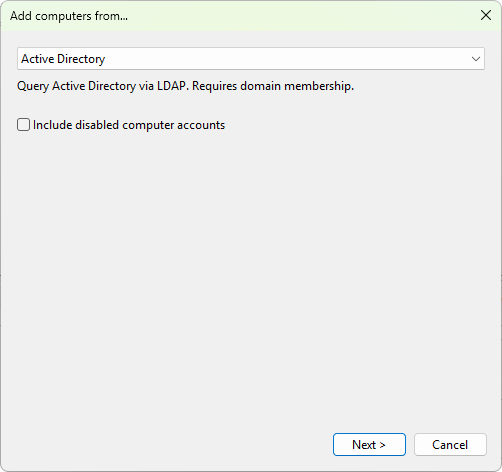
Settings
- Include disabled computer accounts - tick this box to include computer objects whose accounts are currently disabled. Off by default.
What it returns
The source walks the domain and reports every computer object visible to the user who runs Terminal Services Manager. The hierarchy returned reflects the organizational unit (OU) tree, so if you keep Keep original grouping selected on the final wizard page, your list mirrors your OU structure.
Requirements
- The machine that runs Terminal Services Manager must be joined to the domain you want to query, or have a working trust to it.
- The account running the program must have permission to read computer objects in the domain.
Was this page helpful?
Thanks for your feedback.