
Application log
The Application log is the fourth tab in the right-hand pane. It is the program's own runtime log: every server query, every action you triggered, every refresh that failed. Use it to investigate why a connection is not working, to confirm an action was sent, or to attach a recent excerpt to a support ticket.
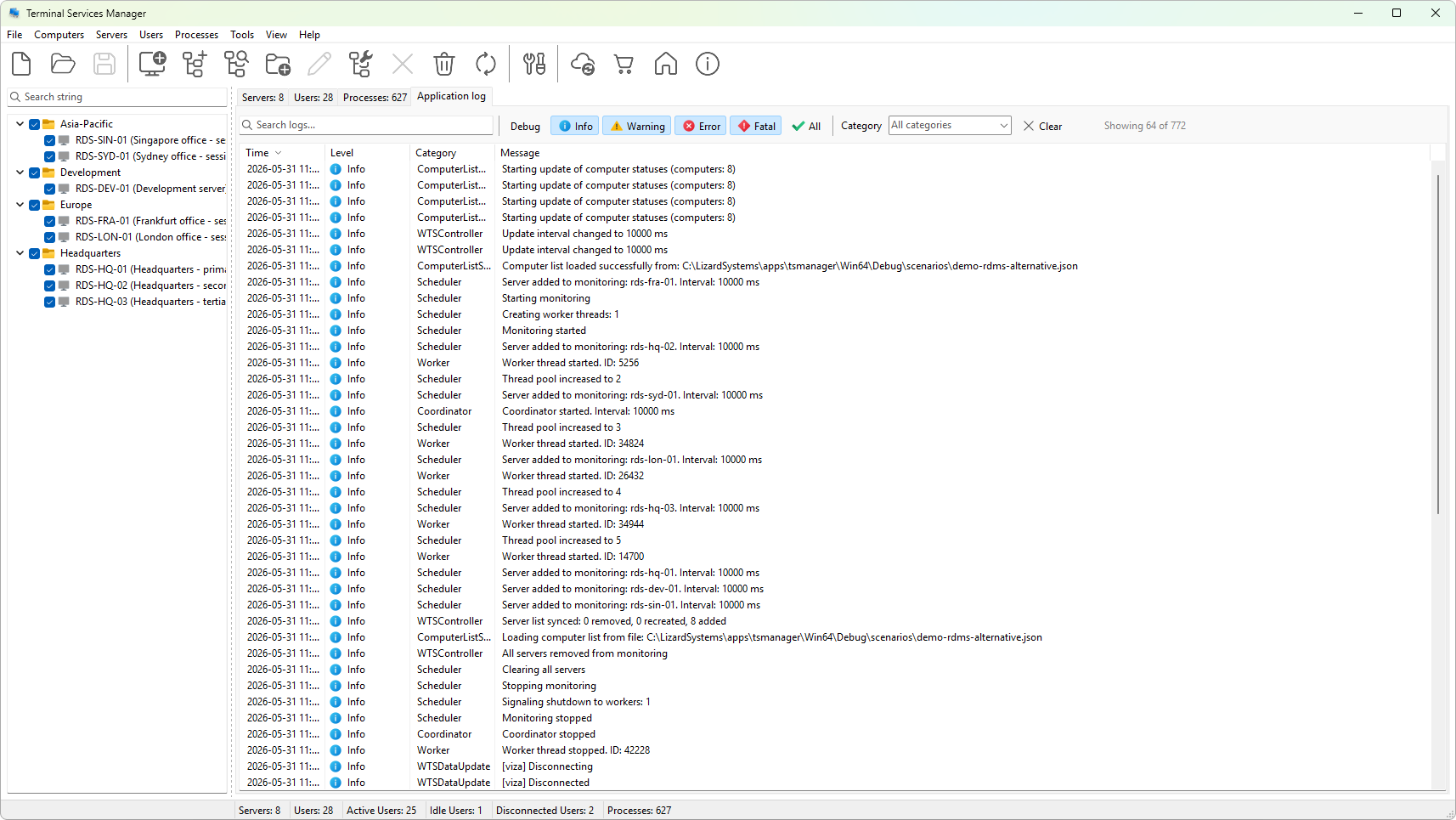
Unlike the data tabs, the log does not depend on any selection in the computer list. Each row is one event with a timestamp, a severity level, a category, and a message. The filter strip across the top lets you narrow the view by level, by category, or by free-text search, so you can isolate the handful of entries that matter during troubleshooting.
This section describes the layout of the tab, what each of the five severity levels means, how to filter and search the entries, and how to copy or export them. When you file a support ticket, the recommended path is to set the view to all levels, reproduce the problem, and export the result as a focused log rather than narrating the screen.