
Filtering and searching log entries
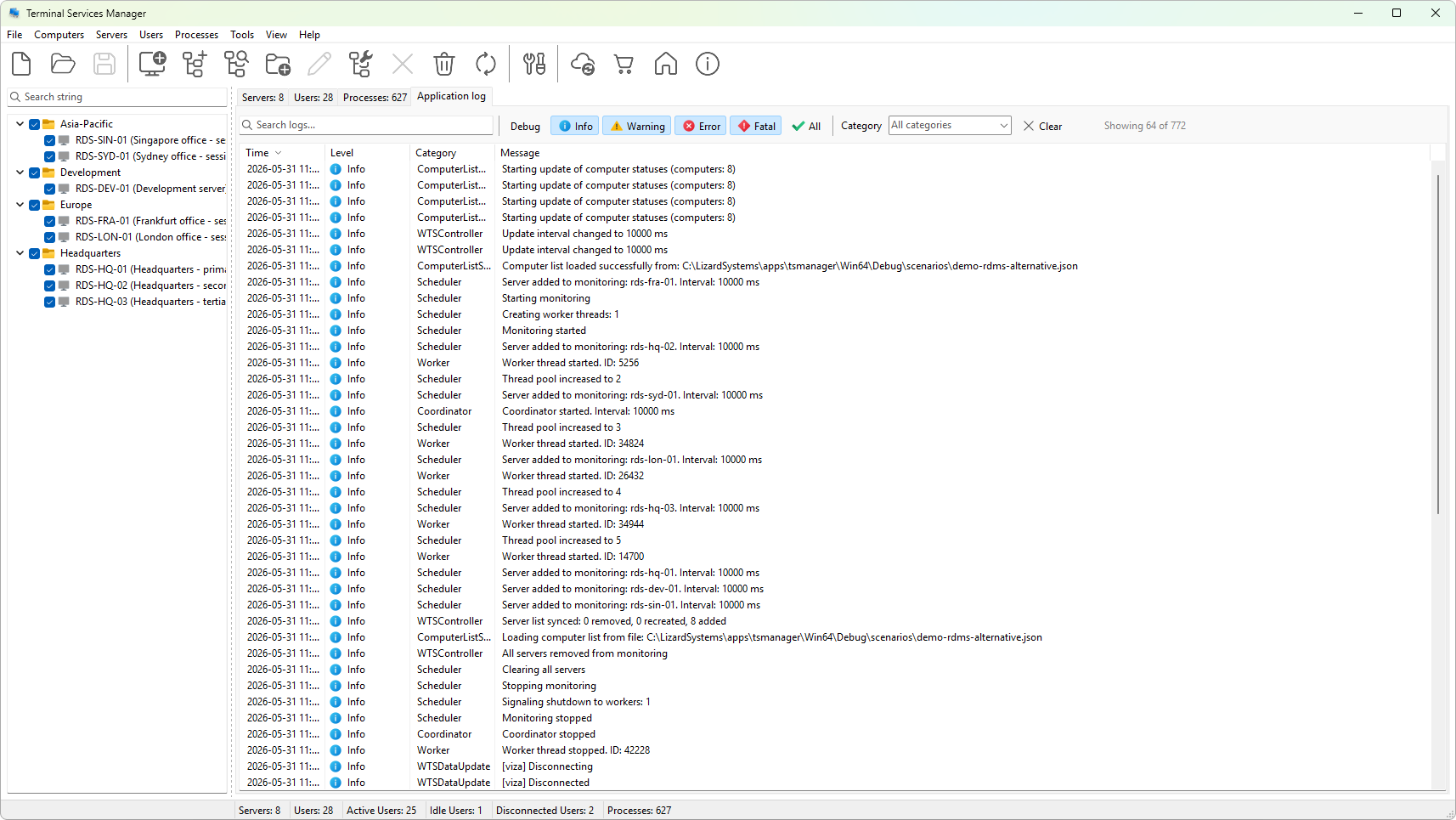
The filter strip above the log grid narrows the visible rows by level, by category, and by free-text search. Combine the three to find the entries you care about.
Text search
The text field on the left of the strip is a substring search across the Message column of the log grid. As you type, rows that do not contain the substring are hidden. Matching is case-insensitive.
Filtering does not run on every keystroke; the program waits a short moment after you stop typing before applying the filter, so long search strings do not redraw the grid on every character.
The clear button (the small x icon) on the right edge of the field clears the search.
Level buttons
Each of the Debug, Info, Warning, Error, Fatal buttons toggles whether that level appears. All is a shortcut to turn every level on (or off, if every level is already on).
The current level selection combines with the text search and the category filter using AND: a row must match every active filter.
Category dropdown
The category dropdown lists every category that has appeared in the log since the program started. Pick a category to see only its entries; clear the box (or use Clear) to clear the category filter.
The list is auto-populated and refreshes when you open the dropdown, so a category that first appears mid-session is available without restarting.
Clear
The Clear button on the right edge of the strip resets everything: text search empty, all levels ticked, category cleared. Use it to get back to the full log in one click.
Status indicator
The status label on the right of the strip shows the count: <visible> of <total>. When a filter is active the visible count drops below the total; clearing the filter brings them back in sync.