
Building your computer list
The computer list is the left-hand pane of the main window. It holds every computer you want Terminal Services Manager to monitor, organized into folders that you control. This section explains how to populate it: add machines one at a time, paste a list of names, generate names from a pattern, or pull them in bulk from a network source. It also covers grouping, bulk maintenance, and saving and restoring the list as a file.
Right-click anywhere in the computer list to reach these commands:
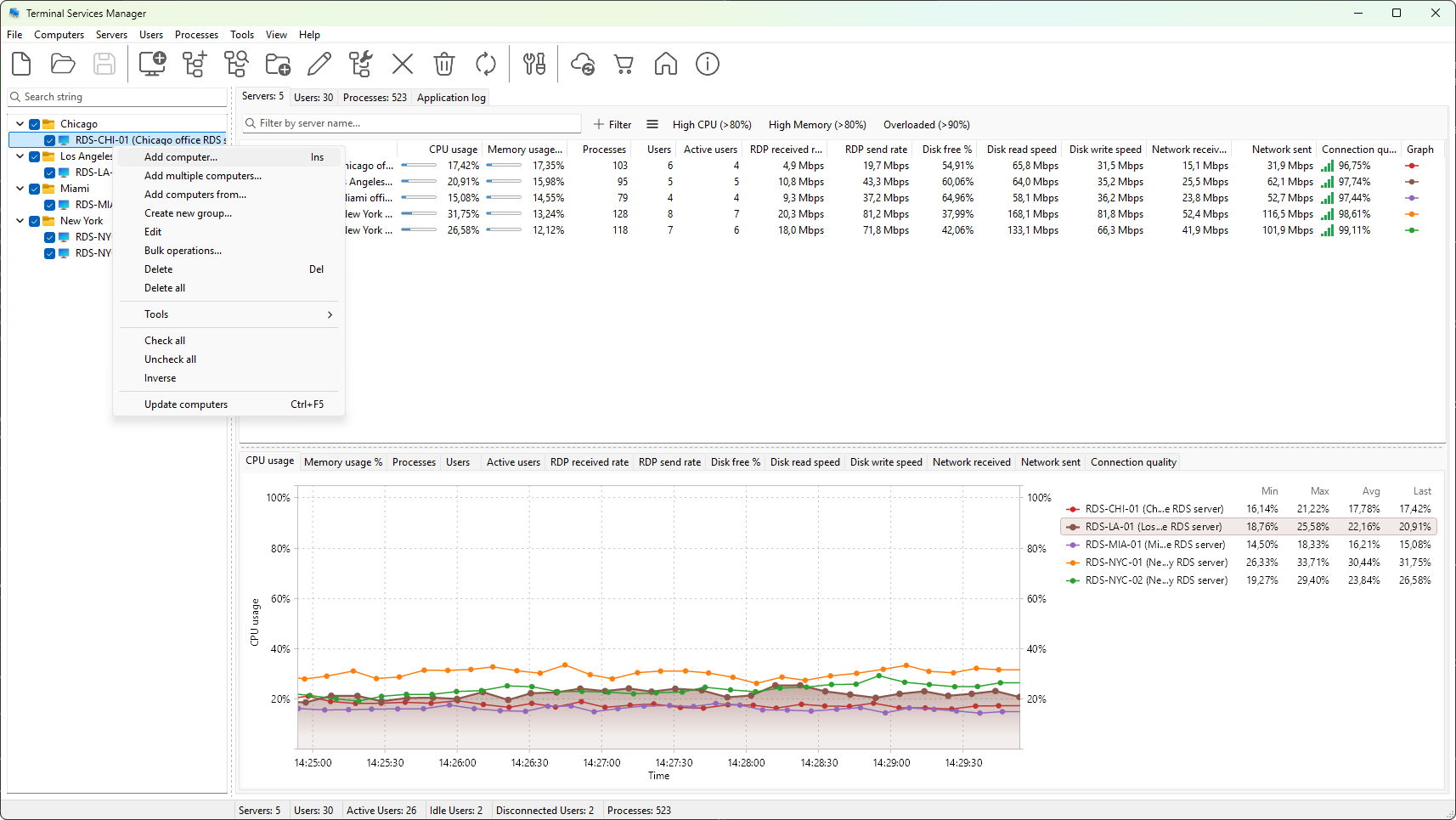
How you build the list depends on how many computers you have and where their names live. For a handful of servers, type each name in or paste a block of names. For a whole environment, the wizard can discover machines from the network, Active Directory, an IP range, a Hyper-V host, an RDS broker, SCCM, or WSUS. Once the names are in, group them into folders, search and filter, connect with alternate credentials when needed, and export the list so you can reuse it on another machine or share it with colleagues.