
Quick search
The quick search is the text edit at the start of the filter strip. It matches a substring of the row's identifying text. Use it when you know the name (or part of it) and want to narrow the list immediately.
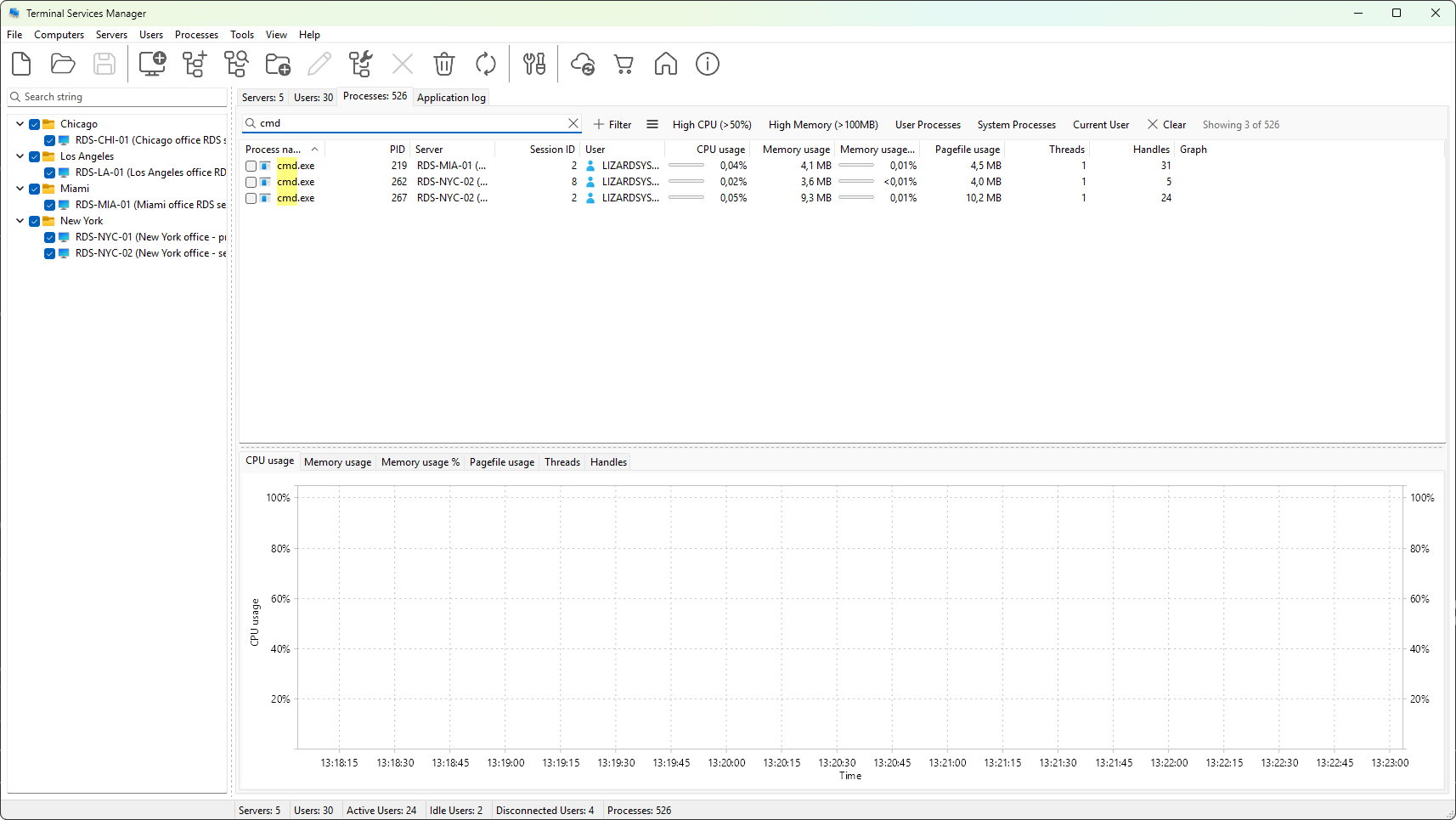
How matching works
- The match is case-insensitive.
- Match runs on a fixed set of identity columns per tab:
- Servers tab: server name and server description.
- User sessions tab: user name, domain, server name, session name, host name, client name, and client address.
- Processes tab: process name, user name, server name, user SID, process ID, and session ID (numeric fields are stringified, so typing
1234matches PID1234and session1234). - Matched characters are highlighted in the cell with a light yellow background, so you can see which part of the cell matched.
The match field list is fixed for each tab. If you need to search a column the quick search does not cover (a session client name, a session state, a process PID), use the filter builder with the appropriate field and the contains operator.
Debounce and clear
Filtering does not fire on every keystroke. The program waits 300 milliseconds after you stop typing before applying the filter, so a long search string does not redraw the tree on every character.
A clear button (the small x icon) appears at the right edge of the field as soon as you type one character. Click it to clear the search. The keyboard shortcut Esc with the field focused does the same.
Quick search and other conditions
The quick search is independent of the filter builder. You can have both an active quick search and a set of conditions at the same time; rows must match the quick search AND satisfy the condition tree to be visible. The visible-row counter on the right of the tab caption reflects both.
Per-tab placeholder
Each tab uses its own placeholder text in the field to remind you what the quick search will match. For the User sessions tab, the placeholder is the typical fields it searches; same for the others. The placeholder is only a hint; the actual match scope is documented above.