
The Application log tab
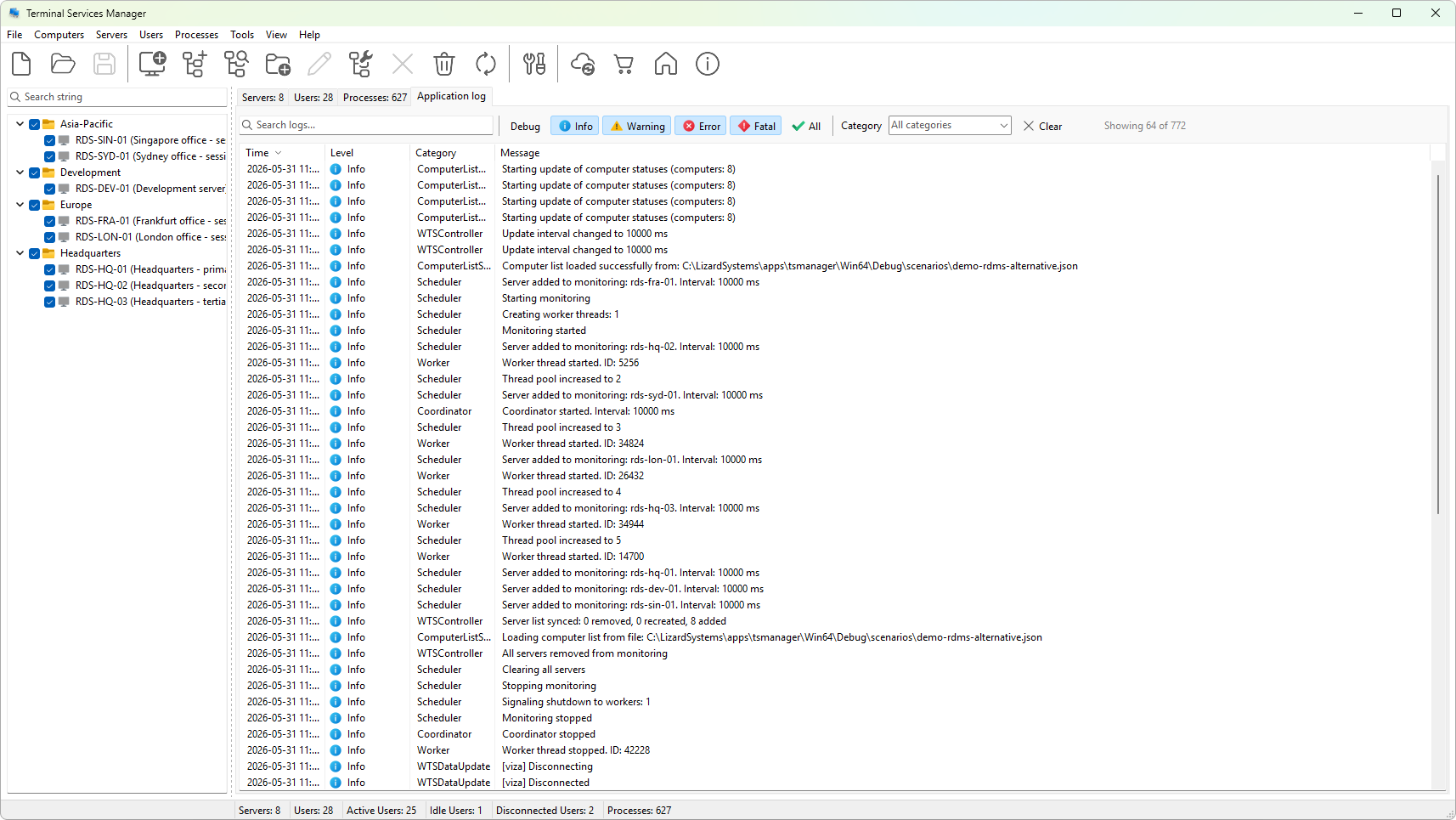
The Application log tab opens the program's runtime log. Each row is one event: a refresh, an action, a connection, an exception. The tab is independent of the Servers, Users, and Processes tabs; it does not depend on any selection in the computer list.
Layout
- Filter strip across the top: text search, five level toggle buttons (Debug, Info, Warning, Error, Fatal), an All toggle, a category dropdown, and a clear-filter button.
- Log grid below: one row per entry with columns for the timestamp, level icon, category, and message.
- Status label on the right end of the filter strip shows how many rows are visible out of the total kept in memory.
Columns
- Time - when the event was recorded, local time.
- Level - the severity (Debug / Info / Warning / Error / Fatal), shown with a colored icon for Info and above; Debug rows are gray with no icon.
- Category - a short string identifying the subsystem that emitted the entry (
Server,Action,Update,Auth, and so on). Useful for filtering. - Message - the human-readable description, plus any extra parameters formatted into the string.
How much is kept
The viewer keeps the most recent 10,000 entries in memory by default. Older entries scroll off the top as new ones arrive. The persistent on-disk log (configured in the Logging preferences) keeps more; the in-memory view is just what the tab can show quickly.
Sorting
Rows are listed in arrival order, most recent at the bottom. Click the Time column header to flip the order; click another header to sort by that column.
See also
Was this page helpful?
Thanks for your feedback.