
Software updates
The Software updates page controls how the program checks for new versions and what it does when one is found.
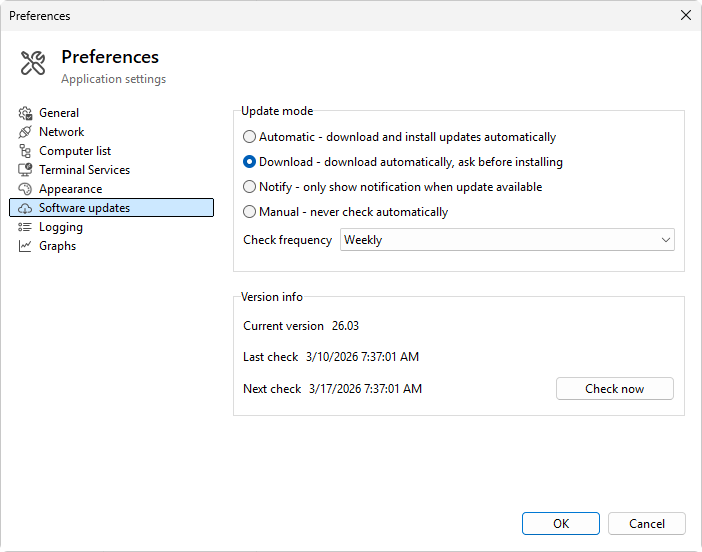
Update mode
Four radio options:
- Automatic - download and install updates automatically - the program downloads the new version in the background and installs it on next launch with no prompt.
- Download - download automatically, ask before installing - the new version is downloaded; the program prompts before applying.
- Notify - only show notification when update available - the program tells you a new version is available but doesn't download anything; you decide when to act.
- Manual - never check automatically - no automatic check. You can still check manually from Help > Check for updates....
Check frequency
How often the background check runs. Disabled when Manual is selected.
- On startup - once every time the program launches.
- Daily
- Weekly (default)
- Monthly
Read-only info
The page shows the current state of the updater:
- Current version - the version that is running.
- Last check - the date and time of the last successful check.
- Next check - when the next automatic check is due.
A Check now button forces an immediate check, regardless of the schedule.
Notes
- The check downloads only a small version manifest; it does not transfer the installer until you authorize it.
- If you install Terminal Services Manager through winget, both winget and the built-in updater can keep it current. See Installing with winget for the full picture; the two do not conflict.
Was this page helpful?
Thanks for your feedback.